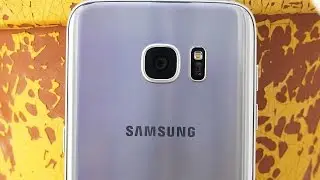
Galaxy S7 / S7 Edge: How to Enable DUAL CAMERA MODE- Take Photos / Videos
Автор: iLuvTrading
Загружено: 2016-03-16
Просмотров: 27566
Описание:
In order to active the dual camera features on your Samsung Galaxy S7 / S7 Edge you need to download it within the camera app itself as it is not preloaded in the modes section..yet. Once downloaded it will automatically be included in the modes section within your camera app. You will have many templates to choose from and you can flip the back and front facing camera view simply by tapping. You can also adjust sizes and move freely around the screen to your specification.
Also it will upload upto 1080p HD!!!!!!!!!!
Find more info on Samsung Galaxy S7's below.
Galaxy S7 unlocked: http://amzn.to/1Wpjdqr
Galaxy S7 Edge unlocked: http://amzn.to/1WpjrxV
Galaxy S7 DUAL SIM Unloced; http://amzn.to/1U68y6A
Samsung Gear VR (Vitural Reality) for S6/S7: 360 video on the Twisted Colossus Six Flags roller-coaster ride using the Gear VR: • Gear VR: Six Flags Twisted Colossus Roller...
How to Wirelessly Screen Mirror S7 & Edge to HDTV w ChromeCast: • Galaxy S7: How to Screen Mirror / Cast to ...
How to Wirelessly Screen Mirror S7 & Edge to HDTV w ScreenBeam: • Galaxy S7 / S7 Edge: How to Screen Mirror ...
Let me know you have any questions between these two devices for screen mirroring your S7 to project onto your big screen.
Please like, sub, share! Thank you.
FACEBOOK: / iluvtrading
TWITTER: / virgilforex
keywords:
PiP, Picture in picture, Picture-in-picture, both cameras, front and back facing camera, how to,
Повторяем попытку...

Доступные форматы для скачивания:
Скачать видео
-
Информация по загрузке: