Design a Dice Vault for 3D Printing (Blender Tutorial | Beginner Friendly)
Автор: Copperthumb
Загружено: 2026-01-23
Просмотров: 72
Описание:
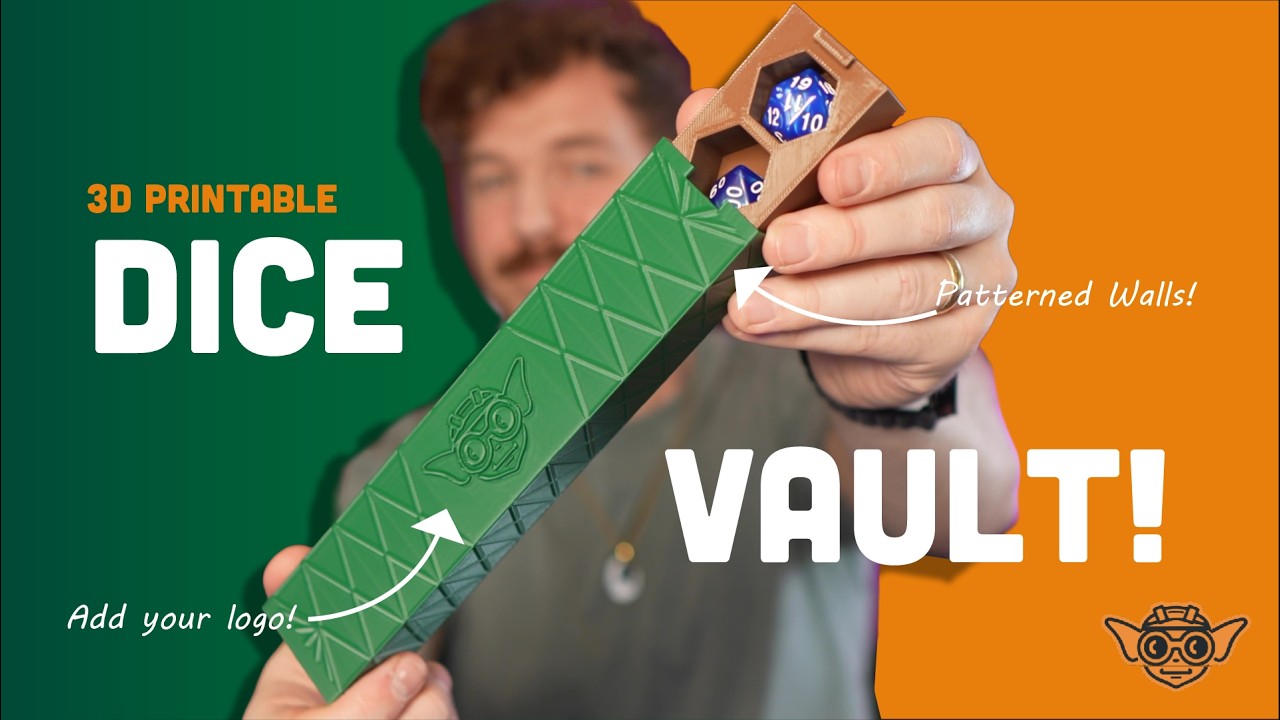
In this tutorial, we design a dice vault for 3D printing in Blender — a compact container that holds 7 dice in individual hexagonal compartments, with an inner insert and an outer sheath.
This project is designed to be print-first and beginner friendly, while introducing powerful Blender workflows using modifiers instead of destructive modeling.
We use the Mirror, Array, and Boolean modifiers to build clean, repeatable geometry, then add a simple geometric wall pattern and finish by adding a custom logo using an SVG workflow.
TIMESTAMPS:
00:00 - Intro
00:22 - Making the first compartment (mirror modifier)
04:46 - Creating the rest of the compartments (array modifier)
08:11 - Finishing the inner compartment (introducing Looptools)
12:01 - Modeling the Case (duplicate, mirror, solidify)
18:25 - Using the Looptools flatten tool
19:42 - Resizing the outer case (correct tolerances)
21:18 - Adding patterns to the wall (inset & shrink)
24:51 - Stamping your logo onto the model! (SVG workflow)
29:54 - Outro. Thanks for Watching!
🧰 What You’ll Learn:
• Designing hexagonal compartments that actually fit dice
• Using Mirror and Array for clean, repeatable geometry
• Boolean workflows that work for 3D printing
• Creating an inner insert and outer shell
• Adding simple geometric patterns to flat surfaces
• Importing an SVG logo and converting it into printable geometry
This is a great project if you’re learning Blender for 3D printing and want to move beyond basic boxes into more intentional, finished designs.
👉 This pairs perfectly with the dice tray, dice tower, and deck box tutorials already on the channel!
Повторяем попытку...
Доступные форматы для скачивания:
Скачать видео
-
Информация по загрузке: