EmergeNYC Graphics Settings Guide (PC Steam) | Best Resolution & Render Scale Explained
Автор: SaltyFireBuff Gaming
Загружено: 2026-06-04
Просмотров: 20
Описание:
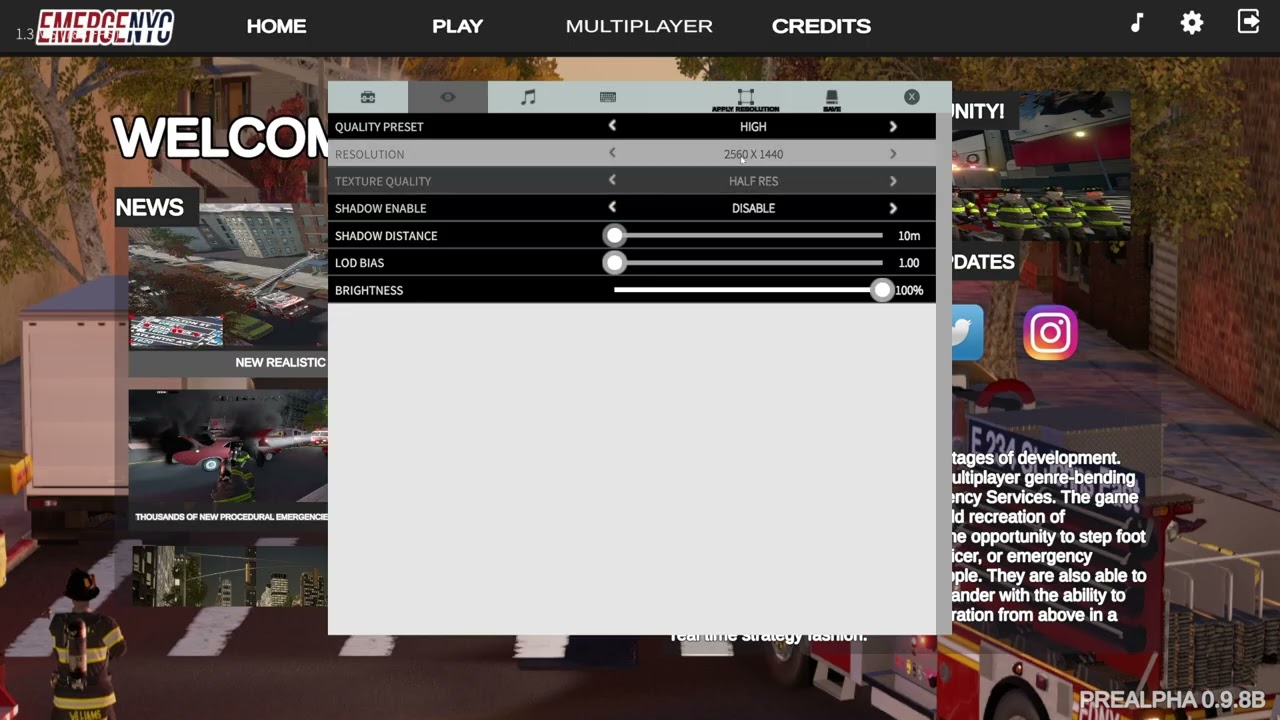
In this EmergeNYC graphics settings guide for PC Steam, I walk through the Settings menu and explain every important graphics option available under the Eye icon.
Learn the differences between:
✔ 3840x2160 (4K / 2160p)
✔ 2560x1440 (1440p / 2K)
✔ 1920x1080 (1080p HD)
✔ Resolution Scale settings
✔ Full, Half, Quarter, and Eighth render scales
✔ Performance vs visual quality tradeoffs
✔ Tips for getting the best FPS and image quality
To access these settings, click the Gear icon (Settings) and then select the Eye icon to open the graphics menu.
Whether you're running a high-end gaming PC or a lower-spec system, this guide will help you optimize EmergeNYC for smoother gameplay and better visuals.
#EmergeNYC #EmergeNYCGuide #PCGaming #SteamGames #GraphicsSettings #GamingTutorial #FPSGuide #4KGaming #1440p #1080p
Explanation for Render Scale (you can add this in the video or description)
Render Scale determines the resolution the game is actually rendered at before being scaled to your monitor's resolution.
Full Scale (100%) = Game renders at your selected resolution.
Example: 1920×1080 monitor → renders at 1920×1080.
Half Scale (50%) = Renders at half the width and height.
1920×1080 becomes 960×540 internally.
Higher FPS, but noticeably blurrier.
Quarter Scale (25%) = Renders at one-quarter of the width and height.
1920×1080 becomes 480×270 internally.
Significant performance gain, major image quality loss.
Eighth Scale (12.5%) = Extremely low internal resolution.
Primarily for very low-end systems or troubleshooting.
Image quality becomes very pixelated.
In simple terms: Lower render scales improve performance by reducing the number of pixels the GPU has to draw, but the image becomes less sharp. Full Scale gives the best visual quality, while Half, Quarter, and Eighth prioritize FPS.
Повторяем попытку...
Доступные форматы для скачивания:
Скачать видео
-
Информация по загрузке: