Mastering 3D Perspective Text: Canva Tutorial for Designers
Автор: Crazy Art Asr
Загружено: 2024-09-24
Просмотров: 127
Описание:
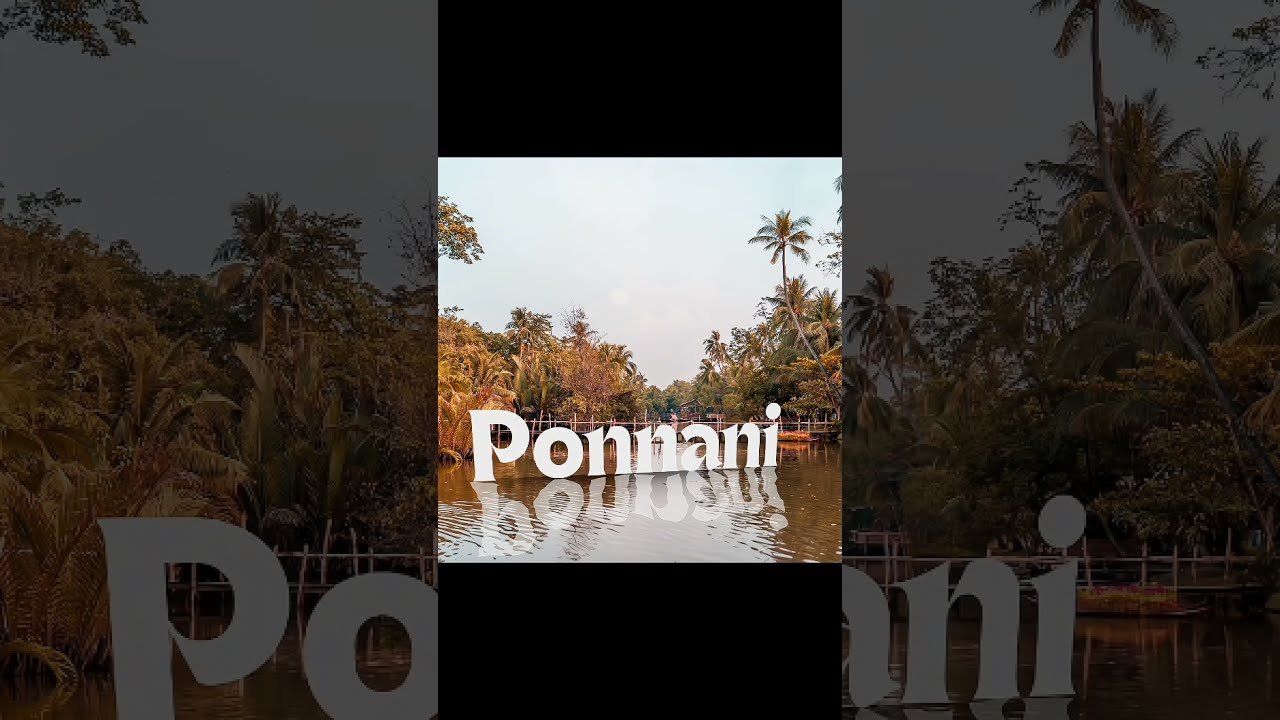
In this tutorial, we'll dive into the world of graphic design using Canva, focusing on how create eye-catching D perspective text with reflection effects. Perfect social media posts, client presentations, or personal projects, this step-by-step guide will arm you with the skills to elevate your design game.
Takeaways
1. *Understanding 3D Perspective* \- Learn the principles of creating realistic 3D text effects\.
2. *Reflection Techniques* \- Discover how to add compelling reflection effects that enhance your designs\.
3. *Practical* \- Gain insights on how to apply these techniques to professional design projects\.
Step-by-Step Process
Step 1: Create New Canva Design
Open Canva and choose your preferred design dimensions (e.g., a social media post).
Step 2: Add Text
Use the text tool to add your desired text to the canvas. Choose a bold font to maximize the 3D effect.
Step 3: Adjust Color and Size
Select the text and use the color palette to choose a color that stands out. Resize it to fit your layout.
Step 4: Duplicate the Text Layer
Right-click on the text and select 'Duplicate' to make a second layer that will serve as the base for the perspective effect.
Step 5: Apply Shadow Effect
Edit the duplicate text by changing its color to a darker shade. Move the text slightly downward and to the side to create a shadow effect.
Step 6: Create the Reflection
Duplicate the original text once again, flip it upside down, and position it beneath the original text. Reduce its opacity for a realistic reflection look.
Step 7: Finalize Your Design
Adjust the sizes and positioning as needed. Experiment with additional effects like gradients or backgrounds to enhance your overall design.
Resources Mentioned
**Canva**: An online graphic design tool that allows users to create a variety of visual content, including social media posts, presentations, and more.
**Color Palette**: A curated selection of colors you can utilize in your design to achieve a desired aesthetic and ensure visual harmony.
**Glossy Reflection Effect**: A design technique that mimics the look of reflections by adjusting opacity and orientation of replicated text or images.
Personal Best Advice
From my experience, patience is key when learning new design techniques. Don't rush through the steps; experimenting with different colors and effects will help you develop your unique style.
FAQ
1. *Can I use Canva for commercial projects?*
Yes, Canva offers licenses for commercial use, but make sure to check the licensing terms for specific images and elements.
2. *Do I need graphic design experience to follow this tutorial?*
Not at all! This tutorial is beginner-friendly. Just follow the steps, practice, and you'll improve quickly.
3. *Can I create 3D text in the free version of Canva?*
Absolutely! The features used for 3D text are available in the free version of Canva.
4. *Can I save my design for later use?*
Yes, you can save your design in Canva and edit it later at your convenience.
5. *What if I don't like the colors I chose?*
You can always go back and adjust the colors at any time until you find the perfect match for your design.
SEO-Optimized Hashtags
#CanvaTutorial #GraphicDesign #3DText #DesignSkills #CanvaDesign #ReflectionEffect #DesignInspiration #BeginnerDesign #CanvaTips #CreativeDesign
SEO Tags
3D text, Canva tutorial, graphic design, design tips, perspective text, reflection effects, Canva design, social media graphics, creative tutorial, design principles, beginner graphic design, text effects, online design, visual content, Canva hacks, design projects, text styling, enhancing designs, professional templates, digital design, design skills, color theory, text manipulation, design tools, online branding, visual storytelling, creative strategies, inverted text, typography design, engaging graphics, Canva for business, design resources, design techniques, step by step tutorial, digital art.
Повторяем попытку...
Доступные форматы для скачивания:
Скачать видео
-
Информация по загрузке: