How to Take a Screenshot on Mac
Автор: Howfinity
Загружено: 2022-04-07
Просмотров: 3136
Описание:
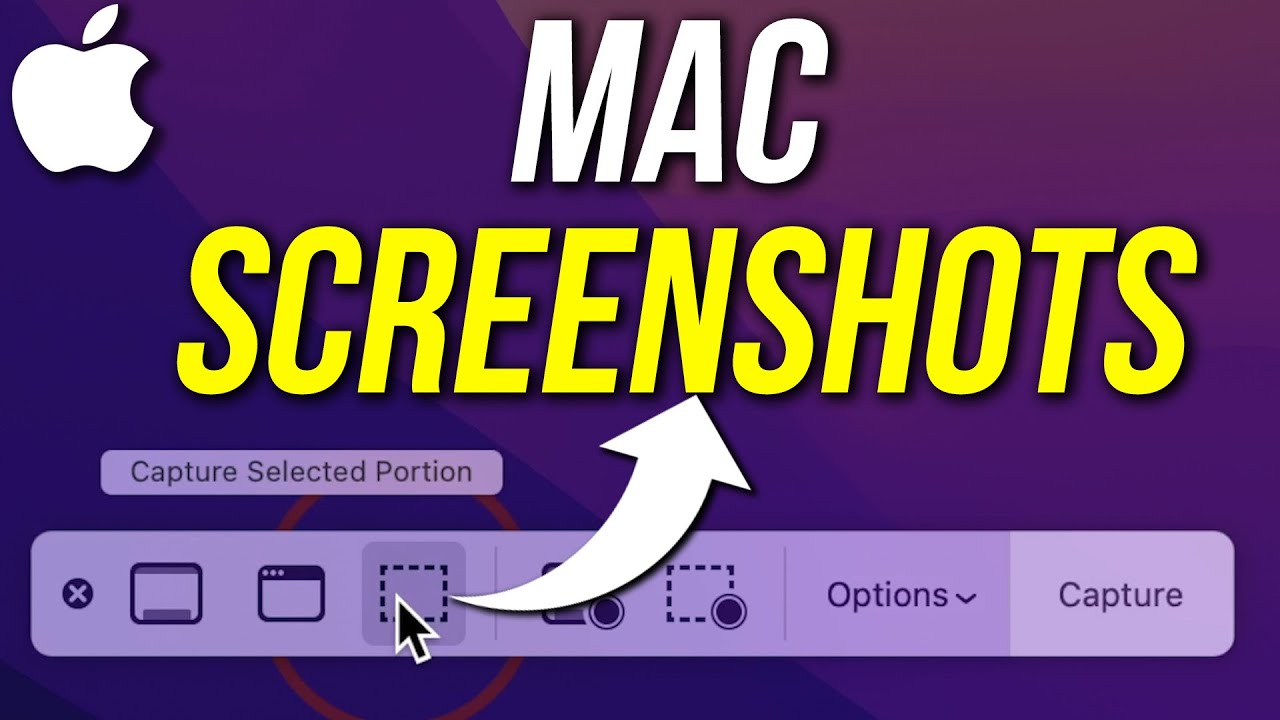
Let me show you five really useful ways for taking a screenshot on a Mac.
The fastest and easiest option for taking a screenshot on Mac is by pressing the Command + Shift + 3.
This takes a full screenshot.
If you don’t want everything on the page, you can select command + shift + 4 and this will take a screenshot of a selected portion.
Command + Shift + 4 and the space bar will let you take an image on an opened window.
Command + Shift + 5 will bring up the screenshot and screen recording menu.
And those are all the ways to take a screenshot on Mac.
Thank you for watching this video! Subscribe to see more simple and easy-to-follow how-to videos.
https://www.youtube.com/c/howfinity?s...
Recommended YouTube Gear and tool: (includes affiliate links)
✅ YouTube gear checklist https://bit.ly/youtubestudioguide
▶️ Tubebuddy https://www.tubebuddy.com/howfinity
📲 More Tutorials https://howfinity.com
Software/platforms:
💻 Envato Elements https://1.envato.market/NgYR2
📷 Adobe Creative Cloud https://bit.ly/HowfinityCC
Courses:
▶️ Grow Your Own YouTube Channel - Free Training https://bit.ly/tubementorwebinar
🎨 Photoshop Masterclass https://bit.ly/Photoshopcourse-howfinity
🎬 iMovie Video Editing Course https://bit.ly/imoviecourse
Повторяем попытку...
Доступные форматы для скачивания:
Скачать видео
-
Информация по загрузке:













![Как сжимаются изображения? [46 МБ ↘↘ 4,07 МБ] JPEG в деталях](https://imager.clipsaver.ru/Kv1Hiv3ox8I/max.jpg)


