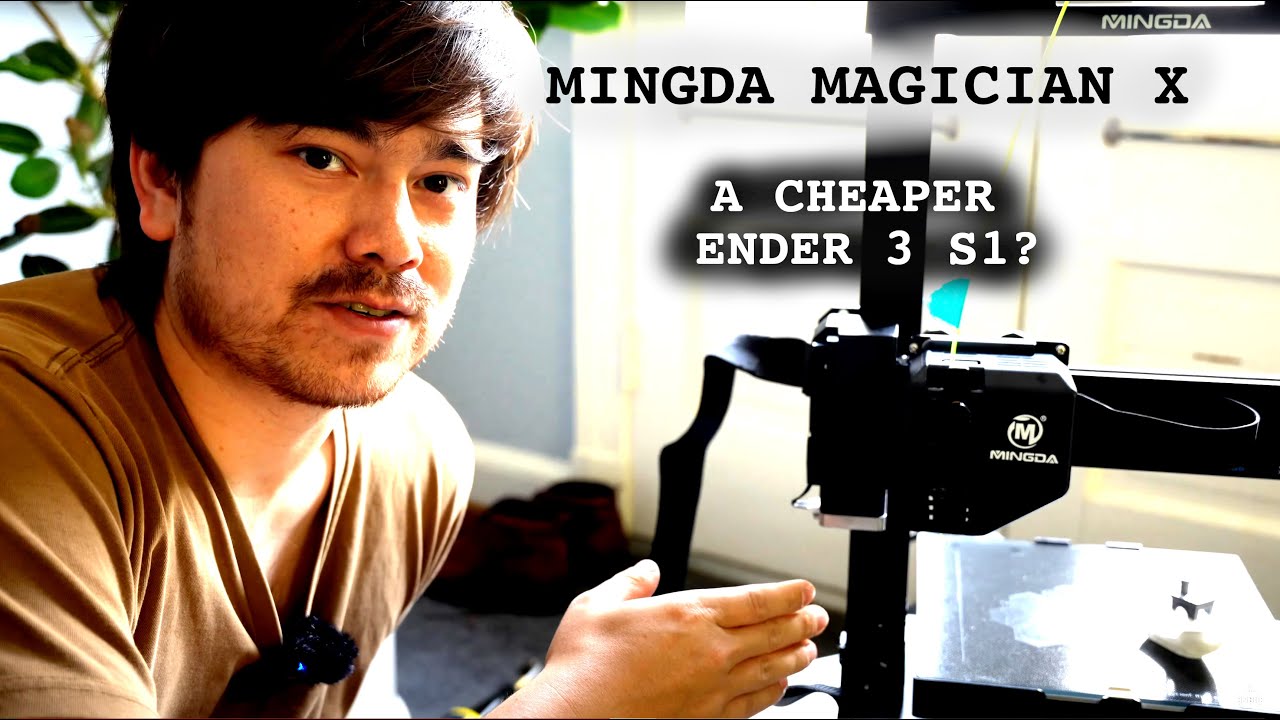
Best Beginner 3d Printer 2022 the Self Leveling Mingda Magician x
Автор: Make With Tech (MakeWithTech)
Загружено: 2022-01-12
Просмотров: 19091
Описание:
This may be the easiest to use 3d printer I have reviewed. With an excellent ABL implementation, a dual gear direct extruder, filament out sensor, dual z-axis, and a clear and easy-to-understand LCD panel, this is a 3d printer worth considering.
However, like all devices, this 3d printer has plusses and minuses. I cover both in this review.
Mingda supplied the printer I used in this review at no cost to me. Mingda also supplied me with a $20 discount code for anyone interested in this printer. Just click on the following affiliate link and use the code "7BU5MCNVHH".
https://3dmingdaofficial.com/?ref=2Dl...
I recommend the following G-code start code for this printer.
Since G28 disables bed leveling, we either need to add a G29 and perform a full bed level or just an M420 S1 to enable using the bed leveling data. This start code is based on the standard Cura Ender 3 start code.
G92 E0 ; Reset Extruder
G28 ; Home all axes
M420 S1 ; MWT Enable Use of Bed Leveling Data
G1 Z2.0 F3000 ; Move Z-Axis up little to prevent scratching of Heat Bed
G1 X0.1 Y20 Z0.3 F5000.0 ; Move to start position
G1 X0.1 Y200.0 Z0.3 F1500.0 E15 ; Draw the first line
G1 X0.4 Y200.0 Z0.3 F5000.0 ; Move to side a little
G1 X0.4 Y20 Z0.3 F1500.0 E30 ; Draw the second line
G92 E0 ; Reset Extruder
G1 Z2.0 F3000 ; Move Z-Axis up little to prevent scratching of Heat Bed
G1 X5 Y20 Z0.3 F5000.0 ; Move over to prevent blob squish
Video Content
00:00 Introduction
02:54 Mingda Magician X Feature Walkthrough
10:32 Testing Z-Axis Sensor with G-Code Terminal
12:44 Using the Auto Bed Leveling Feature
15:02 Loading Filament into the Mingda Magician X
17:26 1st Print on The Mingda Magician X
18:13 Mingda Magician X Cura Setup
20:52 Enabling ABL in Cura Start Code
23:22 Print Quality on the Mingda Magician X
29:15 Who should buy the Mingda Magician X
You can purchase the Mingda Magician X at Amazon and help support the channel by using this affiliate link:
https://amzn.to/3nlbYG9
---
The MakeWithTech channel teaches people how to use desktop technology to create, innovate and make things. If you are a "maker" and want to learn more about 3d Printing, 3d Printers, 3d Printing Slicers, Computer-Aided Design (CAD), or 3d Modeling, this is a place you should visit often. The channel includes additional content about using a wood lathe, woodworking, programming single-board computers such as the Raspberry Pi, Adafruit Circuit Playground, ESP32, and Python. Available reviews are about Prusa, Creality, Monoprice, ANET, Flsun, Fokoos, JG Maker, and Flashforge 3d Printers. Slicers covered include MatterControl, Cura, PrusaSlicer, Flashprint, and IdeaMaker. CAD design videos cover TinkerCAD, FreeCAD, OpenSCAD, and Shapr3D. Slicers covered include MatterControl, Cura, PrusaSlicer, Flashprint, and IdeaMaker.
---
Let's continue to learn together. Irv
---
The following links are to products I have used, reviewed, or evaluated for the MakeWithTech community. Some of the links below are affiliate links that provide commissions, at no cost to you, and help support the MakeWithTech video production, purchase of products for reviews, lab, forum, and website.
I have reviewed the following printers or similar printers:
➡︎ https://kit.co/makewithtech/3d-printe...
These are some of the tools I use for 3d printing day-to-day:
➡︎ https://kit.co/makewithtech/basic-3d-...
I have reviewed or used the following 3d printer upgrades:
➡︎ https://kit.co/makewithtech/3d-printe...
Here are the 3d printer filaments I use to evaluate prints, software, and techniques:
➡︎ https://kit.co/makewithtech/3d-printi...
I will be covering basic electronics and software in future MakeWithTech segments, and here are the products I am using:
➡︎ https://kit.co/makewithtech/software-...
Some of the Woodworking products I use:
➡︎ https://kit.co/makewithtech/drvax-woo...
---
** Affiliate disclaimer: some of the above links in my videos may be affiliate links, which generate a sales commission for me. Your price is the same or less than if you go to the site directly. These sales commissions help to support the MakeWithTech channel. (https://makewithtech.com)
** MakeWithTech and the MakeWithTech videos are Copyright Cogitations, LLC. (https://cogitations.com)
** Equipment used in the MakeWithTech videos can cause injury if misused. Use all Equipment and tools at your own risk and follow all manufacturer's safety recommendations.
** We are a participant in the Amazon Services LLC Associates Program, an affiliate advertising program designed to provide a means for us to earn fees by linking to Amazon.com and affiliated sites.
Повторяем попытку...
Доступные форматы для скачивания:
Скачать видео
-
Информация по загрузке: