Unity Asset Store Pack - 3D WebView for visionOS (Web Browser)
Автор: Game Dev Tools HQ
Загружено: 2025-04-01
Просмотров: 43
Описание:
Asset store page: https://prf.hn/click/camref:1100lNXT/pubre...
Easily display and interact with web content in 3D or 2D using the web browser plugin trusted by developers. See the
developer site for full documentation.
🌐 Load a webpage from a URL or HTML string
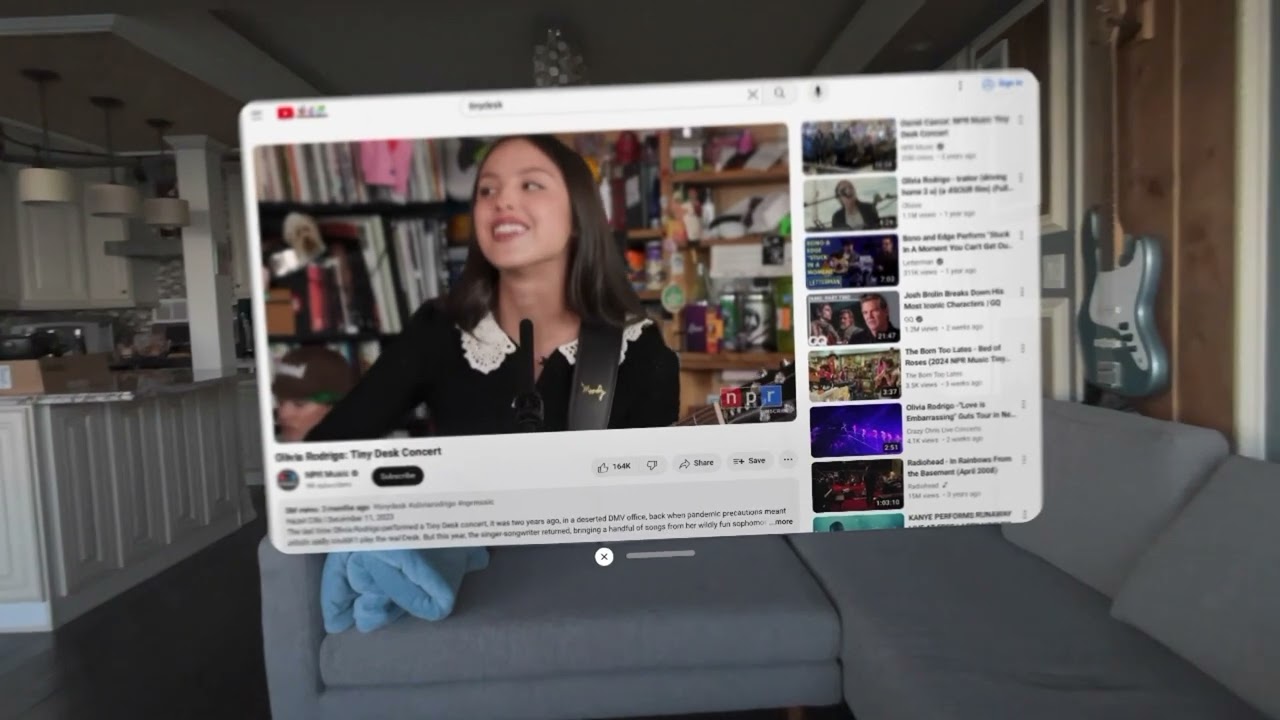
📺 Watch videos and YouTube
Create UIs with HTML
⚡️ Get started fast with the 3D WebViewPrefab and
2D CanvasWebViewPrefab, which
render to a Texture2D and handle user
interactions (click, scroll)
⌨️ Type with the native visionOS keyboard
• C# source code for a unified API that works seamlessly
across Windows, macOS, Android, iOS, visionOS, WebGL, and UWP (each platform sold separately)
• Powered by WKWebView
• Comprehensive APIs for controlling the
browser and listening to browser events
• Execute JavaScript
• Send messages from
JavaScript to C# and vice versa
• View and create PDFs
• Integrate with OAuth
• Includes additional APIs for platform-specific
features
• Supports transparent pages
• Supports both the Metal and RealityKit app modes (see the section below for limitations with RealityKit)
• Open a webview in a native visionOS window in the RealityKit app mode with VisionOSWebView.CreateInWindow()
Examples
• visionOS examples for Metal and RealityKit
System requirements
• Unity 2022.3.19 or newer
• com.unity.xr.visionos package v1.1 or newer
• Adds install additional 3D WebView
packages, and you can save money on multiple packages
by buying a bundle. All of the 3D WebView packages work
seamlessly together, so all you need to do is install them into the same project, and then 3D WebView automatically
detects and uses the correct plugin at runtime and build time.
• 3D WebView's native visionOS plugins are provided as precompiled libraries, and the native source code for them is not
provided.
• 3D WebView's native visionOS plugins can't run in the editor, so a mock webview implementation is used by default while
running
in the editor. However, you can actually load and render real web content in the editor by also installing 3D WebView for Windows and macOS into the project. You can save money by buying both packages together in a
bundle.
• When not running in a native window created with VisionOSWebView.CreateInWindow(), this
package has the following limitations:
◦ Some 3rd-party JS video widgets don't function as expected. Also, on YouTube, the video resolution is 360p (640 x 360 pixels) and cannot be changed. For more details, please see this article.
◦ The web rendering frame rate is relatively slow (Apache 2.0 license
in your
visionOS app's about page or credits.
Повторяем попытку...
Доступные форматы для скачивания:
Скачать видео
-
Информация по загрузке:





![Как я делаю ДЛИННЫЕ видео в Grok за 0₽? [ГАЙД 2026]](https://image.4k-video.ru/id-video/_xSGo7cEyEs)


