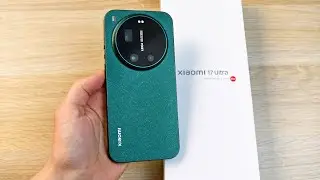
Is this a Phone or a DSLR? Xiaomi 15 Ultra + Photo Kit Unboxing! The KING of Mobile Photography!
Автор: Dorin Ionescu (Videnda.AI)
Загружено: 2026-01-22
Просмотров: 57
Описание:
0:00 Sealed box
0:50 Lifting the lid, you can see two circular filter holders that mount over the lenses, and a strangely shaped geometric piece that mounts at the end to secure the phone and add extra grip. Then you see two small circles; they screw onto the main button to raise it and make it easier to find (one of them is a spare).
01:35 Lifting the first set of items reveals two more objects underneath: the case and the photo grip extension with the integrated USB-C connector.
2:17 A small white cardboard box containing the user manual, a wrist strap, and two small black gaskets. Don't forget these rubber gaskets for securing the buttons and the thumb rest screw, which we will mount at the end.
3:05 Bringing in the Xiaomi 15 Ultra phone so we can mount the kit.
3:26 Mounting the photo kit and upgrading to the photo kit. This is not the final version because the case needs to be mounted first, but we will see that later.
4:15 Opening the user manual - it is in Chinese, so it is recommended to download one in a language that the viewer understands.
4:58 Mounting the case on the phone without the kit.
5:20 Mounting the photo kit.
5:27 Attention: now locking the safety switch that secures the kit so the phone doesn't fall.
5:57 Starting photo and video tests using exclusively the buttons and the zoom lever on the kit.
6:55 Repeating the assembly and checking the lock button before putting on the special geometric fixing piece that adds grip.
7:43 Showing how you can enter the grip settings in the phone menu using the keyword "grip".
8:12 Mounting the special piece; it starts and ends with unscrewing a mounting screw from the grip.
9:13 Doing more photo, video, and zoom tests.
10:51 Mounting the wrist strap so we don't accidentally drop the phone.
11:43 Here you can see that I already mounted the main button riser. It is useful to detect the button and the zoom without looking at the camera, just by touch. Do not forget the two gaskets.
11:58 I held down the main button and the camera opened immediately and took a photo using a special, professional Leica module. Do not be scared by the interface; it can be changed in the settings.
(xiaomi photo kit unboxing v1 2)
Повторяем попытку...

Доступные форматы для скачивания:
Скачать видео
-
Информация по загрузке:



![☀ Киношная картинка с экшн-камеры? Тест МАКРО, боке и 8K. [Action 6 Macro Lens]](https://image.4k-video.ru/id-video/fOQstVJpT7s)