WP Multitool - Demo - Install, Activate and Optimize (50% speedup)
Автор: MythThrazz
Загружено: 2026-02-24
Просмотров: 16
Описание:
Watch how WP MultiTool optimizes a fresh WordPress + WooCommerce site from scratch. In this demo, Marcin (the plugin creator) installs the plugin on a bloated test site and walks through the first features you should use — cutting page load time from 0.75s to under 0.5s.
Features covered:
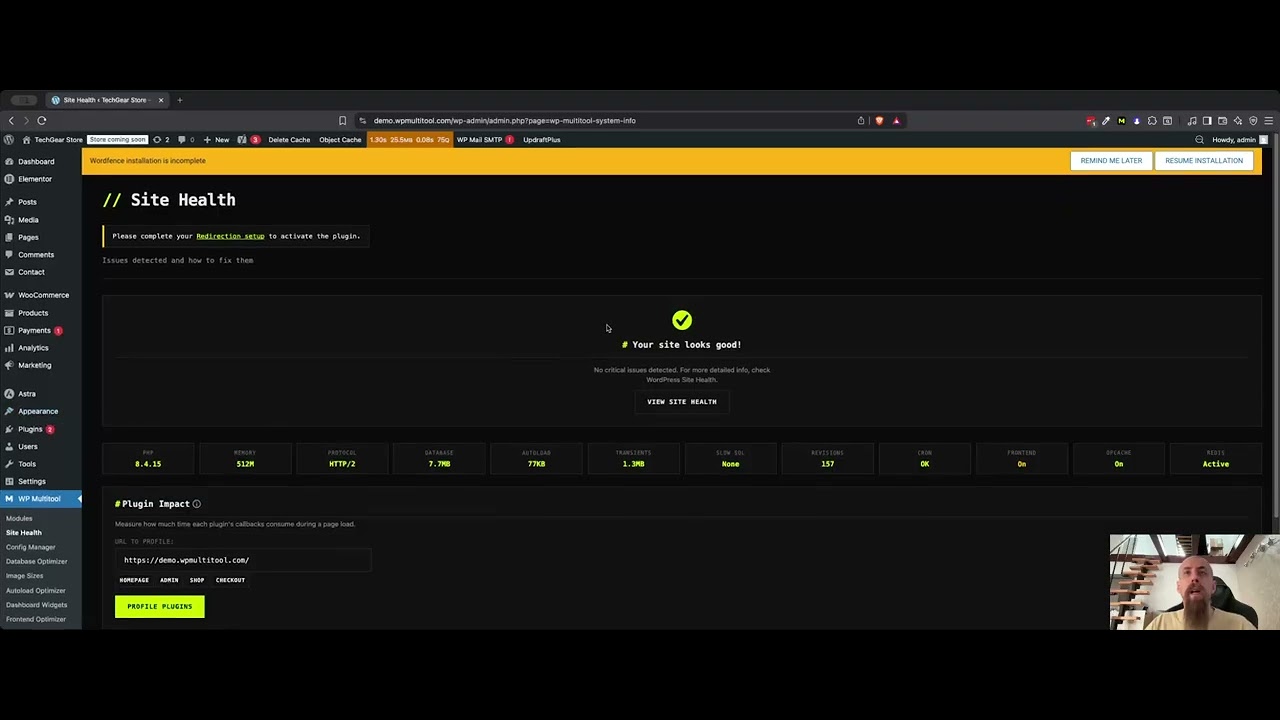
Site Health dashboard with instant diagnostics
Autoload Optimizer (saved 100KB of unnecessary autoload data)
Object Cache setup with Redis
Slow SQL Query detection & one-click index fixes
Frontend optimization settings (emoji removal, XML-RPC, script deferral)
Have a slow WordPress site? I'm looking for real-world sites to demo the plugin on — drop a comment or reach out if you'd like a free optimization + recording.
Chapters
0:00 - Intro & what this demo covers
0:43 - The test site: WooCommerce with typical plugin bloat
1:56 - Plugins installed on the demo site
2:13 - Installing WP MultiTool
2:41 - First look: Site Health dashboard
3:15 - Autoload Optimizer — 98 options, 100KB saved
4:42 - Object Cache & Redis setup
6:25 - Redis active — checking remaining issues
6:48 - Slow SQL Queries detected
8:11 - Slow query settings & monitoring explained
9:06 - Analyzing individual queries & applying index fixes
11:38 - All fixes applied — purging old query logs
12:12 - Frontend optimization settings
13:17 - Move scripts to footer (advanced option)
15:01 - Results: 0.75s → 0.5s load time
15:39 - Verifying site still works after optimization
16:23 - Adjusting query monitoring threshold
17:22 - Wrap up & call for real demo sites
wpmultitool.com
Повторяем попытку...
Доступные форматы для скачивания:
Скачать видео
-
Информация по загрузке:

![Best of Deep House [2026] | Melodic House & Progressive Flow](https://imager.clipsaver.ru/Il-ZpBuC8tA/max.jpg)