ycliper

Популярное

Музыка Кино и Анимация Автомобили Животные Спорт Путешествия Игры Юмор

Интересные видео

2025 Сериалы Трейлеры Новости Как сделать Видеоуроки Diy своими руками

Топ запросов

смотреть а4 schoolboy runaway турецкий сериал смотреть мультфильмы эдисон
Скачать

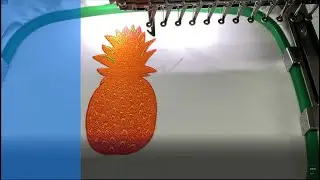
How to use connectors in Wilcom EmbroideryStudio Tutorial

Автор: Wilcom

Загружено: 2019-01-08

Просмотров: 30945

Описание: In Wilcom EmbroideryStudio e4 Connectors refers to the tie in, tie off, jump and trim functions that your embroidery machine. performs for you.
To avoid your embroidery from unraveling the Wilcom software encodes instructions in the design.
These functions can be either embedded or applied conditionally so that if a design is resized then the functions will automatically adjust as required.

For more information about this feature, see https://www.wilcom.com/help/e4/es/en/...

For commercial information about Wilcom products and services, see https://www.wilcom.com.

For official Wilcom news and announcements, community ideas and feedback, as well as community self-help, see https://community.wilcom.com.

Printed copies of the EmbroideryStudio User Guide can be ordered from Amazon.com at https://www.amazon.com/dp/1797592769.

Не удается загрузить Youtube-плеер. Проверьте блокировку Youtube в вашей сети.
Повторяем попытку...
How to use connectors in Wilcom EmbroideryStudio Tutorial

Поделиться в:

Доступные форматы для скачивания:

Скачать видео

  • Информация по загрузке:

Скачать аудио

Похожие видео

Embroidery Studio User Interface

Embroidery Studio User Interface

Lock Stitches, Trims, Wilcom

Lock Stitches, Trims, Wilcom

Stitch Spacing

Stitch Spacing

Оцифровка вышивки синелью с помощью EmbroideryStudio

Оцифровка вышивки синелью с помощью EmbroideryStudio

Wilcom Digitizing Tips

Wilcom Digitizing Tips

Eliminate more trims with EmbroideryStudio Tutorials

Eliminate more trims with EmbroideryStudio Tutorials

EmbroideryStudio e4.5

EmbroideryStudio e4.5

Shading, Open Fills and Curved Fills

Shading, Open Fills and Curved Fills

Digitizing Satin Stitches In EmbroideryStudio e4.2 Designing

Digitizing Satin Stitches In EmbroideryStudio e4.2 Designing

Оцифровка для вышивки с помощью EmbroideryStudio

Оцифровка для вышивки с помощью EmbroideryStudio

Wilcom Embroidery Studio Eğitimi | 20. Ders

Wilcom Embroidery Studio Eğitimi | 20. Ders "Aynalama-Simetri"

Oversized lettering

Oversized lettering

Создайте и используйте мотив в качестве штампа.

Создайте и используйте мотив в качестве штампа.

Создание вышивки от руки с помощью EmbroideryStudio

Создание вышивки от руки с помощью EmbroideryStudio

Wilcom Script Applique

Wilcom Script Applique

Wilcom Embroidery Studio Eğitimi | 21. Ders

Wilcom Embroidery Studio Eğitimi | 21. Ders "Satin/Sargı İçin Bir Diğer Araç: Column B"

Даже опытные плотники до такого бы не додумались! Удивительный самодельный инструмент из автомобильн

Даже опытные плотники до такого бы не додумались! Удивительный самодельный инструмент из автомобильн

Borders and Outlines in Wilcom

Borders and Outlines in Wilcom

Convert Multi Design to Cross Stitch | Embroidery Studio E4.2 Urdu/Hindi Tutorial

Convert Multi Design to Cross Stitch | Embroidery Studio E4.2 Urdu/Hindi Tutorial

Create Embroidered Stars

Create Embroidered Stars

© 2025 ycliper. Все права защищены.


  • Контакты
  • О нас
  • Политика конфиденциальности


Контакты для правообладателей: [email protected]