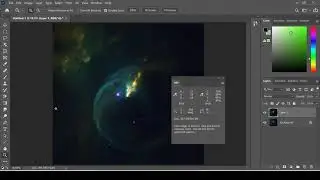
How to use a Selective Color Adjustment for an Astrophotography Image in Photoshop
Автор: Peculiar Galexy Astronomy
Загружено: 2021-02-11
Просмотров: 622
Описание:
Using the Selective Color Layer Adjustment in Photoshop CC allows you to quickly and easily remove or enhance color in an astrophotography image. Changes can be done globally or locally to one area of the image. Colors that are in the image can be adjusted, colors not in the image won't show any changes when using selective color. This tutorial shows how to use selective color!
Image used is my own processed version of an image taken with the Hubble Space Telescope! Data can be found in the Hubble Legacy Archive: https://hla.stsci.edu/
Questions? Message me on Instagram @a.peculiar.galexy.
Повторяем попытку...

Доступные форматы для скачивания:
Скачать видео
-
Информация по загрузке: