Скачать
Intro to Illustrator: Appearance Panel
Автор: Jason Hoppe
Загружено: 2020-10-14
Просмотров: 1117
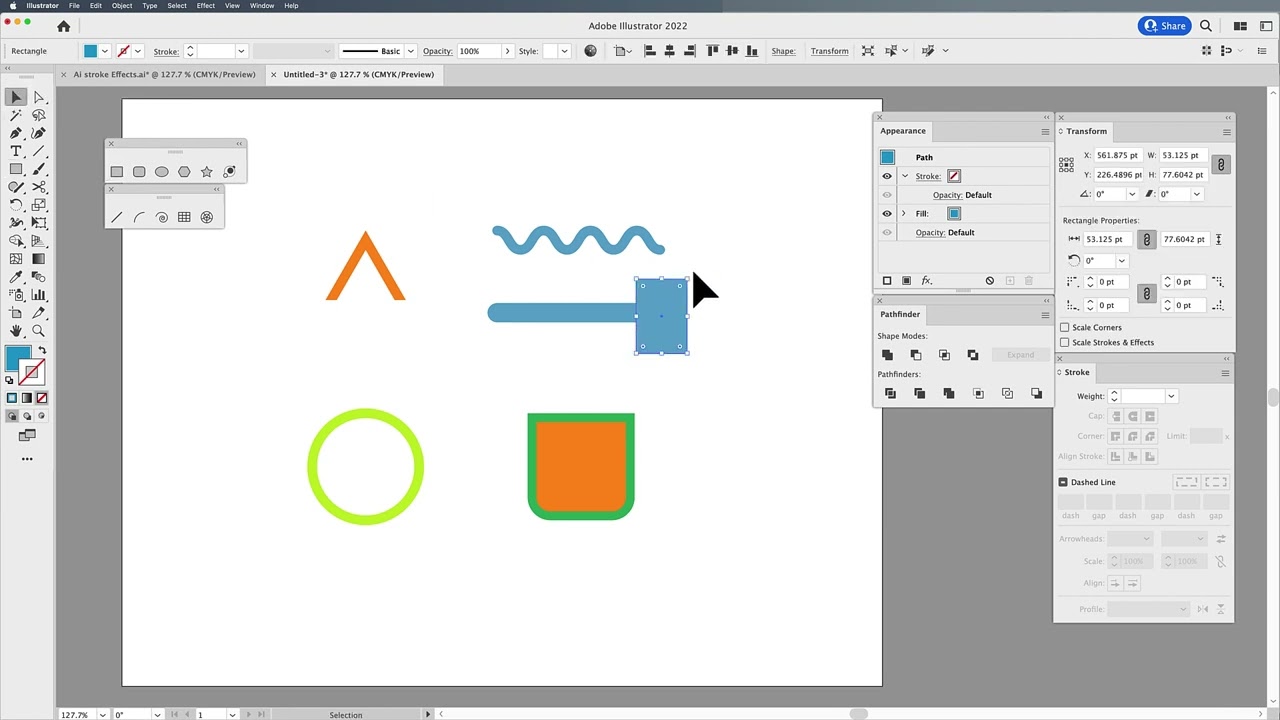
Описание: The Appearance Panel can easily allow you to change the stroke and fill color on an object but did you know you can add multiple strokes and fills? You can change the opacity of a stroke separate from the fill, add effects and control how the stroke isa applied. If you use the Layers Panel then you may know that you can change the order of the fills and strokes similar to moving layers. And that is just the beginning of what the Appearance Panel can do.
Не удается загрузить Youtube-плеер. Проверьте блокировку Youtube в вашей сети.
Повторяем попытку...
Повторяем попытку...

Доступные форматы для скачивания:
Скачать видео
-
Информация по загрузке: