Using the Syllabus Tool on Canvas
Автор: YaleCourses
Загружено: 2016-04-19
Просмотров: 6139
Описание:
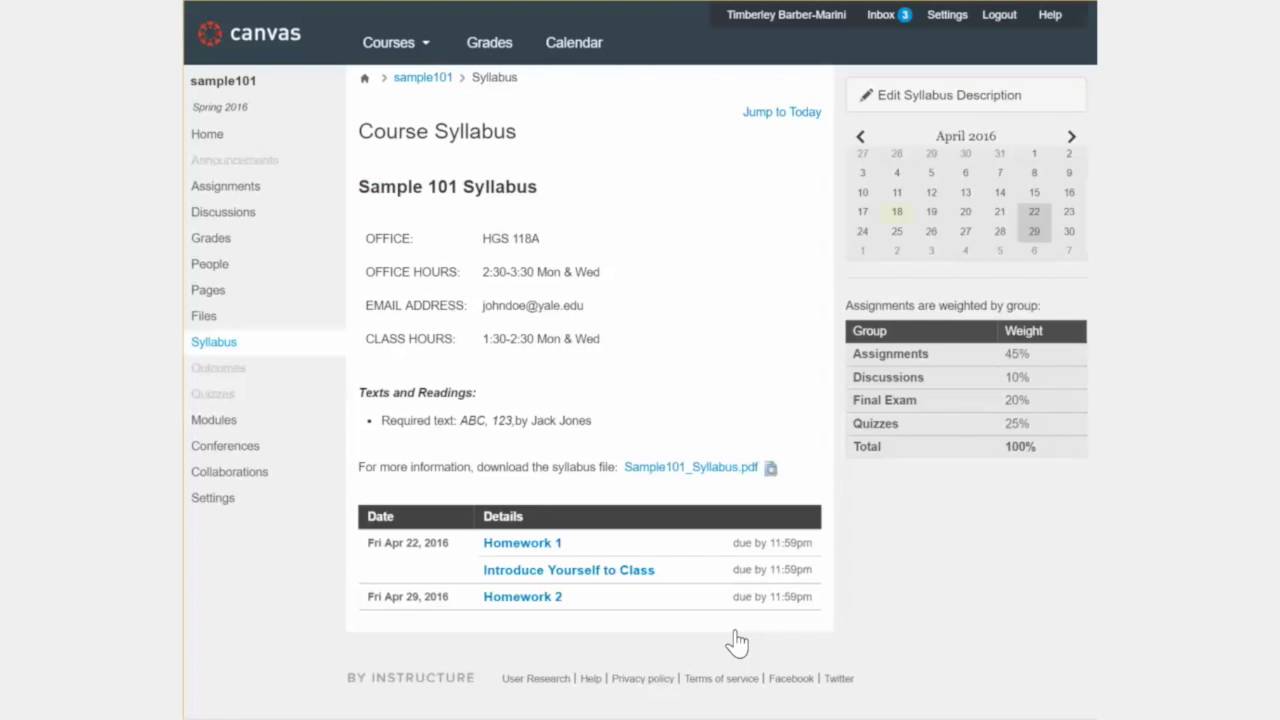
The Syllabus tool can help you communicate important class information with your students.
Add information that your students need to know directly into the Syllabus Description.
You can also upload new files or link to files that are already in your course.
The Syllabus tool also keeps track of activities and events that you schedule in your course. As you add and create new activities and events, they will automatically be added to the list and updated when you make edits.
You can also use the syllabus calendar to quickly see when assignments are due – hovering over a date will highlight the assignment which is due on that day.
If you weigh your assignments, your weighting plan will also automatically appear on your syllabus.
Finally, your Canvas syllabus will automatically be integrated with the Yale Online Course Information system (OCI) – which will allow students to view your syllabus as they shop for courses during shopping period.
With Canvas’ integrated Syllabus tool, it has never been easier to set up your class syllabus.
Повторяем попытку...
Доступные форматы для скачивания:
Скачать видео
-
Информация по загрузке: