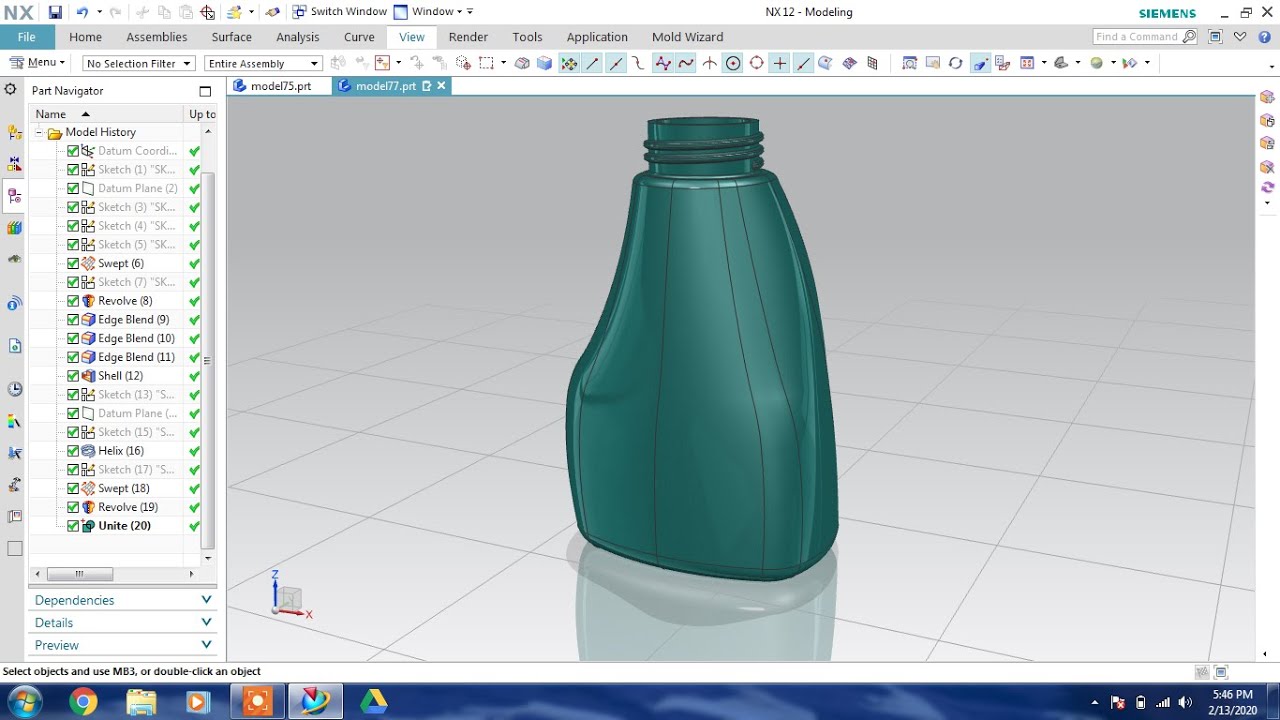
Siemens Nx |
Автор: Nikhil Desai
Загружено: 2022-07-05
Просмотров: 390
Описание:
Please subscribe to my channel - / @nikhil_desai
In NX, the "Section Curve" command is a powerful tool used in the context of creating or analyzing 3D models. It allows you to create 2D curves by intersecting a cutting plane with a 3D model. These curves are useful for various purposes such as creating sketches for features, analyzing cross-section profiles, or generating reference geometry.
Here's how you typically use the Section Curve command in NX:
1. **Accessing the Command**: The Section Curve command is usually found in the "Curve" or "Sketch" menu depending on the specific version of NX you are using. It may also be available in other relevant menus depending on the context of your work.
2. **Selecting the Model**: After activating the Section Curve command, you will need to select the 3D model or part for which you want to create the section curve.
3. **Defining the Cutting Plane**: Next, you'll need to define the orientation and position of the cutting plane. This is typically done by specifying a reference plane, coordinate system, or by using explicit positioning tools to position the plane as desired.
4. **Generating the Section Curve**: Once the cutting plane is defined, NX will intersect it with the selected 3D model, generating one or more 2D curves representing the intersection. These curves can then be used for various purposes within your design workflow.
5. **Manipulating and Analyzing the Curve**: After generating the section curve, you can further manipulate it as needed. This may involve editing the curve geometry, extracting specific data or measurements from it, or using it as a reference for creating additional features or geometry within your model.
6. **Applying Constraints or Relations**: Depending on your specific requirements, you may also apply constraints or relations to the section curve to ensure that it behaves as desired within your overall design.
Overall, the Section Curve command in NX provides a powerful tool for generating 2D curves from 3D models, allowing for detailed analysis, sketching, and reference geometry creation within your mechanical design projects.
#nxtutorial #cadcamtutorials #cadtutorials
#nxcad #siemensnx #3dmodeling #nx12
#siemensnxtutorial #unigraphics #nxdesign #nxshortsvideo #shortkeys #injectionmoulding #software #nx12 #moulds #newdesign #nxdesign
Siemens NX tutorials
Siemens NX tutorial for beginners
Siemens NX tutorial free
UG NX tutorial
Siemens NX advanced tutorial
Siemens NX 12 tutorial
Siemens NX 12 basics
NX cad tutorial
NX cad full course
NX tutorial for beginners
NX 12 tutorial for beginners
Unigraphics NX tutorial for beginners
Thanks,
#nikhildesai
Повторяем попытку...

Доступные форматы для скачивания:
Скачать видео
-
Информация по загрузке: