How to Create an Amazing Cracked Skin Effect in Photoshop
Автор: Photoshop Design and Photo editing Tutorials from HowTech
Загружено: 2020-03-30
Просмотров: 19522
Описание:
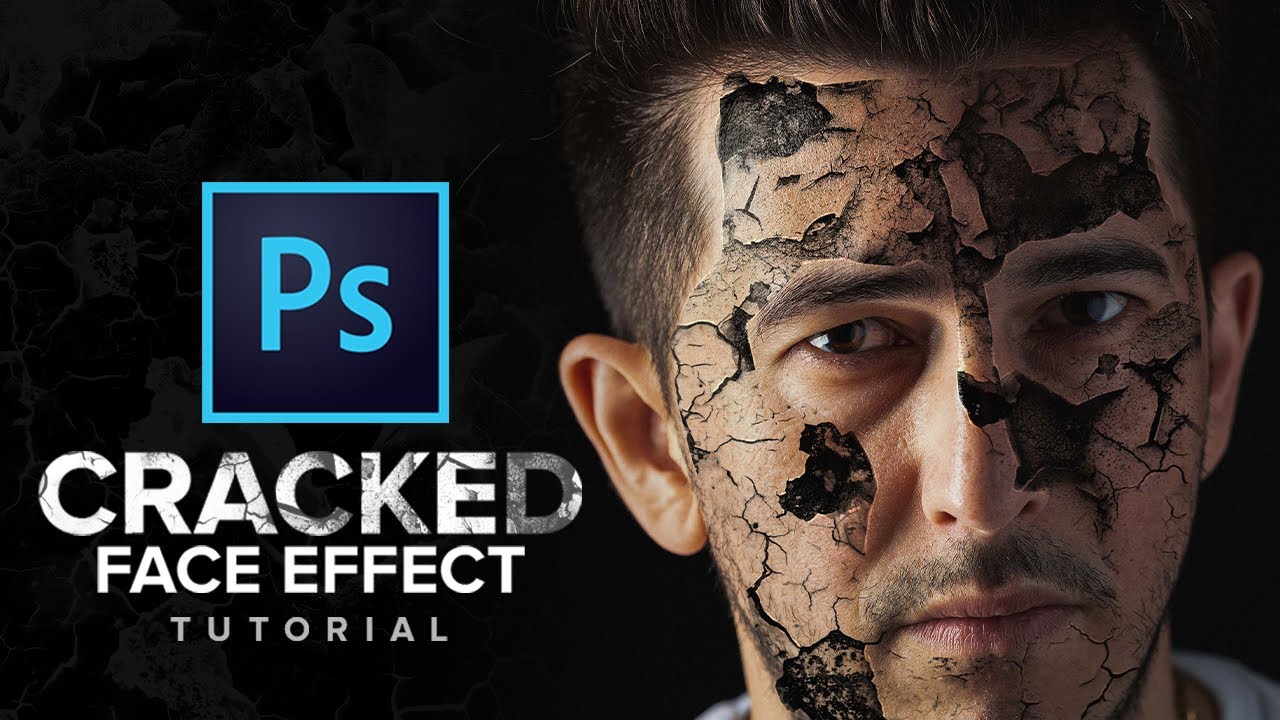
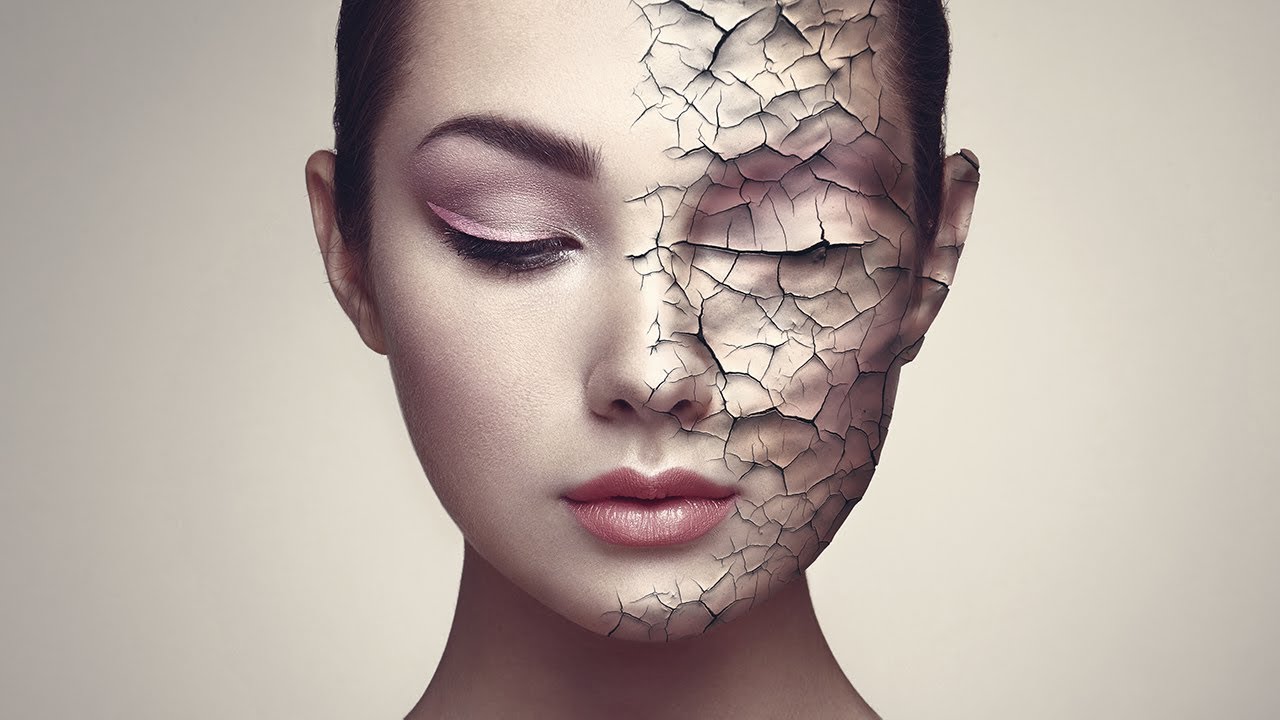
In this tutorial, you will learn How to Create Realistic Cracked Skin in Photoshop.
There are so many ways to approach this task. For this tutorial, we’ll be using blending modes and the Liquify filter to achieve the look.
For the start, we’ve already opened up a photo portrait of our choice. We’ve also brought in a cracked texture into photoshop. Let’s change the cracked texture blending mode to multiple and make sure everything is aligned the way we want. We may need to use various blending techniques to make our cracked texture fit the image better. For this, you can use curves, hue/saturation, etc. This should get us somewhat close to the result we’re wanting to achieve.
To take it up a notch, we’ll use the liquify filter. This will allow us to bend and sculpt the cracks in a way that’ll follow the facial features such as the nose, cheekbones and mouth.
Here, let’s enable Show Backdrop under View Options, to be able to see the portrait under the cracked texture. Feel free to edit the rest of the backdrop options to make it as convenient as possible.
Now let’s change the brush size to a desired size by holding CMD+OPT and click and dragging your mouse. To change the size, drag your mouse horizontally left or right, to change the hardness of the brush, drag the mouse up or down. Now start nudging the image to shapes that will conform to the facial features. When done click ok.
Next up is to create a mask an make the texture appear only where we need it. For this we’re going to only show the cracked texture on one side of the face. Hold OPT and click on the mask icon. This will create a black mask. Now make sure your black mask is selected and using a white brush draw on the parts of the face where you want to effect to appear.
Remember as with many photoshop tutorials, you may want to experiment with different settings or add your own small touches to make it look real based on your material!
❓💬 What’s your favorite photoshop filter? Please let us know in comments.
#HowTech #Photoshop
--------------------------------------------------------------------------------------------------------------
✅ All our announcements are available here https://t.me/howtechtv
✅ Commercial questions [email protected]
✅ Instagram / howtechprojects
✅ Twitter / howtechprojects
Повторяем попытку...

Доступные форматы для скачивания:
Скачать видео
-
Информация по загрузке:

![[ Photoshop Tutorial ] Broken Glass photo Effect in Photoshop CC](https://imager.clipsaver.ru/fKM5zhXvFyg/max.jpg)




![[ Photoshop Tutorial ] Glowing Eyes Photo Effect](https://imager.clipsaver.ru/SGKP9ojUy9o/max.jpg)