KODAK K12 - How to Allow Unknown Sources
Автор: HardReset_Pro
Загружено: 2026-01-16
Просмотров: 5
Описание:
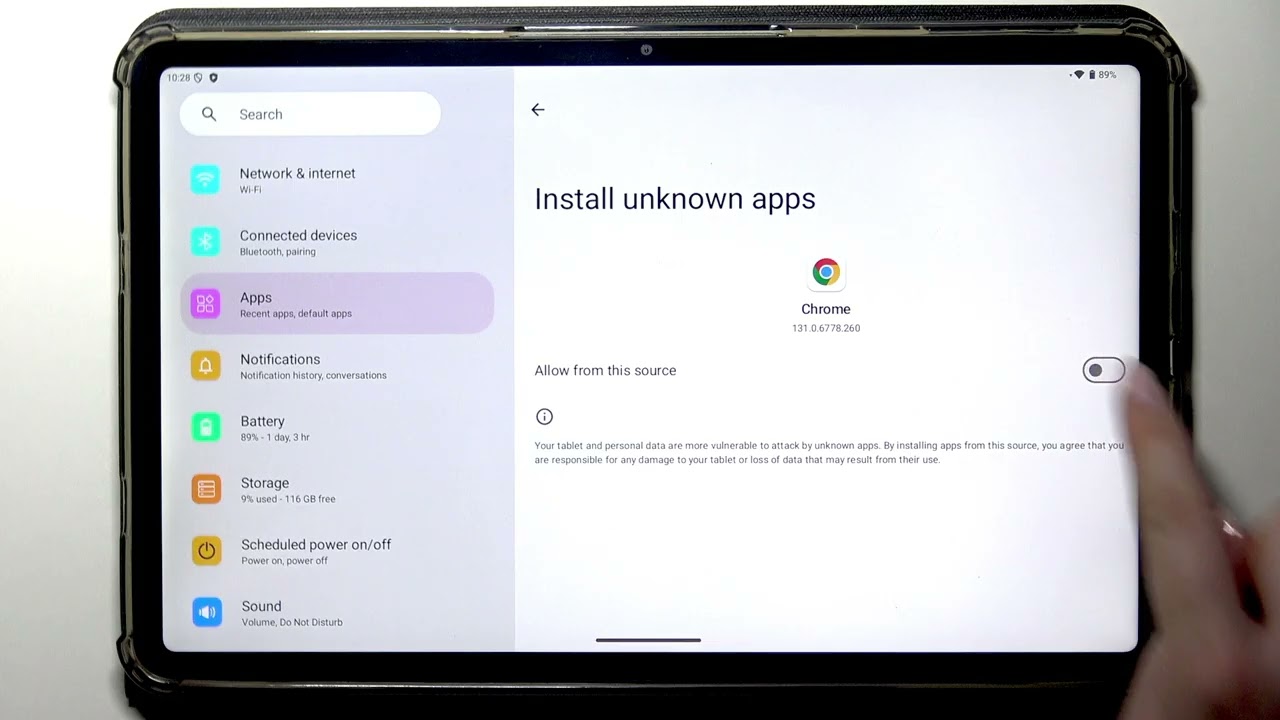
In this video I show how to allow Unknown Sources on the KODAK K12 so you can install apps from a browser (for example Chrome) instead of Google Play. You will learn how to open Settings, go to Apps, find Special app access and open Install unknown apps. I also show how to toggle permission for Chrome or other apps and how to revoke the permission later. There is a short security warning about risks of third-party apps and tips to choose apps carefully.
How to allow unknown sources on KODAK K12?
How to install apps from Chrome on KODAK K12?
How to revoke install unknown apps permission on KODAK K12?
0:00 Intro - what we will do
0:07 Open Settings and go to Apps
0:20 Scroll to Special app access
0:29 Open Install unknown apps list
0:36 Allow Chrome (or other app) to install apps
0:53 Security warning - risks of third party apps
1:17 How to remove previously granted permission
1:33 Outro - subscribe and like
#KODAKK12 #UnknownSources #InstallUnknownApps #AndroidTips
Find out more:
https://www.hardreset.info/devices/ko...
Follow us on Instagram ► / hardreset.info
Like us on Facebook ► / hardresetinfo
Tweet us on Twitter ► / hardreseti
Support us on TikTok ► / hardreset.info
Use Reset Guides for many popular Apps ► https://www.hardreset.info/apps/apps/
Повторяем попытку...
Доступные форматы для скачивания:
Скачать видео
-
Информация по загрузке: