E36 Instrument Gauge Cluster and Code Plug Swap
Автор: 23tlujan23
Загружено: 2016-07-23
Просмотров: 36067
Описание:
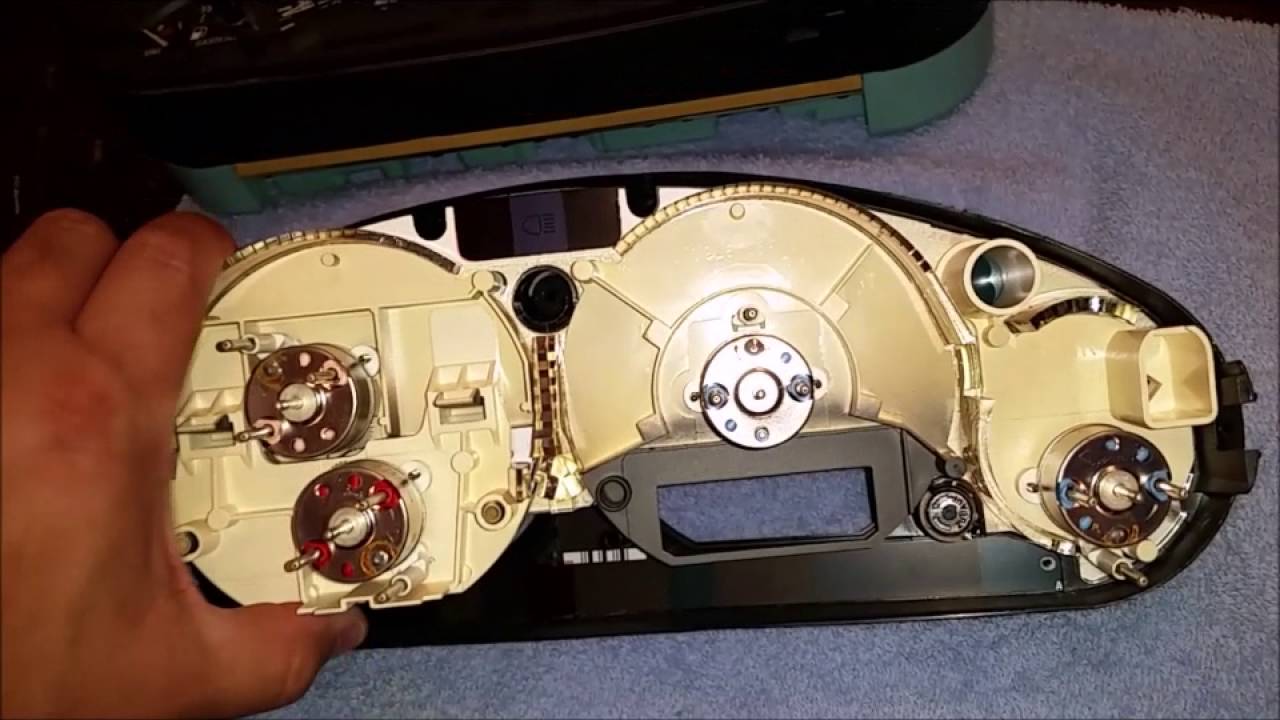
I had trouble reading the odometer on my BMW 1997 328i as only half of the numbers were showing. I got another speedometer-gauge cluster from a junk yard and swapped them out. After swapping the cluster and the coding plug, the red "Tamper" light appeared under the word Miles. I went through the Test functions of the instrument cluster and did Test Function 9 which takes the internal EEPROM mileage information and overrides the cluster information to match thus turning off the red Tamper light. Here are the steps:
Gauge
You'll want to do everything for Test 9.
This works on all instrument clusters 1992-1999 E36 - 4 door/coupe/convertible/M3.
Step 1. Press and hold the mileage reset button.
Step 2. Put key into ignition switch and turn to position 1
Your LCD display will show something like this "tESt 01"
Step 3. Once "tESt 01" is shown, let go of reset button and the Instrument Cluster will go through some test cycles. Numbers will be shown and here's what they mean:
1st display: BMW PART NUMBER (6 digits)
2nd display: CODE NUMBER (5 digits) Internal Coding Plug #
3rd display: K NUMBER (4 digits)
4th display: CHASSIS NUMBER (5 digits) this is part of your VIN
5th display: SOFTWARE VERSION (3 digits)
6th display: REVISION INDEX (2 digits) Hardware #
After all 6 displays are finished, an analog gauge test will be performed.
The self-test is canceled by switching the ignition off or to position 2
Instrument cluster tests 1-15
1995 - 1998 (99) 318ti
1996 - 2000? Z3
1997 - 1999 E36 4dr/coupe/convertible/M3
NOTE:
*Test functions 1-4 are unlocked tests and can be called up at any time for display.
*Test functions 5-14 are locked and require unlocking the test mode before they can be displayed.
*Test functions 2-14 can be selected at any time when the cluster is unlocked, even when vehicle is moving.
*Test function 15 is the lock/unlock function.
Step 1: Press and hold the mileage reset button.
Step 2: Put key into ignition switch and turn to position 1. Your LCD display will show something like this "tESt 01"
Step 3: You will need to unlock the test function first so when the LCD. Display shows "tESt 01," press the reset button till you get to "tESt 15." Once you're on test 15 press, and hold the reset button for a few seconds until it displays "off." Now you can cycle through the test features. Here they are as they follow:
Test 1: Instrument self test
Test 2: Engine Data - This display is an "engine factor" value that is stored in the coding plug. The instrument cluster processor uses this factor in addition to the "TD" signal from the DME control module to process and display tachometer RPM based on the engine installed. For EXAMPLE:
*ENGINE FACTOR 2 = 4 CYLINDER
*ENGINE FACTOR 3 = 6 CYLINDER
*ENGINE FACTOR 4 = 8 CYLINDER
Test 3: SI elapsed distance - the total mileage in kilometer since the last reset. Which service is due at the next inspection (OIL SERVICE or INSPECTION)
Test 4: SI elapsed days - no value for US vehicles. Relates to Euro annual inspections.
Test 5: SI evaluation factor - for engine speed and temperature thresholds being passed.
Display:
n = 0 or 1. Engine speed (over-rev)
t = 0 or 1. Engine temp.
NOTE: "n0" means that you hit the maximum threshold for engine speed and "t1" means you overheated the engine. I found out from my instructor that this test 5 is false due to software related problems.
Test 6: Fuel Level and coolant temp. - Display of hexadecimal codes in relation to gauge position.
Fuel gauge --------- Hex value
A (empty)------------- 0d
End of reserve-------- 37
B------------------------ 54
C------------------------ 90
D------------------------ c4
E (full)------------------ f0
Engine temp. ----- Hex Value
A----------------------- ce
B----------------------- 6d
C----------------------- 5c
D (center)------------ 4f-23
E----------------------- 1e
F----------------------- 18
Test 7: Engine speed (Digital Tach)- display of current engine speed
Test 8: Road speed - display of current road speed in km/h
Test 9 Distance reading - this allows the total stored mileage to be updated if one of the storage components has to be replaced. This test step will be used if the manipulation dot is illuminated in the cluster display. This display will show the component with the lower mileage. For example: Display of 012654 l indicates that the mileage in the internal EEPROM is lower than the mileage stored in the coding plug. Display of 000325 E indicates that the mileage in external coding plug is lower than the total mileage stored in the internal EEPROM. Pressing the reset button for 4 seconds will over write the lower mileage with the higher mileage and cancel the manipulation dot. The SI data will also be transferred at the same time.
Test 10: Status bits (input signals) - the status of digital inputs to the cluster are displayed as 0 or 1.
Display: 0 = input low, 1 = input high.
Повторяем попытку...
Доступные форматы для скачивания:
Скачать видео
-
Информация по загрузке: