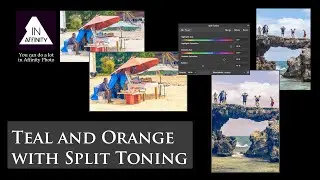
Dual Colour Toning (Teal and Orange) with X-Curves (using Affinity Photo)
Автор: InAffinity for Affinity Photo
Загружено: 2019-04-20
Просмотров: 787
Описание:
Here's how to draw a letter 'X' with the Curves adjustment colour channel controls, and in doing so create a dual toning effect. Here, we're using the popular teal (blue/cyan) and orange (red/yellow) combination.
Find related pages here: https://changingminds.org/disciplines...
There are now online pages for InAffinity here: https://changingminds.org/disciplines...
Free resources, including macros, palettes, etc. are here:
https://changingminds.org/disciplines...
If you are a beginner, start here:
https://changingminds.org/disciplines...
There is a full, cross-referenced index for every video here: https://changingminds.org/disciplines...
To find videos by date of publication, start here: https://changingminds.org/disciplines...
To find videos by subject, start here: https://changingminds.org/disciplines...
The web page for this video is here (with links to related videos): https://changingminds.org/disciplines...
Повторяем попытку...

Доступные форматы для скачивания:
Скачать видео
-
Информация по загрузке: