Phottix Laso Transmitter & Receiver
Автор: Phottix US
Загружено: 2015-09-25
Просмотров: 25266
Описание:
Learn more: https://bit.ly/3i3MPv4
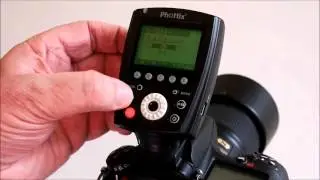
The new Laso from Phottix gives extended capabilities to Canon's radio system. This system contains both the Transmitter and Receiver unit, which allows you to take control of both your Canon EX-RT flashes and Older EX Flashes, giving you extended capabilities to your radio system.
_____
The new Laso from Phottix, gives extended capabilities to Canon’s Radio System.
The Laso system contains both a Transmitter and Receiver unit.
If you currently have Canon EX-RT flashes, you can purchase the Transmitter that will allow you to remotely control your EX-RT Speedlights without the need for any additional receivers…because it uses canons 2.4 giga-hertz frequency.
If you currently own older non-Radio EX flashes, you can use the Laso receiver to control them with your existing EX-RT Flash.
Now, with both the receiver and transmitter, you have the best of both worlds.
You can get all of your Canon EX Speedlights off your camera…and effortlessly control them remotely, whether radio or not.
The huge benefit here is more control.
No need to depend on infrared signals.
Put your flashes wherever you want…and fire away.
Lets take a quick look at setting up your Laso as if you were using it to fire a mix of both older and newer speedlights.
After mounting the transmitter to your camera…and the Flash to your receiver…
Lets get ready to take a picture.
First, power on the transmitter.
Now, press the mode button until you are in ETTL mode.
Then, press the menu button until MENU3 appears.
Select Channel, and choose any one of the 15 channels.
Once you have your flash mounted so the menus on the receiver face the same direction as the menus on the back of your flash, set your flash to ETTL mode.
Next, Power on the Laso receiver and set the channel to match the appropriate channel on the transmitter.
For now, keep your ID at 0 (0000) and your Group on A.
Make sure the flash icon is showing, signifying you have properly mounted the flash, and it’s communicating with the receiver.
Both Link lights on the transmitter and receiver should turn to green.
You are now ready to shoot.
Simply direct your flash to your subject, and you will have perfect exposures.
The beauty of the Phottix Laso is the ability to get creative, and put flashes wherever you see fit.
Lets put a flash outside here to replicate the sun coming through the window…. something you couldn’t do using infrared.
We will use this flash in a softbox to accent the models face.
Lastly, we will put this flash in a
shoot-through umbrella to provide a little fill.
All the flashes should be set to ETTL, and the Receivers to the same channel as your transmitter.
Notice that for this flash…we are using the Canon RT-EX flash, which doesn’t need a receiver.
Now, we are able to control all these lights independently, or together.
With the new Phottix Laso, you now have the ablity to take control of both your Canon EX-RT and older EX flashes.
#AnythingGoes #Phottix #Photography
Повторяем попытку...

Доступные форматы для скачивания:
Скачать видео
-
Информация по загрузке: