ycliper

Популярное

Музыка Кино и Анимация Автомобили Животные Спорт Путешествия Игры Юмор

Интересные видео

2025 Сериалы Трейлеры Новости Как сделать Видеоуроки Diy своими руками

Топ запросов

смотреть а4 schoolboy runaway турецкий сериал смотреть мультфильмы эдисон
Скачать

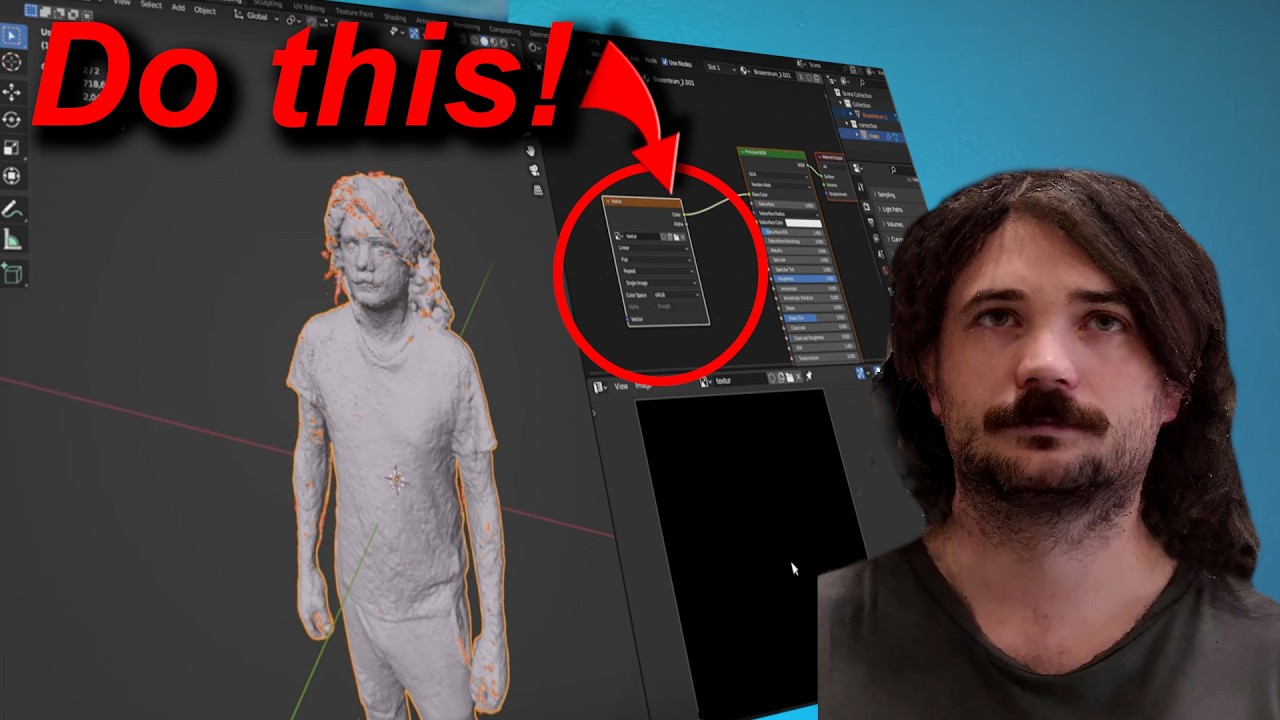
Clean your 3D Scans like a pro - Part 2 - Textures and UV Maps. Professional 3D Expert explains

Автор: I built a thing

Загружено: 2024-08-01

Просмотров: 4006

Описание: Thanks to PCB Way for Sponsoring This Video https://www.pcbway.com/

Join me, a professional 3D printing engineer with over a decade of experience, for the second part of our in-depth series on refining 3D scans captured with a phone. In this video, we shift our focus to transferring texture data from the original model to the newly cleaned and polished model using UV mapping and unwrapping techniques in Blender. You'll learn how to effectively use Blender's baking function to ensure your textures fit perfectly on the updated model. Additionally, we'll dive into post-processing the textures with GIMP to achieve a polished, professional finish. These are the same advanced techniques I’ve utilized while working with industry leaders in 3D scanning and printing miniatures. Don't miss out on this essential guide to bringing your 3D models to life with stunning, high-quality textures!
This video will show you the "trade secrets" to elevate your 3D models to industry standards. Don't miss out on learning how to achieve professional-grade results from your 3D scans!

Part 1 of this Tutorial :    • How to Clean up your 3d scans like a pro. ...  

How to scan with your Smartphone camera - filming guide :
   • FREE Smartphone 3D Scan without app | Easy...  

How to generate a 3D Scan from a Video:
   • The 3D scanning revolution | Videogrammetr...  

0:00 Intro
0:45 Surface Textures Explained
01:40 Step 6 : UV Mappig - Draw seams
04:41 Step 7: UV Mapping - Unwrap
05:37 Create New Empty Texture
05:50 Step 8: UV Mapping - Decimate Polygon count
06:17 Step 9: UV Mapping - New texture
06:48 Texture Shader Editor
07:02 Step 10: Shrinkwrap
7:58 Step 11: Bake - Transfer textures
9:08 Add Break
9:37 Add finished
9:50 Step 12: Edit / Clean Tectures aka Texture Paint
10:30 Step 13: Export Model and textures and postprocess
11:32 CJP Color Jet Printing

Не удается загрузить Youtube-плеер. Проверьте блокировку Youtube в вашей сети.
Повторяем попытку...
Clean your 3D Scans like a pro - Part 2 - Textures and UV Maps. Professional 3D Expert explains

Поделиться в:

Доступные форматы для скачивания:

Скачать видео

  • Информация по загрузке:

Скачать аудио

Похожие видео

How to Clean up your 3d scans like a pro. Professional 3d printing expert explains

How to Clean up your 3d scans like a pro. Professional 3d printing expert explains

Blender ReMesh, UV, Bake, Texture Paint, Edit colour / re topology photogrammetry /

Blender ReMesh, UV, Bake, Texture Paint, Edit colour / re topology photogrammetry /

3D Printing's Biggest Scam (Part 3) - This one might actually work

3D Printing's Biggest Scam (Part 3) - This one might actually work

Мастер высокодетализированных карт глубины для лазерной гравировки с ЧПУ и 3D-печати!

Мастер высокодетализированных карт глубины для лазерной гравировки с ЧПУ и 3D-печати!

What If 3D Printing Had No Limits? Transparent, Multicolor, Multi-Material! This is Polyjet!

What If 3D Printing Had No Limits? Transparent, Multicolor, Multi-Material! This is Polyjet!

How to cleanup your 3D scans in Zbrush

How to cleanup your 3D scans in Zbrush

Sci-Fi Fantasy Short Film:

Sci-Fi Fantasy Short Film: "Résistance" | DUST

Простая очистка 3D-сканов (блендер)

Простая очистка 3D-сканов (блендер)

Откуда взялся Циркон

Откуда взялся Циркон

Я попробовал нанобанан для 3D-печати (это безумие)

Я попробовал нанобанан для 3D-печати (это безумие)

Why You Should Use Kitbashing in Your 3D Projects

Why You Should Use Kitbashing in Your 3D Projects

Essential Guide To Start Editing Your STL & 3D SCAN Models 👉 For 3D Printing

Essential Guide To Start Editing Your STL & 3D SCAN Models 👉 For 3D Printing

Фотограмметрия: следующие шаги после сканирования (ретопология и текстурные карты)

Фотограмметрия: следующие шаги после сканирования (ретопология и текстурные карты)

From Image to Full-Color 3D Printed Figure | JLC3DP

From Image to Full-Color 3D Printed Figure | JLC3DP

Я создал звуковой лазер

Я создал звуковой лазер

Смешай ЦЕМЕНТ с ЭПОКСИДНОЙ СМОЛОЙ и преврати невозможное в МИЛЛИОННУЮ идею!

Смешай ЦЕМЕНТ с ЭПОКСИДНОЙ СМОЛОЙ и преврати невозможное в МИЛЛИОННУЮ идею!

Blender: как уменьшить количество полигонов и запечь текстуры

Blender: как уменьшить количество полигонов и запечь текстуры

Когда газовая промышленность потерпела крах, мы выживали на солевых газах.

Когда газовая промышленность потерпела крах, мы выживали на солевых газах.

Clean and Smooth Photoscans in Blender

Clean and Smooth Photoscans in Blender

Как раскусить любого | 14 хитростей Макиавелли

Как раскусить любого | 14 хитростей Макиавелли

© 2025 ycliper. Все права защищены.


  • Контакты
  • О нас
  • Политика конфиденциальности


Контакты для правообладателей: [email protected]