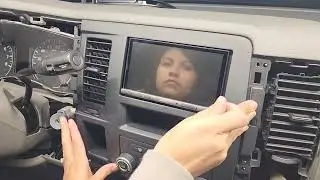
2020 Nissan NV Cargo Van - Setting the Clock
Автор: Nissan Owner Channel
Загружено: 2019-09-30
Просмотров: 389
Описание:
"This video is copyrighted material of Nissan North America, Inc. and should not be copied, edited, or reproduced without the permission of Nissan.
For information please visit https://owners.nissanusa.com/nowners/. You will find quick reference guides and other useful information about your warranty, Bluetooth® system, and much more!
If your vehicle does not have a Navigation System, please see your Owner’s Manual for more information.
To access the clock settings on vehicles with a Navigation System:
● Press the APPS button on the control panel,
● Touch SETTINGS,
● Then SYSTEM,
● Then CLOCK.
Touch the CLOCK MODE key to toggle the clock mode between MANUAL and AUTO.
When the CLOCK MODE is set to AUTO, the GPS automatically sets the time. If you wish to set the clock manually:
● Toggle the CLOCK MODE to MANUAL,
● Touch SET CLOCK MANUALLY,
● Then touch the PLUS or MINUS keys to adjust the hours, minutes, day, month and year up or down.
Please see your NissanConnect® Owner’s Manual for important safety information, system limitations, and additional operating and feature information."
Повторяем попытку...

Доступные форматы для скачивания:
Скачать видео
-
Информация по загрузке: