ycliper

Популярное

Музыка Кино и Анимация Автомобили Животные Спорт Путешествия Игры Юмор

Интересные видео

2025 Сериалы Трейлеры Новости Как сделать Видеоуроки Diy своими руками

Топ запросов

смотреть а4 schoolboy runaway турецкий сериал смотреть мультфильмы эдисон
Скачать

Apogee ONE - How to begin Recording in Logic 9

Автор: Apogee Electronics

Загружено: 2013-07-30

Просмотров: 4570

Описание: Learn more about Apogee ONE: http://www.apogeedigital.com/products...

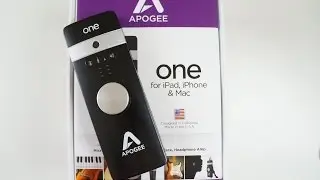
In this tutorial we will show you how to set up Apogee ONE in Logic and begin recording quickly

To Follow this tutorial you will need:
ONE, Mac OS 10.6.8 or greater and Logic 9

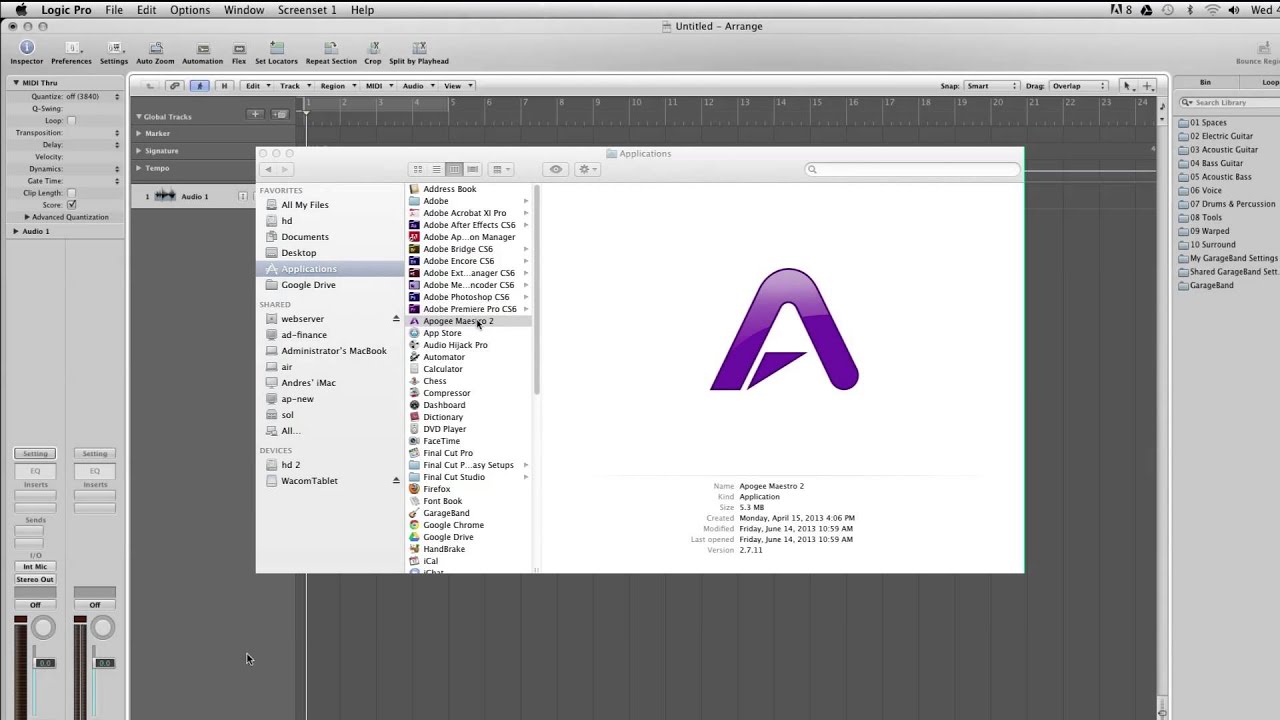
Open Logic and create a new session.
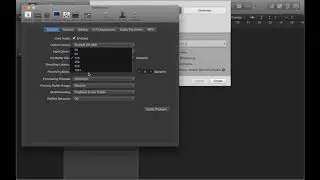
Click on Preferences, Audio, then choose ONE for your output and input device.
For now set the buffer to 64. For best latency performance, you can set it to 32. However, You may need to set the buffer higher depending on the size of the project you are working on. Make sure that "Software Monitoring" is selected.
Click on "Apply Changes" and close the preferences window.

Open Maestro, located in the Applications folder. Here you can select from the different ONE input choices. With ONE you can record one instrument and one microphone of your choice at the same time. Change source to "Internal mic" if you are using ONE's built in microphone, "External Mic" if you are using a dynamic or ribbon mic, "External 48volt mic"if you are using a condenser mic.
Instrument is for connecting a guitar or bass to ONE's quarter inch instrument input.
The instrument input is always on.

For now, select "Internal Mic"

In Logic you can also customize how the I/O labels appear. Click on
Options,Audio,I/O labels. If you select the labels under "Provided by Driver" ONE's I/O labels will show up in Logic's channel strip.

ONE can control input and output level with a single knob.
The four icons on the top panel indicate which input or output source you have selected.

We have "Instrument" selected, so you will see the guitar icon is lit.

Plug in your headphones or speakers, then click on Logic's "Record Enable" button. You will now be able to hear the input source you have plugged in.

Adjust your levels, and record.

Не удается загрузить Youtube-плеер. Проверьте блокировку Youtube в вашей сети.
Повторяем попытку...
Apogee ONE - How to begin Recording in Logic 9

Поделиться в:

Доступные форматы для скачивания:

Скачать видео

  • Информация по загрузке:

Скачать аудио

Похожие видео

Set up recording using a microphone (Part 1) - Logic Pro X tutorial

Set up recording using a microphone (Part 1) - Logic Pro X tutorial

Почему я этого не знал! Распылите WD-40 на пену и почините любой сломанный пластик в доме!

Почему я этого не знал! Распылите WD-40 на пену и почините любой сломанный пластик в доме!

Джонатан Моррисон x Duet 3 - Как получить потрясающее качество звука где угодно

Джонатан Моррисон x Duet 3 - Как получить потрясающее качество звука где угодно

Самые нелепые ошибки работников, попавшие на камеру 😂📹 #shorts #viral #funnyvideos #epicfails

Самые нелепые ошибки работников, попавшие на камеру 😂📹 #shorts #viral #funnyvideos #epicfails

Best Trumpet Microphones for Home Recording

Best Trumpet Microphones for Home Recording

Apogee ONE

Apogee ONE

Unbelievable Workers | Working with Talented Engineers . EP6 #construction #adamrose #workers #smart

Unbelievable Workers | Working with Talented Engineers . EP6 #construction #adamrose #workers #smart

Logic Pro X Tutorials

Logic Pro X Tutorials

Almost forgot my Apogee One.

Almost forgot my Apogee One.

Apogee ONE - Recording with new version of GarageBand on iPad

Apogee ONE - Recording with new version of GarageBand on iPad

Interface Gain Solutions

Interface Gain Solutions

Rosja wycofuje wojska / Nagły rozkaz z Moskwy / Katastrofa Kremla

Rosja wycofuje wojska / Nagły rozkaz z Moskwy / Katastrofa Kremla

Deep dive on R-10 and dBooster on acoustic guitar

Deep dive on R-10 and dBooster on acoustic guitar

Apogee ONE Overview - Sweetwater

Apogee ONE Overview - Sweetwater

How to learn any language in six months | Chris Lonsdale | TEDxLingnanUniversity

How to learn any language in six months | Chris Lonsdale | TEDxLingnanUniversity

Apogee Electronics: Apogee Hot Products - 03. Recoding in GarageBand with the One

Apogee Electronics: Apogee Hot Products - 03. Recoding in GarageBand with the One

Apogee ONE for iPad & Mac Tutorials: How to Setup an External Microphone

Apogee ONE for iPad & Mac Tutorials: How to Setup an External Microphone

Apogee One REVIEW - How to get good quality Audio

Apogee One REVIEW - How to get good quality Audio

The Script discuss using Apogee ONE and Duet on the road

The Script discuss using Apogee ONE and Duet on the road

Apogee ONE For Mac - Getting Started

Apogee ONE For Mac - Getting Started

© 2025 ycliper. Все права защищены.


  • Контакты
  • О нас
  • Политика конфиденциальности


Контакты для правообладателей: [email protected]