Unreal Engine 5.4 - Get the Edge of Any Texture (Material Tutorial)
Автор: CGHOW
Загружено: 2025-01-09
Просмотров: 2627
Описание:
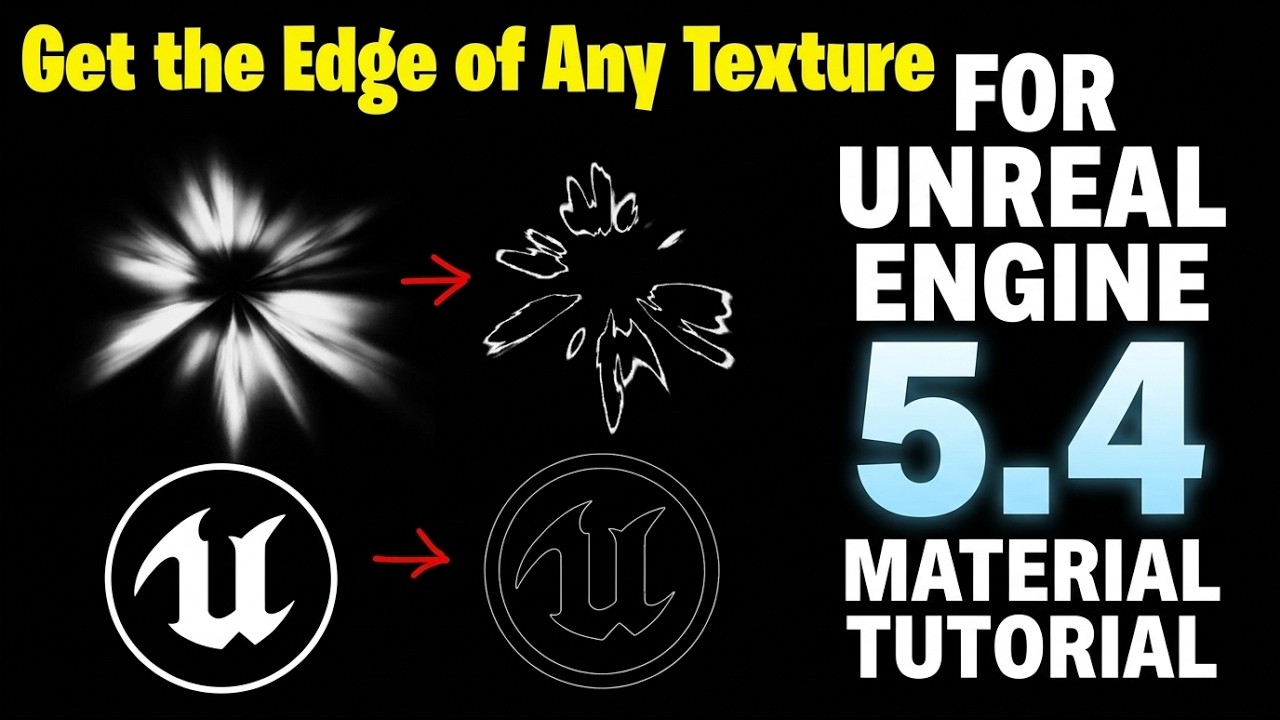
Learn a powerful technique to get the clean edge of any texture in Unreal Engine 5.4 with this in-depth material tutorial! Your guide, Ashif Ali, a RealtimeVFX artist and YouTuber from India, will teach you a fast and efficient workflow to procedurally find and isolate the edges of any image directly within Unreal's material editor.
This skill is essential for game developers and VFX artists who want to create a wide variety of effects, from stylized outlines and glowing edges to procedural wear and tear on a material. By the end of this video, you will have the knowledge to take a simple texture and transform it into a versatile, reusable asset for your projects!
What You'll Learn in this Tutorial:
✅ Material Node Setup: Master the essential nodes and techniques to detect the edges of any texture.
✅ Procedural Edge Isolation: Discover how to create a reusable material function that can be applied to any texture, providing you with a customizable edge mask.
✅ Stylized Outlines & Glow: Learn how to use the edge mask to create a variety of visual effects, including a clean outline or a magical glow.
✅ Optimized Workflow: I'll show you how to build this effect efficiently for optimal performance in your games.
Keywords & Information:
Tutorial Level: Beginner
Software: Unreal Engine 5.4 (UE5.4)
Keywords: Unreal Engine 5, UE5, UE5 Material, Material Tutorial, Texture Edge, Procedural Material, Stylized VFX, RealtimeVFX, Game Art, Unreal Engine tutorial, VFX tutorial, visual effects, CGHOW, Ashif Ali.
Socials & Call-to-Action:
I hope you found this tutorial helpful! If you did, please hit the like button 👍 and subscribe for more Unreal Engine tutorials! 🔔
FAB: https://www.fab.com/sellers/CGHOW
Whatsapp: https://bit.ly/3LYvxjK
Patreon: / ashif
NFT: https://opensea.io/CGHOW
Twitter: https://x.com/cghow_
Liked it? Subscribe here: http://bit.ly/2UZmiZ4
Channel Ashif: http://bit.ly/3aYaniw
Support me on: paypal.me/9953280644
Website: https://cghow.com/
Unreal Engine Marketplace: https://bit.ly/3aojvAa
ArtStation Store: https://www.artstation.com/ashif/store
Gumroad: https://cghow.gumroad.com/
ArtStation: https://www.artstation.com/ashif
Instagram: / cghow.com_
#UnrealEngine #RealtimeVFX #materialtutorial
unreal engine 5 material edge detection
UE5 shader outline from texture tutorial
unreal engine 5.4 material editor tips
how to get texture edges in UE5
unreal engine VFX material creation
UE5 procedural edge mask tutorial
how to outline a sharp texture in unreal engine
making glowing edges from noise textures UE5
unreal engine 5 material edge thickness control
extracting alpha edges in unreal engine materials
shader math for texture outlines UE5
get the edge of soft vs sharp textures UE5
UE5 material DDX and DDY nodes explained
three color blend node unreal engine tutorial
creating texture outlines in UE5 shaders
UE5 material editor sine node edge trick
sharpening texture edges unreal engine 5
subtracting textures for outlines in UE5
0:00 Intro: Soft vs. Sharp Texture Edges
0:35 Test Texture: Faded/Soft Edge Texture
0:56 Method 1: Using the Sign Node (Best for Soft Edges)
1:18 Method 2: Using Three Color Blend (Black/White/Gray)
1:57 Method 3: Power and Subtract (Bigger Minus Smaller)
2:28 Test Texture: Sharp Edge Texture
3:10 Making Texture Absolutely Sharp with Round Node
3:35 Method 4a: UV Offset & Subtract (The 4X Copy Method)
3:58 Creating a Diagonal Offset with Add Node
4:16 Subtracting the Offset from the Original (Edge Creation)
5:18 Method 4b: The DDX and DDY Nodes (Best for Complex Graphs)
5:26 Using DDX and DDY (Derivative Nodes)
5:45 Combining Derivatives with Dot and Add (The Final Edge)
5:55 Controlling Edge Thickness/Visibility (Square Root, Multiply)
6:37 Understanding DDX/DDY (Pixel Tapping)
6:50 Advanced Example: Getting Edge from a Complex Moving Aura
7:59 Using Sign on the Complex Aura
8:25 Using DDX/DDY on the Complex Aura
9:05 Final Recommendations & Conclusion
Повторяем попытку...
Доступные форматы для скачивания:
Скачать видео
-
Информация по загрузке: