Connect External Audio Devices | BMW How-To
Автор: BMW USA
Загружено: 2015-02-11
Просмотров: 703785
Описание:
Learn more about the BMW Genius smart technology: https://www.bmwusa.com/owners/genius....
Subscribe now: https://www.youtube.com/user/BMWUSA?s...
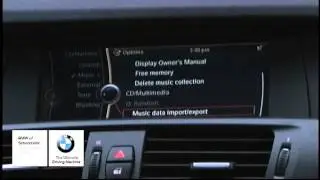
Did you know an external audio device such as an MP3 player or iPhone can be directly connected to your BMW via the AUX-IN cord? The connection can be made via USB cord as well. Once connected properly, audio will be played through your BMW's speakers. The AUX-IN jack & USB jack are located in the center console, allowing for ease of use & a safe place to store valuable devices.
Next, navigate to the multimedia section in your iDrive settings and you will see the option to connect your device.
Looking for a quick answer? Check out our FAQ page : https://faq.bmwusa.com/
Need further help? Contact us here: https://www.bmwusa.com/contact-us.html
Refer to your owner's manual or visit: https://www.bmwusa.com/owners-manuals...
Follow BMW USA for the latest in luxury cars and performance vehicles:
Facebook: / bmwusa
Instagram: / bmwusa
Twitter: / bmwusa
Повторяем попытку...

Доступные форматы для скачивания:
Скачать видео
-
Информация по загрузке:



![ВЭКС №7 [ АУСЛЕНДЕР / БОРОДКИН ] Часы до развязки. Режим Ирана пойдет до конца. 13.01.2026](https://image.4k-video.ru/id-video/_uKKaVpQ-sc)