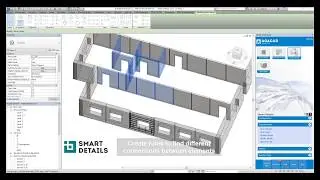
Place 64 Peikko lifting inserts with 1 click
Автор: Be Smart Software by ARKANCE
Загружено: 2020-07-07
Просмотров: 1003
Описание:
Inserting #peikko lifting inserts from #ProdLib library in Revit: by hand VS Agacad
1️⃣ Use Prodlib add-on to load family for lifting a precast wall.
2️⃣ If the #Revit family doesn't snap to the face, just modify it using the Family Editor.
3️⃣ Change category.
4️⃣ Place manually.
5️⃣ Change parameters if needed.
6️⃣ Let's automate the insertion process! Use the Smart Connections tool that's part of AGACAD's #PrecastConcrete BIM software to place details 0:55
7️⃣ Create a new configuration to place 2x lifting families relative to the center of gravity.
8️⃣ Do the same on the side of the wall...
9️⃣ Apply the configuration to all walls.
🔟 Modify the configuration to rotate details on the side...Update All...
⚡️ Presto! All details are inserted based on wall shape and size. Now you can just run the configuration on future walls to insert all those lifting anchors with JUST ONE CLICK!
Seen in this video:
✅ @PeikkoGroupCorp lifting anchors https://www.peikko.com/products/preca...
✅ ProdLib's organized and up-to-date product libraries from leading manufacturers. https://www.prodlib.com/
More? 🔎 Check out these videos.
🎬 Precast Concrete Modeling & Documentation in Revit • Precast Concrete Modeling & Documentation ...
🎬 Modeling a Precast #ParkingGarage in Revit • Modeling Precast Concrete Parking Garages ...
🔥 Auto-insert column shoes?🔥 • Видео
📚 Read more http://www.aga-cad.com/blog/how-to-in...
Agacad Revit tool: Precast Concrete https://www.agacad.com/products/preca...
► BIM software that streamlines your 3D design process by automating the modeling, detailing, and documentation stages. Efficiently model floor slabs, wall panels, beams and columns, and then insert connection details by the batch-load and place #reinforcement. All your #shopdrawings are automatically generated from the 3D model. Need to make changes? Just run full-project, real-time updates in Revit.
=====================================
🎯 Follow Agacad
LinkedIn: / 904996
Facebook / agacad.tools4bim
Twitter: / tools4revit
YouTube: click Subscribe, then click "Notification Bell" = 🔔
Повторяем попытку...

Доступные форматы для скачивания:
Скачать видео
-
Информация по загрузке: