Hyperspin- Setup JoyToKey Keymapper
Автор: Planet Geekdom
Загружено: 2018-07-19
Просмотров: 37475
Описание:
**Make your hyperspin set up shine with video snaps! Go platinum at emumovies so that you can use hypersync to get all the video previews! Use my referral link https://emumovies.com/refer/28236/
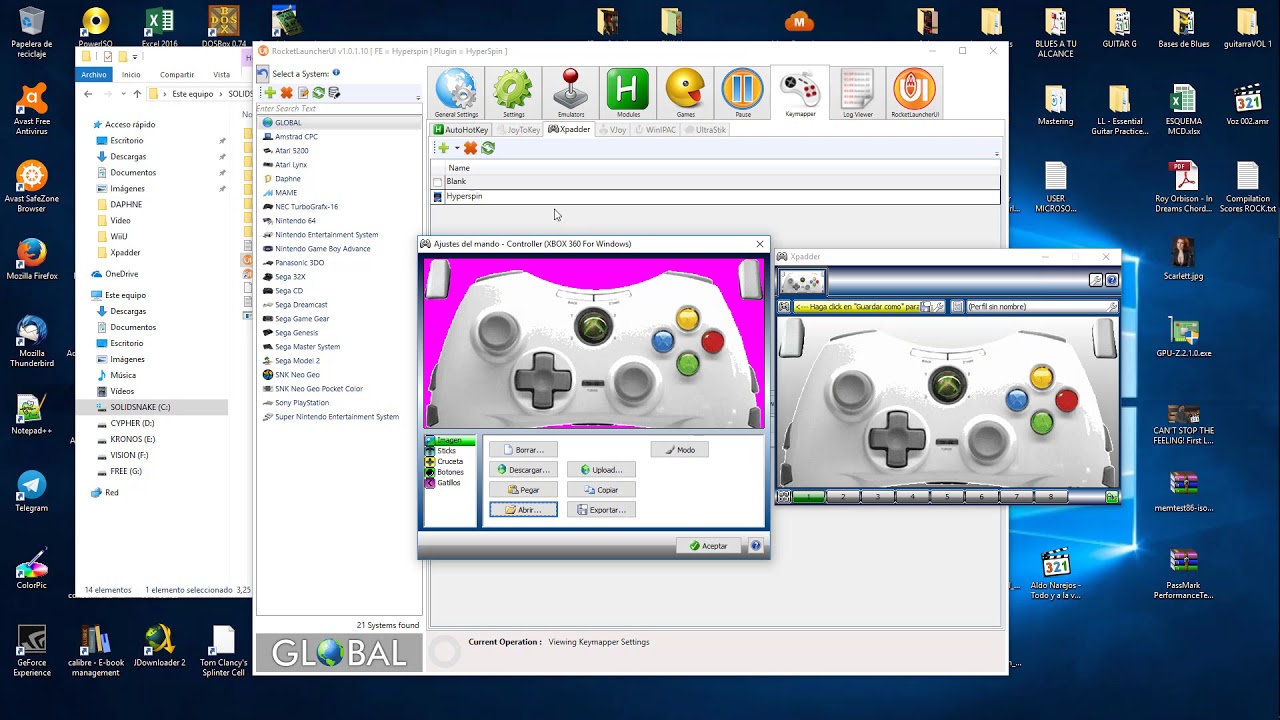
This is a tutorial to set up a keymapper in rocketlauncher. This allows you to use any controller to press key strokes so that you can play games using a standard controller.
Step 1: Download JoyToKey
https://joytokey.net/en/download
Step 2:
Set up JoyToKey Profiles
Step 3:
Save profiles in rocketlaunchers folder, profile, joytokey subfolder. When creating a profile for a specific game, be sure the folder and profile name matches the name of the actual database name
Step 4:
Open rocketlauncher and adjust global settings, update the paths and keymapper selections.
Step 5
Within Rocketlauncher under Keymapper tab, set up your default systems
Step 6
Add the joytokey.exe to your start up script under the start up section and the close section so that joytokey runs in the background with hyperspin and shuts down with hyperspin. See my start up script video for more info there.
Become a supporting Patreon member: / planetgeekdom
Discord: / discord
**Patreon Members have their own section and get videos as they are created. My video schedule is Tuesdays and Thursdays otherwise.
This video features the song
“LIFELIKE - So Electric REMIX | COVER - Retro Electro Synthwave (new artist)”,
available under a Creative Commons Attribution license (reuse allowed).
• Видео
This video features the song by BlueKing Gaming og Mer I?
available under a Creative Commons Attribution license (reuse allowed).
• Видео
Mega: https://mega.nz/#F!SKgj1KrS!yA9mFNLrC...
Повторяем попытку...

Доступные форматы для скачивания:
Скачать видео
-
Информация по загрузке: