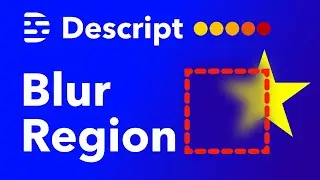
How to Blur a Specific Area in Descript [QUICK TUTORIAL]
Автор: Liam's WordPress Tutorials
Загружено: 2024-04-17
Просмотров: 1182
Описание:
This video explains how to quickly blur an area or region in Descript (video editor).
It is best practice to only follow the steps in this tutorial once you have finished all other video edits and you are almost ready to click publish.
Although it is still a tedious project, this is the fastest method.
Note: This method will not work well on moving objects. If you want me to create a tutorial on blurring moving objects with Descript, comment below.
🔧 Tools used in this video:
Descript (Affiliate Link): https://get.descript.com/p1fig2i6rz11
☕ Found this tutorial helpful? Buy me a coffee:
https://www.buymeacoffee.com/LiamEdwards
Please let me know if you have any questions in the comments below.
🕓 Timestamps:
00:00 Intro
00:22 Preparing for blur while editing
01:00 Creating scene cuts
01:31 Using sequence editor
02:38 Adding blur effect
03:15 Blurring only selected area
03:57 Example 2
04:52 Conclusion
#descript #descriptblur
Повторяем попытку...
![How to Blur a Specific Area in Descript [QUICK TUTORIAL]](https://imager.clipsaver.ru/qLJLLy024dY/max.jpg)
Доступные форматы для скачивания:
Скачать видео
-
Информация по загрузке:






![Опишите руководство по удалению фона [Зеленый экран против хромакей]](https://image.4k-video.ru/id-video/lsEEmjhDfLg)


