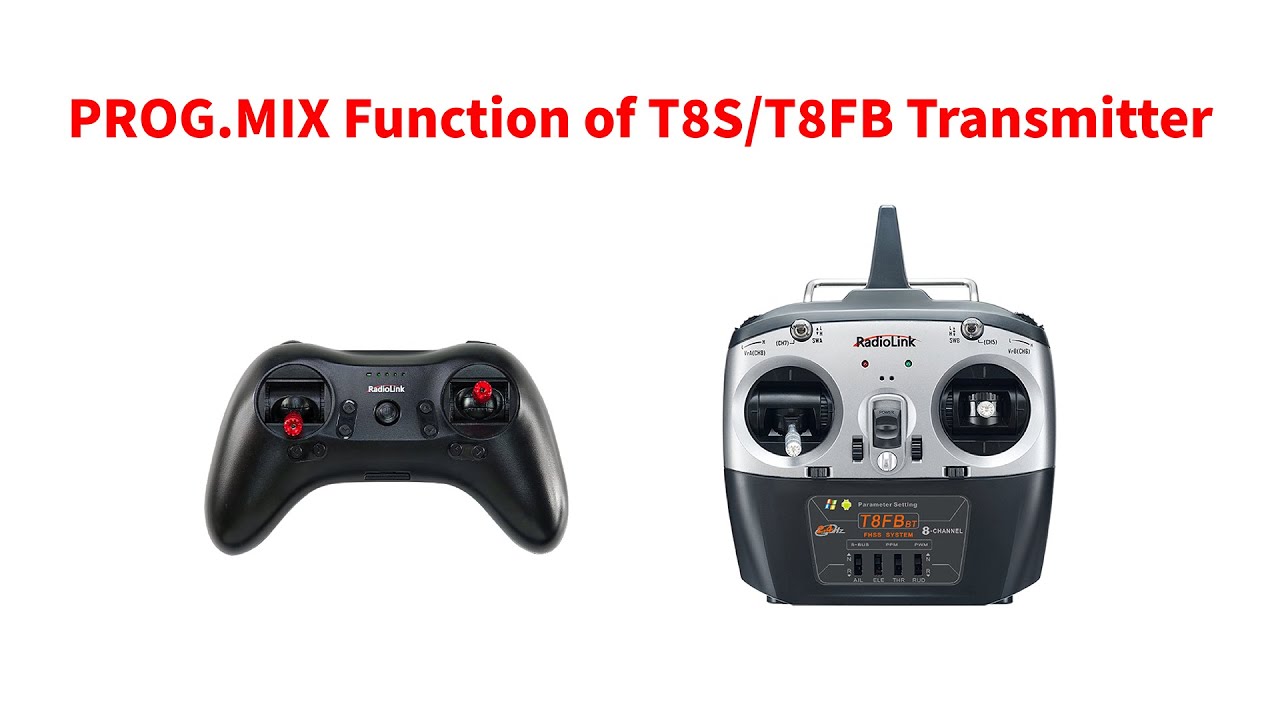
PROG.MIX Function of T8S/T8FB Transmitter
Автор: RadioLink
Загружено: 2025-09-13
Просмотров: 267
Описание:
PROG.MIX Function of T8S/T8FB Transmitter
For T8S and T8FB, you need Parameter Adjustment APP to set the parameters. You can download the Parameter Adjustment APP from RadioLink official website.
T8S BT Parameter Adjustment APP download link: https://www.radiolink.com.cn/t8s_apps
T8FB BT Parameter Adjustment APP download link: https://www.radiolink.com.cn/t8fb_bt_app
We can use iPhone, Android phone and computer to set the parameters. I use iPhone in this tutorial. And since the functions of the Parameter Adjustment APP for T8S and T8FB are the same, I take T8S as an example.
I have downloaded Parameter Adjustment APP on this iPhone. Here it is.
Open it. Click Connect.
(Make sure the bluetooth of the phone is turned on.)
A list of devices will pop out. Select RadioLink. T8S will beep. We need to press any one of the trim buttons of T8S. Then the beeping stops and they are connected.
We can see the servo value on the APP. Move the joystick, the servo value changes, which means the connection is successful.
Then we can set the parameters of T8S on the APP.
Click PROG.MIX. PROG.MIX, or we say Programmable mix, is often used to control the two channels at the same time. T8S supports 4 groups of prog.mixes.
The mix is turned off by default. I need to turn it ON.
MAS is the master channel. channel 1 to channel 8 can be selected.
SLA is the slave channel. channel 1 to channel 8 can also be selected as the slave channel.
OFFS is the offset. Offset is used to compensate for the servo value of the slave channel.
UP is the upper part servo value of the slave channel responding to the master channel.
DOWN is the lower part servo value of the slave channel responding to the master channel.
Take PROG.MIX 1 as an example.
The mix is turned on. Master channel is channel 1, and the slave channel is channel 4.
Offset is 0, the default value.
And I want channel 4 to work totally the same with channel 1, so I need to set the UP to 100, and set the DOWN to 100 too.
After the setting, remember to click WRITE to save the settings.
Click “WRITE” and three slow D sounds mean the modification has been written successfully.
Click SERVO. Now. Move the stick of the master channel, channel 1 to check if the mix works well.
Move the stick of channel 1, we can see channel 4 works the same with channel 1, which means the mix is correct.
And by the way, if you want channel 4 to work in the opposite direction to the channel 1, you only need to set UP and DOWN from 100 to -100.And click WRITE to save the modification.
Now move the stick of channel 1, we can see channel 4 works in the opposite direction to the channel 1.
I’ll set another mix for your reference. I want to set the mix of channel 3 and channel 5.
As we know, channel 1 to channel 4 are controlled by the sticks. If other auxiliary channels are involved in the mix, we need to check the switch of the auxiliary channel before setting the PROG.MIX.
Click SYSTEM. We can see the switch of channel 5 is SWB.
Please note: If the slave channel is controlled by a 3-position switch or a knob, please keep the switch in the middle position, with the servo value of the slave channel at 0 point before setting the PROG.MIX. Otherwise, the mix cannot work well.
Channel 5 is controlled by SWB. SWB is a 3 position switch here. We need to push SWB to the middle position, with servo value of channel 5 at 0 point.
Turn on the mix.
Set the master channel to channel 3.
And the slave channel to channel 5.
I want channel 5 to work totally the same with channel 5, I set the UP and DOWN to -100. (Channel 3 is reversed by default. So I set -100 here, instead of +100.)
Click WRITE to save the modification.
Now move the stick of channel 3, we can see channel 5 works the same with channel 3, which means the mix is correct.
And users can set different mixes according to their needs.
More details about T8S:
https://www.radiolink.com/t8s
You can buy T8S from the link:
https://www.radiolink.com/t8s_where_t...
You can send mails to [email protected] if you have any questions during using our products.
#rcplane #transmitter #radiolink
Повторяем попытку...
Доступные форматы для скачивания:
Скачать видео
-
Информация по загрузке: