ycliper

Популярное

Музыка Кино и Анимация Автомобили Животные Спорт Путешествия Игры Юмор

Интересные видео

2025 Сериалы Трейлеры Новости Как сделать Видеоуроки Diy своими руками

Топ запросов

смотреть а4 schoolboy runaway турецкий сериал смотреть мультфильмы эдисон
Скачать

MQTT Sparkplug: Send and Receive messages Using Node-red, Raspberry Pi and HiveMQ Cloud

MQTTSparkplug

MQTTbroker

Industry40

IIoT

NodeRED

raspberrypi

greenhouse

MQTT

HiveMQCloud

Автор: HiveMQ

Загружено: 2021-05-21

Просмотров: 12512

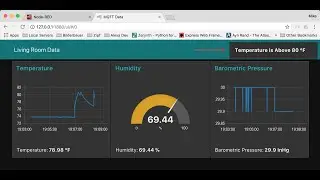
Описание: This video showcases how to use the MQTT Sparkplug B specification to make greenhouse information discoverable by industry 4.0 applications that may join an MQTT network. This video simulates a simple greenhouse remote monitoring system using Raspberry Pi, Node-Red, and HiveMQ Cloud as the MQTT broker. This video aims to show how to use the MQTT Sparkplug specification to make greenhouse information discoverable by industry 4.0 applications that may join an MQTT network.

** Overview of the Demo Setup **

For the purpose of the demonstration, we have used two Raspberry Pis. One of the Raspberry Pis will act as a greenhouse control unit measuring humidity and temperature. We will use a DHT11 sensor for that. The same Raspberry Pi will also monitor unauthorized access using a proximity sensor. The other Raspberry Pi will act as a remote monitoring station, which receives greenhouse telemetry data and displays the temperature and humidity data on an HMI. The second Raspberry Pi will also monitor the intrusion and switch ON an AC lamp when an intrusion is detected.

To monitor the telemetry data, we will send and receive MQTT Sparkplug Messages using Raspberry Pi, Node-RED, and HiveMQ Cloud.

** With this demonstration in the video, we show how MQTT Sparkplug can bring plug-and-play interoperability to IIoT. **

Link to the Eclipse Tahu project on GitHub: https://github.com/eclipse/tahu

Here’re the steps we followed for this demonstration:

00:00 Introduction
02:44 Setting up HiveMQ Cloud MQTT Broker
04:46 Setting-up Node-Red on Raspberry Pi to Read and Publish Sensor Data to HiveMQ Cloud
07:52 Extracting Greenhouse Humidity and Temperature Values
09:00 Prepare an MQTT Sparkplug B Message Object on Node-Red
10:00 Encoding the MQTT Sparkplug B Messages
11:07 Publishing Sparkplug B messages to HiveMQ Cloud MQTT Broker
13:47 Testing the Transmission of Greenhouse Monitoring Data
16:03 Setting-up Second Node-Red to Receive Greenhouse Monitoring Data

** Link to Resources **

👉 For more information on HiveMQ Cloud MQTT broker, visit: https://bit.ly/3inmNVx
👉 To get started on HiveMQ Cloud, read the technical documentation: https://bit.ly/3mhX4ie
👉 To learn the basics of MQTT IoT protocol, visit: https://bit.ly/3oC4lwv
👉 To get an overview of MQTT Sparkplug, visit: https://bit.ly/3CWdxzs
👉 To learn how to get started with MQTT Sparkplug, visit: https://bit.ly/3D4HjCq

Subscribe to our HiveMQ channel to get video updates. Hit the subscribe button below or subscribe to our newsletter (https://bit.ly/3CZPgsm) to keep up to date on the latest MQTT news.
#MQTTSparkpluk #MQTTCloudBroker #IIoT #RaspberryPi #NodeRed

Не удается загрузить Youtube-плеер. Проверьте блокировку Youtube в вашей сети.
Повторяем попытку...
MQTT Sparkplug: Send and Receive messages Using Node-red, Raspberry Pi and HiveMQ Cloud

Поделиться в:

Доступные форматы для скачивания:

Скачать видео

  • Информация по загрузке:

Скачать аудио

Похожие видео

MQTT Industry 4.0: Monitoring & Observability Example WIth InfluxDB, Grafana, & Schneider IIoT

MQTT Industry 4.0: Monitoring & Observability Example WIth InfluxDB, Grafana, & Schneider IIoT

Что такое Sparkplug B для MQTT?

Что такое Sparkplug B для MQTT?

Node Red MQTT на Raspberry Pi

Node Red MQTT на Raspberry Pi

MQTT Sparkplug B, Confessions of an End User: The Good and The Ugly - Jon Forbord

MQTT Sparkplug B, Confessions of an End User: The Good and The Ugly - Jon Forbord

Владимир Владимирович... ТЕПЕРЬ БЕЛГОРОД СНОВА БЕЗ СВЕТА

Владимир Владимирович... ТЕПЕРЬ БЕЛГОРОД СНОВА БЕЗ СВЕТА

Что такое MQTT? — Часть I — Основы

Что такое MQTT? — Часть I — Основы

Node-Red Tutorial - Common Nodes Explained! (Chapters in the Timestamps) #nodered

Node-Red Tutorial - Common Nodes Explained! (Chapters in the Timestamps) #nodered

the FrankeNAS - (Raspberry Pi, Zima Board, Dell Server, Ugreen) // a CEPH Tutorial

the FrankeNAS - (Raspberry Pi, Zima Board, Dell Server, Ugreen) // a CEPH Tutorial

Creating IIoT Data Pipeline Using MQTT and Kafka: A Step-by-Step Guide

Creating IIoT Data Pipeline Using MQTT and Kafka: A Step-by-Step Guide

Industry 4.0 Demo Project w/ Ignition MQTT, Raspberry Pi, Arduino, and Kepware IoT Gateway

Industry 4.0 Demo Project w/ Ignition MQTT, Raspberry Pi, Arduino, and Kepware IoT Gateway

Podcast with the CREATOR of MQTT Protocol - Arlen Nipper

Podcast with the CREATOR of MQTT Protocol - Arlen Nipper

Raspberry Pi IoT Server Tutorial: InfluxDB, MQTT, Grafana, Node-RED & Docker

Raspberry Pi IoT Server Tutorial: InfluxDB, MQTT, Grafana, Node-RED & Docker

20 лучших проектов Raspberry Pi 2025 года!

20 лучших проектов Raspberry Pi 2025 года!

Что такое Node-RED и как его использовать для создания приложений Интернета вещей?

Что такое Node-RED и как его использовать для создания приложений Интернета вещей?

Membuat Dashboard IOT menggunakan Node Red + MQTT

Membuat Dashboard IOT menggunakan Node Red + MQTT

How to use APIs with Node-RED: OpenWeatherMap Example

How to use APIs with Node-RED: OpenWeatherMap Example

MQTT Sparkplug Basics | Sparkplug Essentials Part 1

MQTT Sparkplug Basics | Sparkplug Essentials Part 1

System Design Concepts Course and Interview Prep

System Design Concepts Course and Interview Prep

Simple Node-RED and MQTT Tutorial

Simple Node-RED and MQTT Tutorial

Grafana Weather Dashboard on a Raspberry Pi using InfluxDB and an ESP32 - In-Depth Tutorial

Grafana Weather Dashboard on a Raspberry Pi using InfluxDB and an ESP32 - In-Depth Tutorial

© 2025 ycliper. Все права защищены.


  • Контакты
  • О нас
  • Политика конфиденциальности


Контакты для правообладателей: [email protected]