Excel_2E_Dessert_Inventory | excel 2E Dessert Inventory | 2E Dessert Inventory
Автор: HomeWork Assignment
Загружено: 2024-10-21
Просмотров: 505
Описание:
Excel_2E_Dessert_Inventory | excel 2E Dessert Inventory | 2E Dessert Inventory
Contact us:
WhatsApp : +92 3260782026
WhatsApp Link:
https://bit.ly/3pIuXPl
Gmail : [email protected]
We can handle all online courses, Business and Management, Business and Finance, MylTLab all Courses
Excel_2E_Dessert_Inventory
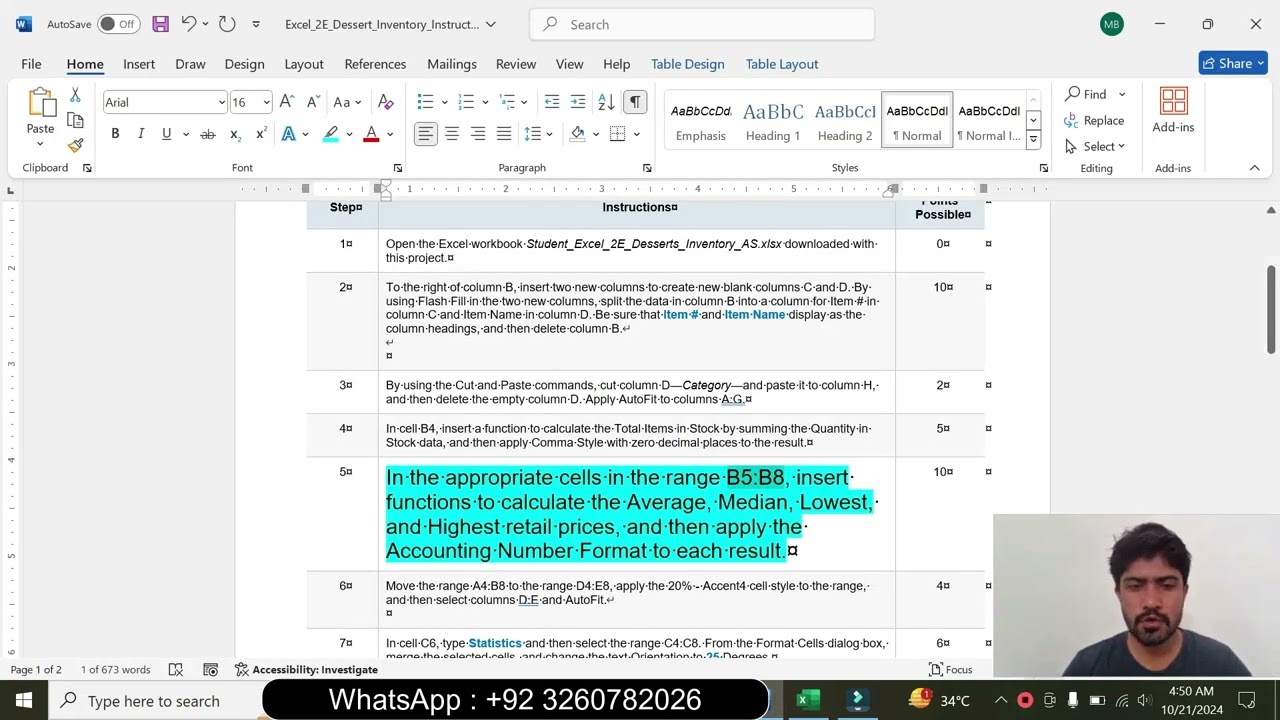
1 Open the Excel workbook Student_Excel_2E_Desserts_Inventory_AS.xlsx downloaded with this project. 0
2 To the right of column B, insert two new columns to create new blank columns C and D. By using Flash Fill in the two new columns, split the data in column B into a column for Item # in column C and Item Name in column D. Be sure that Item # and Item Name display as the column headings, and then delete column B.
10
3 By using the Cut and Paste commands, cut column D—Category—and paste it to column H, and then delete the empty column D. Apply AutoFit to columns A:G. 2
4 In cell B4, insert a function to calculate the Total Items in Stock by summing the Quantity in Stock data, and then apply Comma Style with zero decimal places to the result. 5
5 In the appropriate cells in the range B5:B8, insert functions to calculate the Average, Median, Lowest, and Highest retail prices, and then apply the Accounting Number Format to each result. 10
6 Move the range A4:B8 to the range D4:E8, apply the 20% - Accent4 cell style to the range, and then select columns D:E and AutoFit.
4
7 In cell C6, type Statistics and then select the range C4:C8. From the Format Cells dialog box, merge the selected cells, and change the text Orientation to 25 Degrees. 6
8 Format cell C4 with Bold and change the Font Size to 14 pt. Apply Middle Align and Align Right. 10
9 In the Category column, Replace All occurrences of Pastries with Danish.
2
10 In cell B10, use the COUNTIF function to count the number of Cake dessert types in the Category column. 5
11 In cell H13, type Stock Level. In cell H14, enter an IF function to determine the items that must be ordered. If the Quantity in Stock is less than 50 the Value_if_true is Order. Otherwise the Value_if_false is OK. Fill the formula down through cell H42. 7
12 Apply Conditional Formatting to the Stock Level column so that cells that contain the text Order are formatted with Bold Italic, a font color using in the eighth column, the first color, and the Fill color set to No Color.
6
13 Apply conditional formatting to the Quantity in Stock column by applying a Gradient Fill Blue Data Bar. 6
14 Format the range A13:H42 as a Table with headers, and apply the style White, Table Style Light 18. If the style is not available, choose a similar style. Sort the table from A to Z by Item Name, and then filter on the Category column to display only the Cake types. 8
15 Display a Total Row in the table, and then in cell A43, Sum the Quantity in Stock for the Cake items. Type this same result in cell B11. Click in the table, and then on the Design tab, remove the total row from the table. Clear the Category filter. 8
16 Merge & Center cell A1 across columns A:H and apply the Title cell style. Merge & Center cell A2 across columns A:H, and apply the Heading 1 cell style. Change the theme to Ion, and then select and AutoFit all the columns.
If the Ion theme is not available, click Browse for Themes and navigate to the files you downloaded with this project. Click Ion_Theme.thmx and then click Open. 7
17 Set the orientation to Landscape. From the Page Setup dialog box, center the worksheet Horizontally, and set row 13 to repeat at the top of each page. 2
18 Insert a custom footer in the left section with the file name and scale the worksheet so that the Width fits to 1 page. 2
19 Save and close the file, and then submit for grading. 0
Total Points 100
#Excel_2E_Dessert_Inventory | excel 2E Dessert Inventory
#Excel_2E_Dessert_Inventory
#Excel_2E_Dessert
#Excel_2E
#excel 2E Dessert Inventory
#2E Dessert Inventory
#Dessert Inventory
#excel 2E Dessert
#excel 2E
Повторяем попытку...
Доступные форматы для скачивания:
Скачать видео
-
Информация по загрузке: