Training Video Software Califort
Автор: ANDILOGTechno
Загружено: 2021-12-20
Просмотров: 411
Описание:
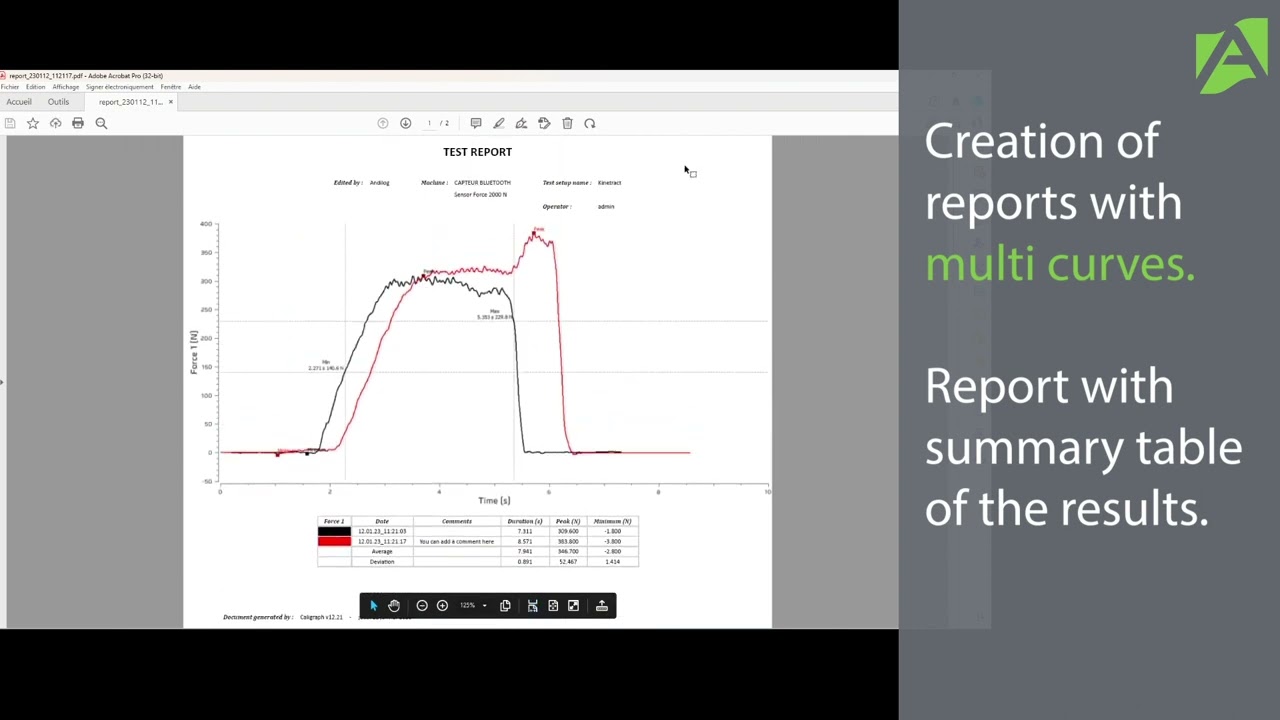
This training video for the Califort control and acquisition software shows you how the tools menu works and its different chapters. You will learn how to set up a test sequence by sequence. You will then see in detail how a test is performed, and discover the different possibilities to analyze and export your test results.
Finally, you will see how to copy and import an existing test configuration.
Note: If you are using Caligraph, you are not concerned by the chapters on compensation profile, sequences, or cycles.
Chapters:
0:00 General settings menu
1:34 Accounts menu
2:34 Maintenance menu
4:34 Compensation profile menu
6:27 Update Menu
6:44 Create and configure a test
7:46 Description Tab
8:04 Equipment tab
9:20 Sample tab
9:59 Start/end of test tab
11:54 Sequences tab
14:43 Cycles tab
15:20 Calculation tab
16:34 Report tab
18:29 Performing a measurement
20:34 Analyze data
27:45 Access to the data folder
28:26 Import or copy a configuration
29:33 Create a model curve
Do you have a question or need more information? Contact Andilog! We will be happy to help you with your test configuration!
Our website: www.andilog.com
Our phone number: +33 4 42 34 83 40
Our E-Mail: [email protected]
Повторяем попытку...

Доступные форматы для скачивания:
Скачать видео
-
Информация по загрузке:






![Divine Music - The Year Mix Vol.10 [Chill & Ethnic Deep 2025]](https://imager.clipsaver.ru/Q3XBH_FhuKY/max.jpg)