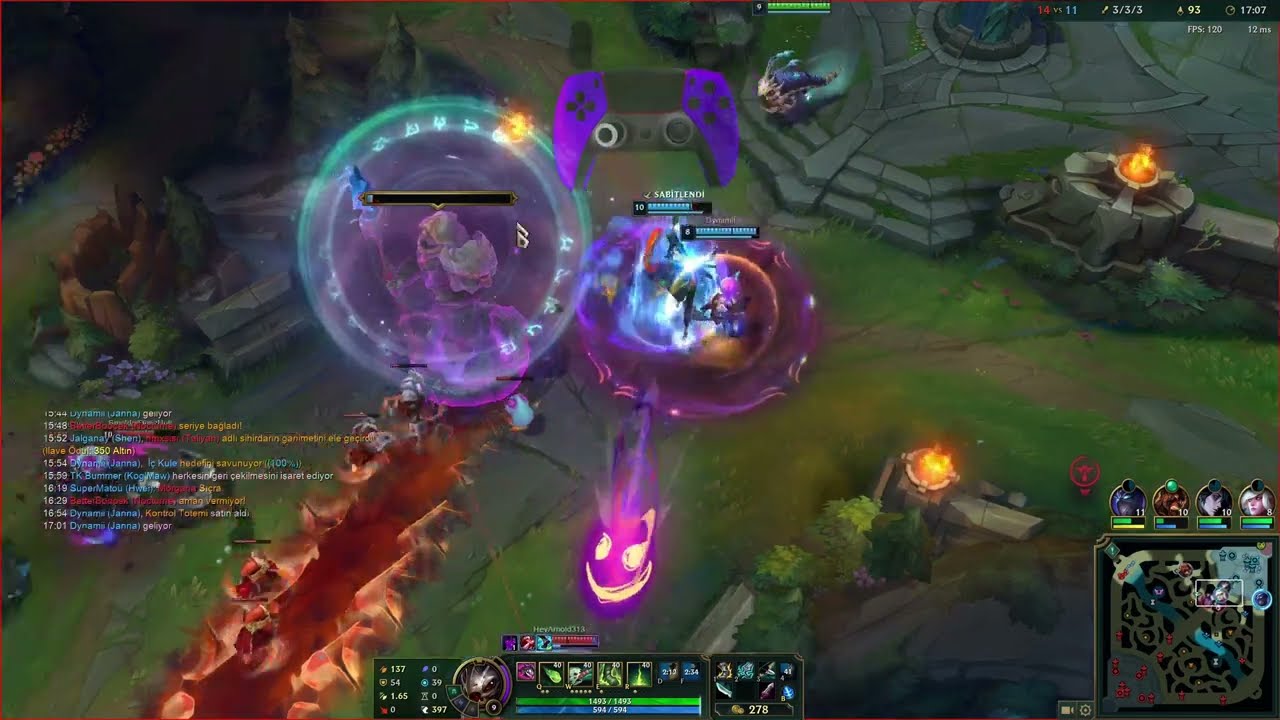
Demo: LoL with Gyro (Gamepad) - Emerald, Kog'Maw
Автор: Turantel
Загружено: 2024-03-27
Просмотров: 93
Описание:
A demonstration of how playing League of Legends looks like on a pad with Gyro controls in a ranked game as an ADC on EUW, Emerald rank, Patch 14.6.
The PS5 controller cannot have all the bindings KB + M allow you to use (cannot really chat on a pad), but all the gameplay-relevant buttons are there. It works pretty well, and in my experience every type of champion can be played with it, and every kind of mechanical trick can be pulled off (after enough training of course).
I have used Steam Input to bind all the buttons, but sharing layouts seems kinda chaotic through Steam. An uglier, but more easily reproducable way of seeing the configs, follows:
// All the Controller buttons that translate to keyboard input
DPAD Left: 1
DPAD Down: 2
DPAD Right: 3
DPAD Up: 4
Share Button: C
Menu Button: Escape
Left Side Of The Touch Trackpad: Tab
Right Side Of The Touch Trackpad: Z
Microphone Button: B
Left Joystick Left: Left Arrow
Left Joystick Down: Down Arrow
Left Joystick Right: Right Arrow
Left Joystick Up: Up Arrow
Left Joystick Press: S
Right Joystick Left: Left Mouseclick
Right Joystick Down: O
Right Jostick Right: U
Right Joystick Up: H
Right Joystick Press: P
Square: Q
X: W
Circle: E
Triangle: R
// Probably the hackiest part about my setup. Steam Input allows for special binds on doubleclick, and this serves for selfcasting spells. E.g. if you are Zilean and doubleclick R, you will ult yourself.
Doubleclick Square: Shift + Q
Doubleclick X: Shift + W
Doubleclick Circle: Shift + E
Doubleclick Triangle: Shift + R
L1: Control
L2: Right Mouseclick
R1: Alt
R2: Space
Misc
Enabled Steam's currently named "Gyro To Mouse [Beta]" function
Using Gyro "Yaw" conversion
Activated Gyro to always be on
// Very useful in my opinion vor a variety of situations:
Uses Steam Inputs feature to 100% dampen (ergo disabling) Gyro's sensitivity while SOFT pressing R2 ("Trigger Press Mouse Dampening: Right Trigger Soft Pull Dampening")
// All the League of Legends ingame settings that deviate from the standard. You can bind these as the secondary buttons, that way the originals do not get killed (though I butchered my own settings and have not done it that way myself)
Spells
Summoner Spell 1: Alt + Q
Summoner Spell 2: Alt + E
Self Cast Spell 1: Shift + Q
Self Cast Spell 2: Shift + W
...
Level Up Spell 1: Ctrl + Q
Level Up Spell 2: Ctrl + W
...
Items
Item 1: 1
Item 2: 2
Item 3: 3
Item 4: Control + 1
Item 5: Control + 2
Item 6: Control + 3
Trinket: 4
Player Movement
Attack Move: Alt + W
Camera
Camera On Teammate 1: Alt + 1
Camera On Teammate 2: Alt + 2
...
Communication
// Idk if these pings called this way, my client isnt english right now. But this way if you hold the right stick down (or up), the ping wheel opens and you can choose the other ping types, too.
Quick Danger Ping: O
Quick Retreat Ping: H
Open Emote Wheel: Alt + O
Joke: Ctrl + Alt + 1
Taunt: Ctrl + Alt + 2
...
Fistbump: U
Menus
Show Champion stats: C
Toggle through champion stat display: Ctrl + C
// I use this every game right at the start (unfortunately it doesnt persist and always leaves an ugly red border when active). I only move the camera with the left joystick
Toggle camera move by dragging mouse on edge of screen: Ctrl + Esc
Повторяем попытку...
Доступные форматы для скачивания:
Скачать видео
-
Информация по загрузке: