Sunrise Animation in PowerPoint | PowerPoint Presentation Topic Animation | PPT Animation 2025
Автор: Akshrika Tutorials
Загружено: 2023-01-22
Просмотров: 39944
Описание:
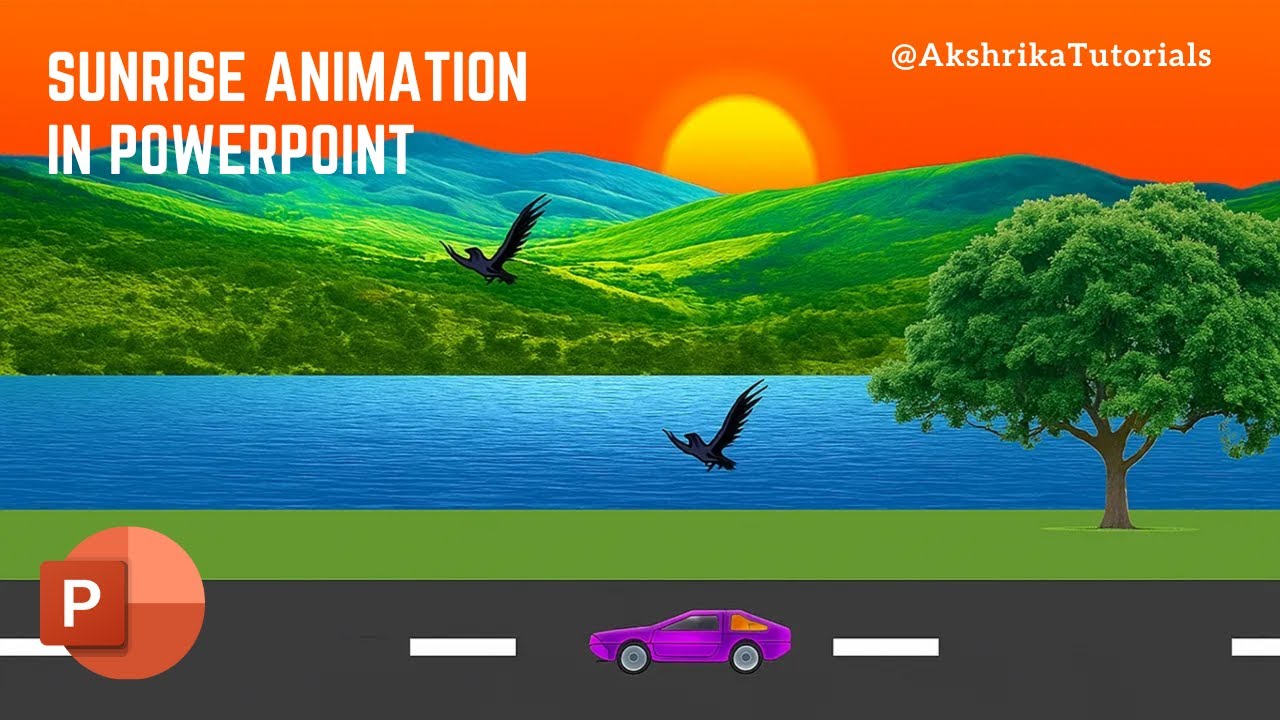
Learn how to create a stunning sunrise animation in Microsoft PowerPoint! This complete step-by-step tutorial shows you how to make an animated landscape scene with moving sun, flying birds, animated car, and beautiful gradient effects - all in PowerPoint!
🌅 What You'll Learn:
✅ Creating animated sunrise scene from scratch
✅ Road and landscape design in PowerPoint
✅ Adding and animating sun with gradient effects
✅ Motion path animation for birds
✅ Car animation with repeat loops
✅ Background color transitions
✅ Custom path animations
✅ Timing and duration settings
✅ Smooth start/end effects
✅ Professional animation techniques
⏱️ Timestamps:
0:00 - Introduction
0:15 - Creating the road with white stripes
1:10 - Adding green landscape
1:37 - Inserting tree and river
2:19 - Changing background gradient
2:40 - Adding mountain elements
3:07 - Creating and styling the sun
3:43 - Sun animation setup (motion path)
4:21 - Adding sunset rectangle overlay
5:01 - Fade animation for color transition
6:20 - Inserting and animating birds
7:02 - Custom path for bird movement
7:38 - Adding car GIF animation
8:05 - Animation timing and synchronization
9:16 - Final preview and result
🎨 Elements Used:
Rectangle shapes for road and landscape
Circle shape for sun
Mountain, tree, and river images
Bird images with custom paths
Animated car GIF
Gradient fills (late sunset, custom sun gradient)
Motion path animations
🔧 Animation Techniques:
• Sun: Up motion path (25 seconds, smooth start/end)
• Background: Fade transition (12 seconds)
• Birds: Custom motion paths (25 seconds with 3-second delay)
• Car: Line animation (10 seconds, repeat until end)
• All animations synchronized with "Start with Previous"
💡 Perfect For:
PowerPoint beginners learning animation
Students creating presentation projects
Teachers making engaging educational content
Content creators exploring PPT capabilities
Office workers enhancing presentations
Animation enthusiasts
📌 Key Features:
✓ No additional software needed - just PowerPoint!
✓ Easy to follow step-by-step process
✓ Professional-looking results
✓ Beginner-friendly tutorial
✓ Works on MS PowerPoint 2007, 2010, 2013, 2016, 2019, 2021, 365
🎓 Skills You'll Master:
Shape manipulation and design
Gradient color application
Motion path creation and editing
Animation timing and synchronization
Layer management (send to back/front)
Duration and delay settings
Smooth animation transitions
📥 Additional Resources:
Subscribe for more PowerPoint tutorials covering presentations, animations, infographics, and design tips!
🔔 Don't Forget to:
👍 LIKE this video if you found it helpful
💬 COMMENT your creative ideas below
📢 SHARE with friends who need this tutorial
🔔 SUBSCRIBE for weekly PowerPoint tutorials
#PowerPointAnimation #SunriseAnimation #PowerPointTutorial #PPTAnimation #AnimationTutorial #PowerPoint2025 #MSPowerPoint #PresentationSkills #PowerPointTips #AnimatedPresentation
---
🎯 Related Tutorials You'll Love:
PowerPoint Character Animation
How to Make Cartoon Videos in PPT
Advanced Motion Path Techniques
PowerPoint Infographic Design
Animated Presentation Ideas
💬 Got Questions?
Drop them in the comments! I reply to everyone.
⚡ Software Used: Microsoft PowerPoint (Any version from 2007+)
🙏 Thanks for watching! Your support helps me create more free tutorials!
PowerPoint animation tutorials | PowerPoint presentation ideas | MS PowerPoint tips and tricks | Animation effects in PowerPoint | Sunrise animation tutorial | Landscape animation PowerPoint | Professional presentation design | PowerPoint for beginners
Повторяем попытку...
Доступные форматы для скачивания:
Скачать видео
-
Информация по загрузке:


