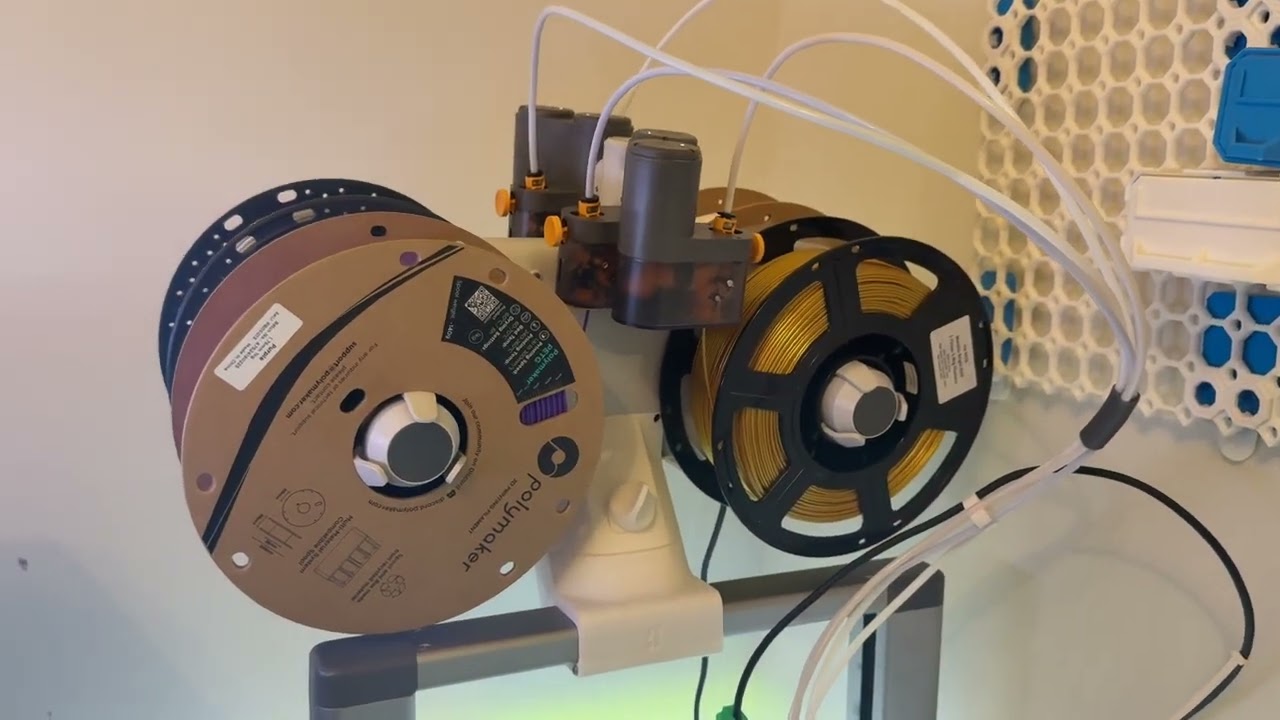
The Bambulab A1 Top Mount Conversion - Save A Ton Of Space!
Автор: 3D Print Explorer
Загружено: 2026-02-08
Просмотров: 227
Описание:
We're back with a new video and in this video I will show you how to save a ton of space by installing a top mount conversion kit for the AMS Lite on your BambuLab A1 Combo. In this video I show you with detailed step by step instructions where to get access to the STL files and how to install this upgrade to save over a foot of space next to your Bambulab A1 combo which not only gives you space for more storage but also more space for adding additional 3D printers to your setup or print farm.
STL & Hardware Links:
AMS Lite Top Mount STL -
https://makerworld.com/en/models/9248...
Hardware Kit (If Needed) - Only $1.99
https://us.store.bambulab.com/product...
Chapters:
0:00
0:20 Where To Get The STL File
0:47 Step 1 - Remove Existing Filament Spools From AMS
0:55 Screws Included In A1 Tool Kit Already!
1:09 Step 2 - Remove PTFE Tubes From AMS Lite
1:27 Step 3 - Unplug AMS Wiring Connector
1:29 Step 4 - Remove AMS Lite From Original Base
1:41 Step 5 - Initial Assembly & Top Mount Clamp
2:32 Step 6 - Assemble Top Mount To AMS Lite
2:49 Step 7 - Install Upright Supports Onto Printer
4:35 Step 8 - Install Top Mount Clamp To Printer
4:52 Step 9 - Install AMS Lite To Top Of Printer
5:08 Step 10 - Install PTFE Tubes & Tube Supports
5:58 Step 11 - Reinstall AMS Lite Wiring Connector
6:09 AMS Top Mount After Installation - How To Access Filament Spools
6:34 Outro
Thanks for watching!
If you enjoy this type of content, please like and subscribe and don't forget to click the notification bell so you don't miss any upcoming videos!
#3dprinting #bambulab #bambulaba1 #a1combo
Повторяем попытку...

Доступные форматы для скачивания:
Скачать видео
-
Информация по загрузке: