Roland VR-1HD Streaming Mixer Tutorial #1: Basic Setup
Автор: Roland Professional A/V
Загружено: 2020-03-23
Просмотров: 17784
Описание:
The Roland VR-1HD is designed to take on the realities of any live streaming broadcast, from podcasting, multi-camera music performances, and video game streams to corporate AV productions, remote church services, and distance learning. Combining video switching, audio mixing, and streaming capabilities into one convenient device, the VR-1HD makes it easy for a single operator to manage broadcasts in real-time.
In this tutorial, you’ll learn about the VR-1HD’s input and output connections, panel functions, the USB webcam output for streaming and recording, and menu control.
The VR-1HD offers three HDMI video inputs, and one features a no-latency loop output that’s ideal for computer pass-through to a projector or gaming monitor. Two HDMI outputs are provided, one for the main program feed and one with a menu overlay to adjust settings. USB ports include a USB 3.0 SuperSpeed port for live streaming and a USB 2.0 MEMORY port for importing media.
All three HDMI video inputs have built-in scalers for plug-and-play operation. This means that the resolutions from different connected cameras don’t have to match the output resolution, and tablets and computers will connect without issues as well.
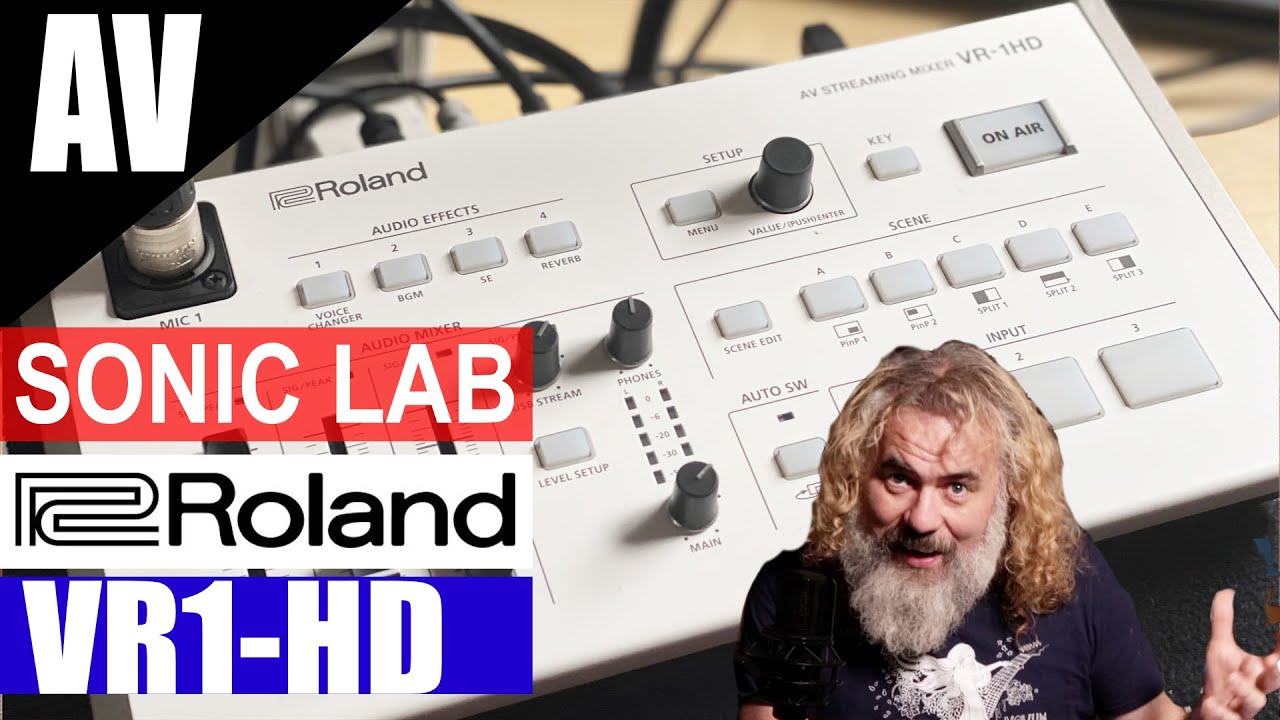
On the top panel, there’s an XLR/TRS input for a professional microphone. On the side, you’ll find another XLR/TRS input for a second mic, stereo RCA line-level inputs and outputs, and a headphones jack.
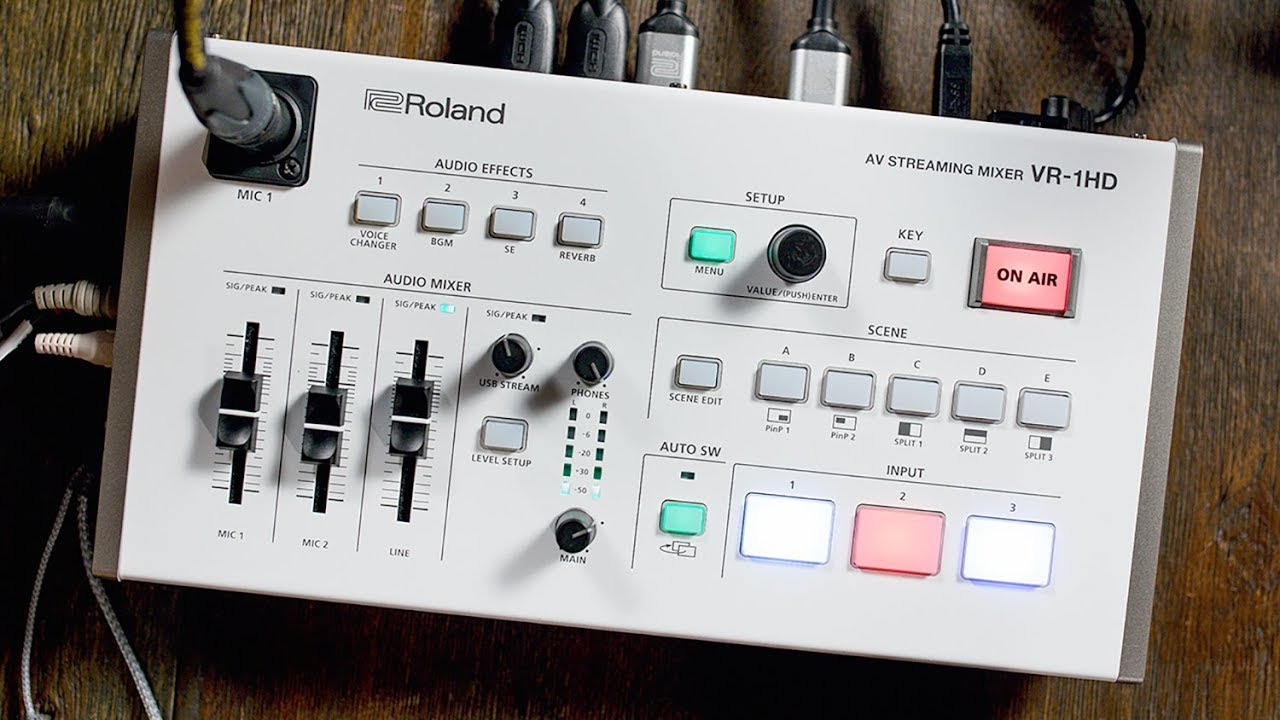
The VR-1HD’s intuitive panel is organized into two sections: the left side is for audio functions, while the right side is for video functions.
On the video side, press an INPUT button to take that video source to the “on-air” program feed of your broadcast. Use the AUTO SW button to turn automatic video switching modes on/off.
Scenes allow you to composite multiple shots together with either picture-in-picture or split-window effects. You can preset five different scenes and switch between them with dedicated buttons.
Press the MENU button to access various setup menus, and the KEY button for graphics overlays. Use the ON AIR button to fade the USB 3.0 webcam feed in and out.
On the audio side of the panel, three faders provide instant level control of MIC 1, MIC 2, and the stereo line input, while dedicated knobs control the main sound output, USB stream, and headphones levels. Fine audio input adjustments for all sources can be managed with the LEVEL SETUP button, including the preamp gain of mic inputs.
The VR-1HD’s built-in audio effects include voice changer, background music, sound effects, and reverb, and can be accessed using the four AUDIO EFFECTS buttons.
Setting up the VR-1HD is straightforward—press the MENU button and the menu overlay will appear on your external monitor. Use the VALUE knob to call up a function and press the knob to select it. To make faster changes, press and hold the VALUE knob while turning it.
Watch the other tutorial videos for the VR-1HD here:
➤ BASIC SETUP: • Roland VR-1HD Streaming Mixer Tutorial #1:...
➤ SCENE FUNCTION: • Roland VR-1HD Streaming Mixer Tutorial #2:...
➤ KEY FUNCTION: • Roland VR-1HD Streaming Mixer Tutorial #3:...
➤ AUDIO PANEL: • Roland VR-1HD Streaming Mixer Tutorial #4:...
➤ AUDIO AUTOMATION: • Roland VR-1HD Streaming Mixer Tutorial #5:...
➤ USB STREAMING: • Roland VR-1HD Streaming Mixer Tutorial #6:...
➤ IMPORT STILLS: • Roland VR-1HD Streaming Mixer Tutorial #7:...
➤ RCS REMOTE CONTROL: • Roland VR-1HD Streaming Mixer Tutorial #8:...
➤ FIRMWARE UPDATE: • Roland VR-1HD Streaming Mixer Tutorial #9:...
For more information on the Roland VR-1HD, please visit:
➤ https://proav.roland.com/global/produ...
#rolandstreaming #rolandproav #livestream #vr1hd
Повторяем попытку...

Доступные форматы для скачивания:
Скачать видео
-
Информация по загрузке:


![Видеомикшеры для видеопроизводства [Понимание основ]](https://imager.clipsaver.ru/V4FsO1vVtC8/max.jpg)