EZ-CAM 2026: Built-In CIMCO Edit Professional | Automatic NC Verification
Автор: EZ-CAM CAD-CAM Solutions Inc.
Загружено: 2026-01-16
Просмотров: 81
Описание:
Starting with *EZ-CAM 2026 Service Pack 1**, every customer with **active maintenance* now has *CIMCO Edit Professional* fully integrated into EZ-CAM.
No separate installation.
No extra licensing.
No data transfer steps.
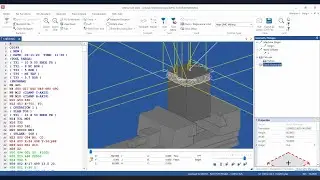
Just generate your G-code in EZ-CAM — **CIMCO Edit opens automatically with everything already loaded**.
🔗 Automatic Integration
Your NC program launches directly into CIMCO Edit with:
Tool definitions
Stock and material boundaries
Setup geometry
Work offsets
There are **no exports, no manual configuration, and no duplicate data**.
---
🎯 Verification That Matches Reality
This is not generic simulation — this is verification against **your actual setup**.
Build a complete digital twin by adding:
STL fixtures and tables
Work-holding components
Tool holders
3-axis, 4-axis, or full 5-axis machine geometry
With everything present, you can verify in **two complementary ways**:
*Backplot*
Instant visual confirmation of tool motion, rapids, approach paths, and clearances — with fixtures and tables visible at all times.
*Solid Simulation (GPU-accelerated)*
Watch material being removed in real time.
Control playback speed, pause, reverse, and inspect:
Surface finish development
Remaining stock
Corners, blends, and transitions
---
🚨 Problems Found Before They Cost Money
During verification, the system actively monitors for:
Tool or holder collisions with fixtures
Axis overtravel
Unsafe rapid moves
Violations of defined limits
Issues are flagged *while everything is still digital* — not at the machine.
---
📊 Useful Production Data
After simulation, you get actionable information:
Tool-by-tool cutting time
X / Y / Z travel ranges
Total cycle time including tool changes
Export this data directly for:
Quoting
Capacity planning
Production scheduling
---
✍️ Professional NC Editing
CIMCO Edit Professional is a full-featured NC editor:
Controller-specific syntax highlighting
Fast search and macro tools
Instant navigation to tool changes or M-codes
Line-by-line file comparison to see exactly what changed
---
🔌 Direct Machine Communication
When the program is ready:
Send NC files via RS-232 or network FTP
Monitor transmissions in real time
Use included single-port DNC
Upgrade to multi-machine DNC (up to 16 machines)
---
🔐 Licensing – Simple and Transparent
CIMCO licensing follows EZ-CAM exactly:
Perpetual EZ-CAM → Perpetual CIMCO
Active maintenance → Active CIMCO maintenance
Expired maintenance → CIMCO maintenance expires
*One license status. One workflow. No surprises.*
---
✅ The Result
EZ-CAM 2026 with CIMCO Edit Professional means:
Fewer surprises at the machine
Problems caught before cutting metal
Confidence that programs will run correctly the first time
👉 *Learn more or contact us:*
📧 [[email protected]](mailto:[email protected])
🌐 [www.ezcam.com](http://www.ezcam.com)
Повторяем попытку...
Доступные форматы для скачивания:
Скачать видео
-
Информация по загрузке: