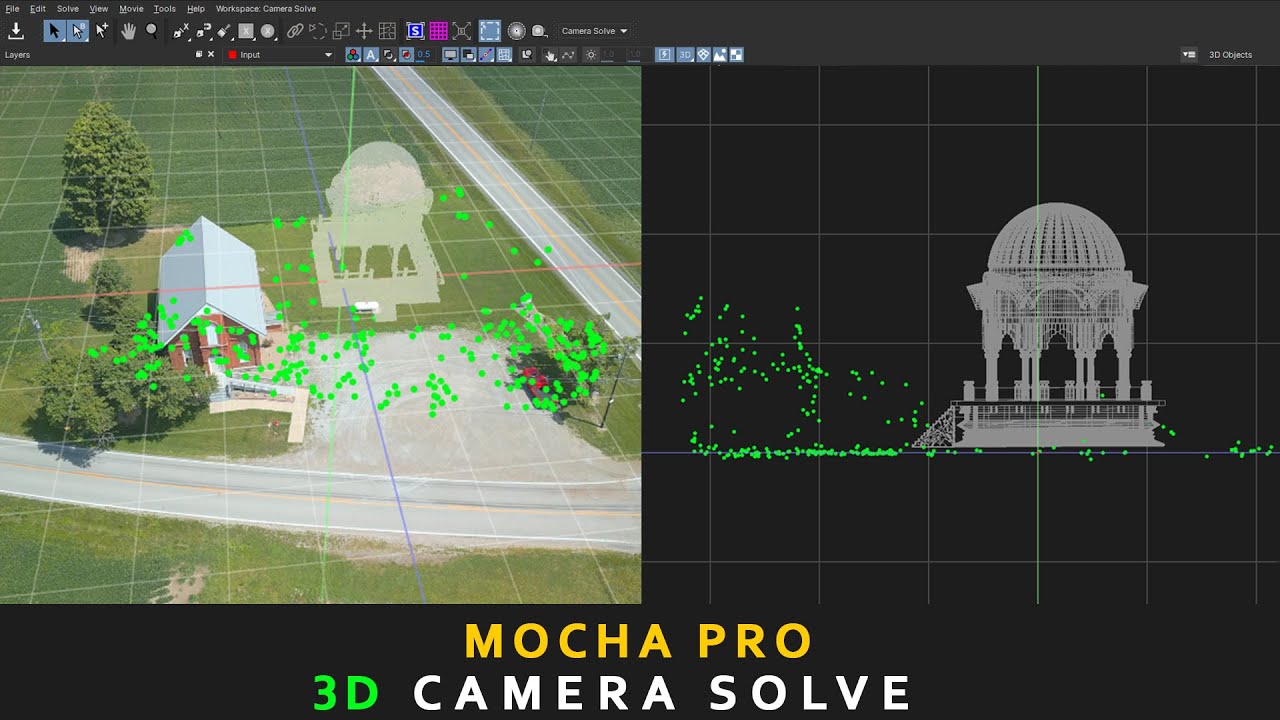
Mocha Pro :- 3d Camera Solve | 3D Auto Solves
Автор: EKKA Fx
Загружено: 2024-07-27
Просмотров: 2691
Описание:
The 3D Camera Solve feature in Mocha Pro is a powerful tool for integrating 3D elements into your footage by generating a 3D camera track. Here's a step-by-step guide to using the 3D Camera Solve feature in Mocha Pro:
Step 1: Import Your Footage
Open Mocha Pro and import the footage you want to track.
Set up your project by defining the frame rate and other necessary settings.
Step 2: Create and Track Planar Surfaces
Create a new layer by selecting the “X-Spline” or “Bezier” tool and drawing a shape around a planar surface in your footage. This shape should cover a flat, textured area with good contrast.
Track the planar surface using Mocha’s planar tracking engine. Make sure the track is accurate by checking it frame by frame.
Step 3: Add More Planar Tracks (Optional)
For more accurate results, especially in complex scenes, track multiple planar surfaces. Each layer you track will contribute to the accuracy of the 3D solve.
Step 4: Set Up the 3D Camera Solver
Select the layers you want to include in the camera solve.
Go to the Camera Solve tab in the Layer Controls panel.
Step 5: Choose Solve Parameters
Define the motion type for the camera solve. Choose between:
Small Parallax: For shots with minimal depth changes.
Large Parallax: For shots with significant depth changes and movement.
Check the layers to be included in the solve. Each layer should have a solid, accurate track.
Step 6: Solve the Camera
Click the "Solve" button to start the 3D camera solve process. Mocha will analyze the selected planar tracks to generate a 3D camera path.
Review the solve quality once completed. Mocha will provide a percentage indicating the solve accuracy. Aim for a high percentage (above 85%) for best results.
Step 7: Export the Camera Data
Go to the File menu and choose Export Camera Data.
Select your preferred format:
After Effects (.ma) for Adobe After Effects.
FBX for 3D applications like Maya, 3ds Max, or Blender.
Nuke for Foundry's Nuke.
Step 8: Integrate the 3D Camera in Your Application
Import the camera data into your preferred compositing or 3D application.
Match your 3D elements with the camera solve to integrate them seamlessly into your footage.
Tips for Better Results
Ensure accurate planar tracks: The quality of your planar tracks directly affects the accuracy of the camera solve.
Use multiple planes: Solving with multiple planes often yields better results.
Refine tracking data: Clean up any drift or errors in your planar tracks before solving.
Footage Link _ https://mega.nz/folder/Yr0gmZyJ#4pZMU...
....................................................................................................................................
✅Nuke - tutorial playlist 👇
• NUKE
....................................................................................................................................
✅After effect - tutorial playlist 👇
• AFTER EFFECT
....................................................................................................................................
✅Mocha pro - tutorial playlist 👇
• MOCHA
....................................................................................................................................
✅PF track - tutorial playlist 👇
• PF tracking
....................................................................................................................................
✅Photoshop - tutorial playlist👇
• PHOTOSHOP
/ playlist list=PLyK0j4HvRzDK8mgaDppJGPDGssiaZu7NF
....................................................................................................................................
✅C4D - tutorial playlist👇
• C4D
....................................................................................................................................
✅flow me on 👇
✅Fb Page :- / ekka1997
✅Instagram :- / ayandas1997
✅Whats' app :- https://whatsapp.com/channel/0029VaXC...
Повторяем попытку...
Доступные форматы для скачивания:
Скачать видео
-
Информация по загрузке:


![Mocha Pro: автоматическое решение проблем? Focus 3D Tracking с инвертированными масками [Boris FX]](https://imager.clipsaver.ru/TIahL03jnhk/max.jpg)


![Mocha Pro: Unveiling the New Camera Solve Module - In-Depth Guide [Boris FX Mocha Essentials 22a]](https://imager.clipsaver.ru/V_dbUIUji3g/max.jpg)





![Анимированные маски ИИ в Mocha Pro 2025 — Object Brush и Matte Assist ML [Boris FX]](https://imager.clipsaver.ru/wllr5IvQ080/max.jpg)
![Mocha Pro: Use Preprocessing to Tackle Difficult Tracks [Boris FX Quick Tip]](https://imager.clipsaver.ru/FpeBQCxysu0/max.jpg)


![Locked Shot and Moving Objects? Easy 3D Tracking with Mocha Pro [Boris FX]](https://imager.clipsaver.ru/VGAxLUQ0N_o/max.jpg)