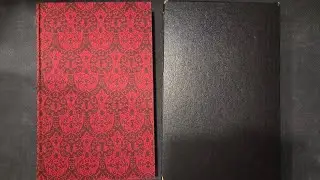
Which Books I Took WIth Me
Автор: Foolish Fish
Загружено: 2024-01-03
Просмотров: 5911
Описание:
With my shelves emptied for the duration of the flat renovations, here's a little update on which books I'm taking with me to the temporary flat we'll be staying at wit hmy family for the next few months.
Thanks as always to all you wonderful people who support the channel with your views and patronage!
New 1-to-1 session slots have been made available ;)
--------------------------------------------------------------------------------------------------------------------
If you enjoyed the video and you'd like to support my work, here are a few ways:
*Patreon*: / foolishfish
*Book a Video Consultation with Foolish Fish*: https://foolishfish.simplybook.it/
*Buy my Book*: https://www.blackletter-press.com/cat...
*PAYPAL One-off donation*: paypal.me/foolishfish
*Super Thanks *- click on the heart with a dollar symbol under the video to leave a tip!
All Foolish Fish Patreons and Members get to watch Esoteric Saturday videos one week early without advertisements, get to chat on the FF Discord server, and get to watch my FF News videos a day early, among many other perks :) _______________________________________________________________________
Instructions for joining the Foolish Fish Discord chat server:
The Discord server is only open to viewers who have become Patreon subscribers, or who have joined my YouTube Memberships.
If you support me through Patreon:
1) Set up a Discord account at www.discord.com (if you haven't already) 2) Log in to your Patreon account
3) In Patreon, click on Settings from the left side menu
4) Click on the "Apps" tab
5) Click the Connect button next to Discord
6) Enter your Discord credentials and click the Login button
7) Click the Authorize button
If you support me through YouTube
1) Create a Discord account at www.discord.com (if you haven't already)
2) Download the Discord app (phone or computer, best on computer),
3) sign in or create a free account if you don't already have one,
4) go to "User Settings", then click on "Connections", then click on "YouTube"
5) enter your Youtube Credentials
6) Discord will be able to see that you are a member and will invite you to join the Foolish Fish Members Discord server right there.
7) click on the invitation
Hope to see you there soon! Thank you for watching! :)
Повторяем попытку...

Доступные форматы для скачивания:
Скачать видео
-
Информация по загрузке:
![Еретическая Пальцевая Магия [Эзотерические Субботы]](https://image.4k-video.ru/id-video/wbHEprYEQnw)






![Что такое магия? [Эзотерические субботы]](https://image.4k-video.ru/id-video/kx8HjyQV2Hc)