ycliper

Популярное

Музыка Кино и Анимация Автомобили Животные Спорт Путешествия Игры Юмор

Интересные видео

2025 Сериалы Трейлеры Новости Как сделать Видеоуроки Diy своими руками

Топ запросов

смотреть а4 schoolboy runaway турецкий сериал смотреть мультфильмы эдисон
Скачать

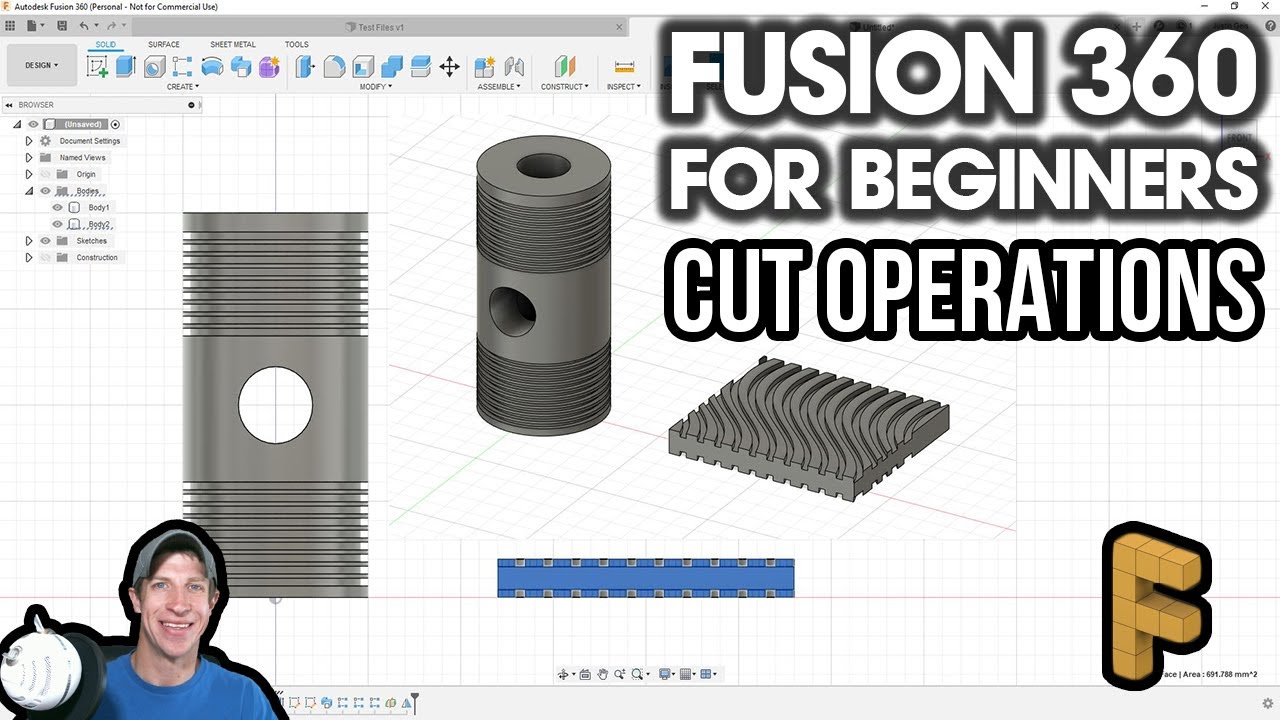
Getting Started with Fusion 360 Part 4 - Cut Holes, Remove Material from Objects and More!

Автор: The Fusion Essentials

Загружено: 2019-12-20

Просмотров: 95981

Описание: Learn to use Fusion 360's solid operations, specifically the object cut operation, in order to interact different models with each other and to add detail to your models!

FULL FUSION 360 BEGINNER PLAYLIST
   • Getting Started with Fusion 360 Part 1 - B...  

In yesterday’s video, we talked about some solid modeling tools inside of Fusion 360 that can be very helpful for creating various shapes. In today’s video, I wanted to talk about some ways that we can remove material, cut holes, and make various kinds of adjustments to shapes to make them look certain ways inside of Fusion 360 using the cut operation.
To do this, you need to understand the way that most tools work inside of Fusion 360. By default, when you create a 3D shape with a tool, it gets created as a new body. This means that it’s getting added into Fusion as a completely new, separate object – not interacting with anything else inside of your model.
However, most tools have a toolset that not only allows them to create new bodies, but also allows them to interact with existing shapes in a way that gives you more options.
For example, let’s say that we have our cylinder here. Let’s create a sketch object in the center base of this object. Now, if we extrude this object up, you’ll see that it automatically turns red. The reason for this is that Fusion 360 is picking up that this object is intersecting with another body and has therefore decide that in this context, we might want to use our second object to modify our first object. There are several ways that you can do this, but in this case, you can see how this second object got set to “cut.”
This means our object will remove material wherever it intersects with any other objects that it touches. This can be a very precise way to cut holes inside of objects.
This doesn’t only work on flat surfaces like the top of our cylinder, but also on curved surfaces like the edge of our cylinder.
The cut operation is also available when two objects intersect each other, like if we were to draw a sphere and a box. We could use this to remove part of the box where the sphere intersects.
Another way that we can use the cut operation is by drawing profiles, then using 3d tools to create shapes that we can use to cut away material. For example, let’s say we wanted to cut a recess n the face of our cylinder. What we would do is create a sketch on the vertical axis of the profile we wanted to cut into the object. We could then use a tool like the revolve tool to extrude that in a circle, and set it to cut to create our recess.
This is much more advanced, but you could also project a path on a form or a shape, then use it to extrude/remove material along a more complex shape as well.

Не удается загрузить Youtube-плеер. Проверьте блокировку Youtube в вашей сети.
Повторяем попытку...
Getting Started with Fusion 360 Part 4 - Cut Holes, Remove Material from Objects and More!

Поделиться в:

Доступные форматы для скачивания:

Скачать видео

  • Информация по загрузке:

Скачать аудио

Похожие видео

Getting Started with Fusion 360 Part 5 - Using the EXTRUDE, SWEEP, and REVOLVE Tools!

Getting Started with Fusion 360 Part 5 - Using the EXTRUDE, SWEEP, and REVOLVE Tools!

Fusion 360 | Пример использования 23

Fusion 360 | Пример использования 23

Начало работы с Fusion 360, часть 4 — инструменты моделирования, вырезание отверстий и удаление м...

Начало работы с Fusion 360, часть 4 — инструменты моделирования, вырезание отверстий и удаление м...

ПОВЕРХНОСТИ Fusion 360 — ЭТО ПРОСТО | 25-й день курса «Изучи Fusion 360 за 30 дней» — ИЗДАНИЕ 202...

ПОВЕРХНОСТИ Fusion 360 — ЭТО ПРОСТО | 25-й день курса «Изучи Fusion 360 за 30 дней» — ИЗДАНИЕ 202...

Начало работы с Fusion 360 Часть 6 — СУСТАВЫ И ДВИЖЕНИЕ!

Начало работы с Fusion 360 Часть 6 — СУСТАВЫ И ДВИЖЕНИЕ!

Getting Started with Fusion 360!

Getting Started with Fusion 360!

Простой способ проектирования изогнутых деталей | Учебное пособие по Fusion 360

Простой способ проектирования изогнутых деталей | Учебное пособие по Fusion 360

Инструменты Sketch, которые изменили мой подход к использованию Fusion 360

Инструменты Sketch, которые изменили мой подход к использованию Fusion 360

Fusion 360 для новичков: Урок 1 Создание первой 3D модели (болтик с резьбой и накаткой)

Fusion 360 для новичков: Урок 1 Создание первой 3D модели (болтик с резьбой и накаткой)

Новая функция FreeCAD! Сложные вытяжки из одного эскиза, как в SolidWorks

Новая функция FreeCAD! Сложные вытяжки из одного эскиза, как в SolidWorks

( Fusion 360 ) Как преобразовать фотографию в файл ЧПУ с помощью инструмента Fusion Canvas. (Lang...

( Fusion 360 ) Как преобразовать фотографию в файл ЧПУ с помощью инструмента Fusion Canvas. (Lang...

Почему нельзя строить как раньше?

Почему нельзя строить как раньше?

Механизмы, которые должен знать КАЖДЫЙ инженер-механик

Механизмы, которые должен знать КАЖДЫЙ инженер-механик

Getting Started with Fusion 360 Part 2 - How to Create 3D SHAPES!

Getting Started with Fusion 360 Part 2 - How to Create 3D SHAPES!

Я нашел гораздо лучшее программное обеспечение САПР, чем Fusion 360 (никогда не вернусь назад)

Я нашел гораздо лучшее программное обеспечение САПР, чем Fusion 360 (никогда не вернусь назад)

Fusion 360 | Sketch Wrap? (Not Project to Surface)

Fusion 360 | Sketch Wrap? (Not Project to Surface)

T-сплайны Fusion — это просто! | День 27 курса «Изучи Fusion 360 за 30 дней» — ИЗДАНИЕ 2024 ГОДА

T-сплайны Fusion — это просто! | День 27 курса «Изучи Fusion 360 за 30 дней» — ИЗДАНИЕ 2024 ГОДА

Getting Started with Fusion 360 Part 3 - Modeling with SOLID TOOLS!

Getting Started with Fusion 360 Part 3 - Modeling with SOLID TOOLS!

How To Accurately Align A Scan Mesh To XYZ In Fusion | Link In Description For Sample File

How To Accurately Align A Scan Mesh To XYZ In Fusion | Link In Description For Sample File

Getting Started with Fusion 360 Part 7 - Creating ANIMATIONS!

Getting Started with Fusion 360 Part 7 - Creating ANIMATIONS!

© 2025 ycliper. Все права защищены.


  • Контакты
  • О нас
  • Политика конфиденциальности


Контакты для правообладателей: [email protected]