HP OfficeJet Pro 7740 Review - Wireless Wide Format All-in-One Printer
Автор: ReviewLamp
Загружено: 2017-05-19
Просмотров: 325324
Описание:
HP OfficeJet Pro 7740 Wide Format Printer Review
Link to HP OfficeJet Pro 7740: https://amzn.to/4e7lUey
HP OfficeJet Pro 7740 Wireless Color Wide Format All-in-One Printer Cartridges:
http://amzn.to/2pWbtDv
Printer Stands for HP OfficeJet Pro 7740: http://amzn.to/2ryRtXP
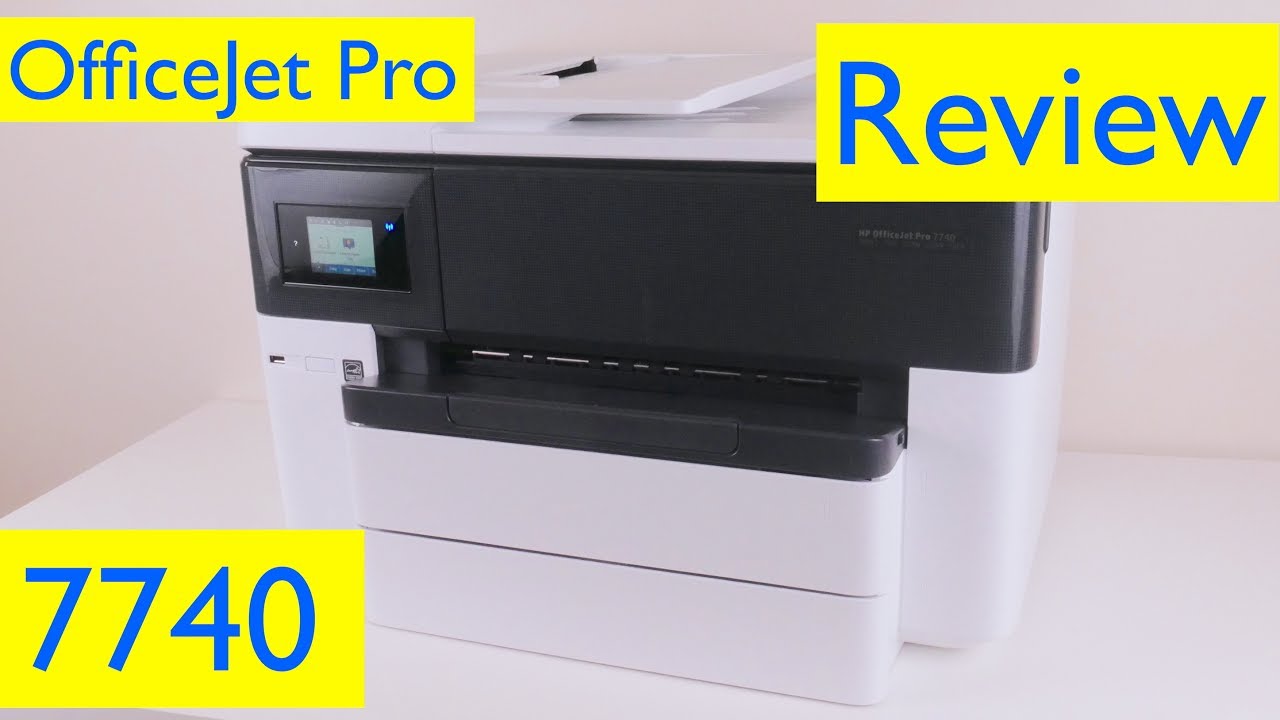
Today I’m reviewing the HP Officejet Pro 7740 Wide Format Color Inkjet Printer. Now this test unit was sent to me by HP and the 7740 is a printer that’s for folks who are looking to make large format prints of things like pictures and posters. Like it’s other OfficeJet Pro cousins, the OfficeJet pro 7740 has a pretty large footprint, measuring in at about 23 inches wide by 16 inches deep by about 14 inches tall and weighs in at about 43 lbs.. Now this isn’t unusual for a wide format printer, but make sure you have a sturdy printer stand or table to hold it. I’ll leave links to some sturdy printer stands, right below the video. And like other modern HP printers, the Officejet pro 7740 has a sleek exterior design. The body is made from mostly white plastic and actually seems pretty well put together. Now this is a wireless printer so you can print from any device connected to your WiFi network. You can print from a computer, tablet or even your phone. The wireless connectivity also makes the HP officejet pro 7740 pretty easy to setup. You can set it up from a PC, Mac or even your mobile device. I have a detailed setup video that shows you exactly how to set it up and I’ll leave a link to that, in case you’d like to know how to set it up. The HP officejet pro 7740 can also be connected directly via USB cable to a computer or using an ethernet cable to a wired network. In addition to this, there are also connection ports for a fax line and phone extension line on the back of the printer, since the it comes equipped with a fax.Now this an All-in-one printer so it comes equipped with a Copier and Scanner too. Copies can be made using either the 35-page capacity Automatic Document Feeder or the Large Scan bed. The document feeder can scan and copy pages as large as 8.5 x 14 inches. The scan bed on the other hand can scan and copy pages as large as 11 x 17. Now both the document feeder and the gigantic scan bed are very useful if your office scans or copies large documents and images. Now the copier’s interface is through the printer’s 2.7” color touchscreen. The interface is actually pretty easy to use and comes with some very useful features for an office: like Resizing, ID Card copying and Double-sided copies. When it comes to scanning documents, you can either scan to a computer using HP’s Easy Scan Software or Scan to a Mobile device using HP AIO App. And if you do scan to a computer, the scanned document is turned into a PDF to make it easy to email and view. Additionally, you can also scan to a USB drive, which plugs into a port on the front of the printer. Now the USB port on the front can also be used to walk up and print photos from a USB drive. When it comes to printing documents and images, the HP officejet pro 7740 can print pages as large as 11 x 17 or A3 and can even produce borderless prints at that size. This is really useful for printing large photos. When printing text documents, the text was surprisingly sharp and documents looked crisp, as you can see from this document. And when it came to printing photos even on 11 x 17 paper, the printer performed very impressively. The Colors were accurately reproduced and the images were very sharp, even when printed on regular printer paper. And when it came to print speed, the 7740 was surprisingly much faster than any other HP officejet I’ve tested recently. The print speed should be more than sufficient for most small offices and for the home office. The 7740 uses 952 series cartridges which are actually pretty affordable. Now if you do plan to do more frequent printing, I recommend getting the 952XL series cartridges which will almost double your print yield. I’ll leave a link to both those cartridges below. The printer does however come with a set a of cartridges to get you started. Paper is fed in from two paper trays, which are both large enough to handle paper as large A3 or 11 x 17 inches. And each tray can hold upto 250 sheets.
** This video contains affiliate links. If you click on one of them, and make a purchase I'll receive a commission. ***
Повторяем попытку...
Доступные форматы для скачивания:
Скачать видео
-
Информация по загрузке: