How to Redeem a Reward in Your Loyalty Program | Square Loyalty
Автор: Square
Загружено: 2020-03-10
Просмотров: 22563
Описание:
Learn more about Square’s loyalty program at www.square.com/help and search keyword ‘loyalty’.
Customers love it when you appreciate them and a good loyalty program is a great way to get them coming back in your door.
TRANSCRIPT
Easily redeem Loyalty rewards on the Square app by searching for your customer’s name, or phone number.
Tap the Library icon at the bottom of your POS screen, then Redeem Rewards.
Enter your customer’s name or phone number to search for their available rewards.
To apply a reward to your customer’s cart, select Redeem.
Note: a single reward cannot be applied to more than one sale, even if the full reward amount is not redeemed.
However, different types of rewards can be applied to the same sale. For example, you can apply rewards for a percentage and a dollar amount on a single sale.
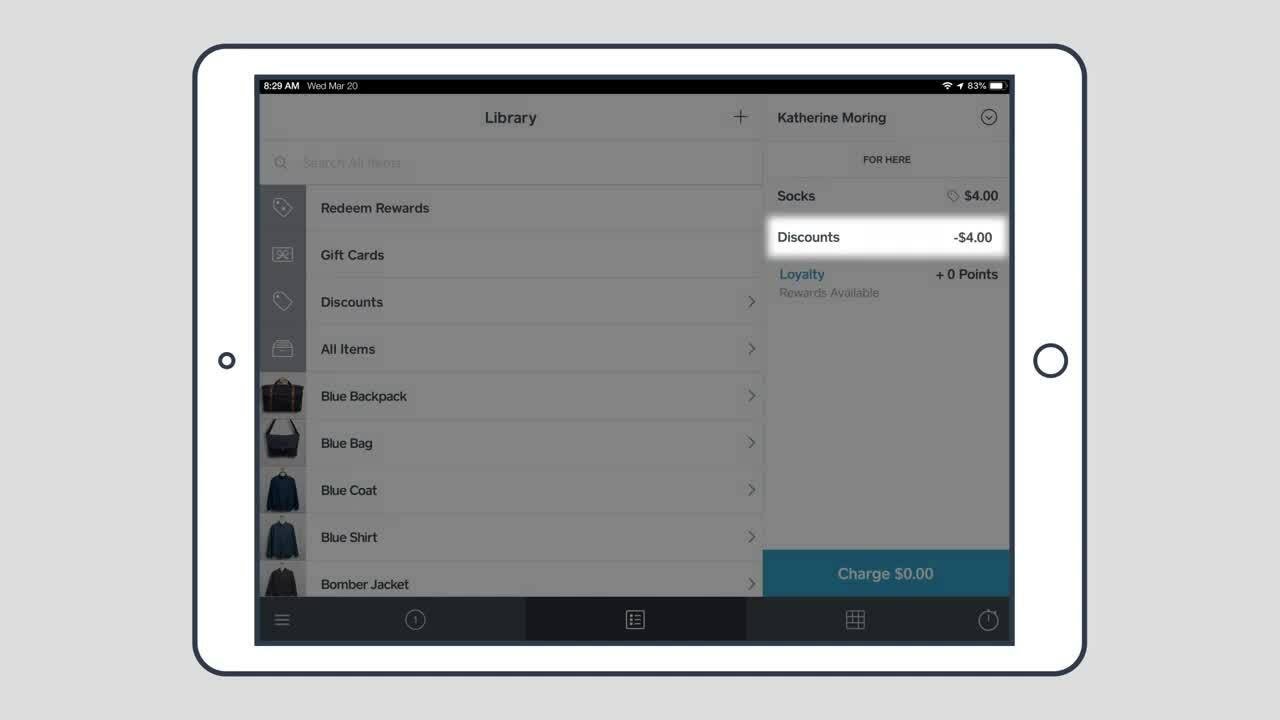
They are applied to the most expensive item maximizing the savings for your customers.
Tap Discounts in the payment screen to view or remove applied rewards.
The customer will need to have enough points to redeem the reward.
If there are none available, they will not be able to redeem them.
For more information, visit square.com/help
And search Keywords: Loyalty rewards
Повторяем попытку...
Доступные форматы для скачивания:
Скачать видео
-
Информация по загрузке: