ycliper

Популярное

Музыка Кино и Анимация Автомобили Животные Спорт Путешествия Игры Юмор

Интересные видео

2025 Сериалы Трейлеры Новости Как сделать Видеоуроки Diy своими руками

Топ запросов

смотреть а4 schoolboy runaway турецкий сериал смотреть мультфильмы эдисон
Скачать

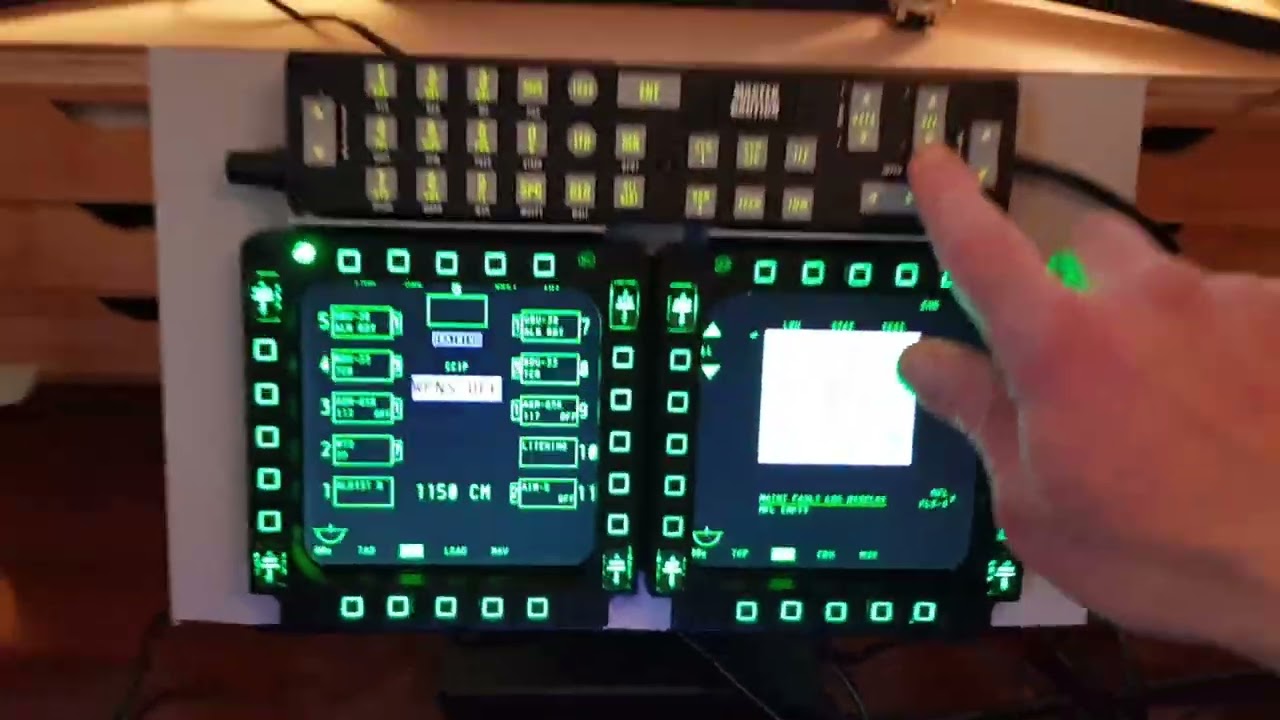
Connect Thrustmaster Cougar MFDs with UFC to monitor for A-10C Warthog in DCS Flight Sim

Автор: Strak

Загружено: 2022-01-30

Просмотров: 23526

Описание: Stuff I used mostly Amazon:
Eyoyo 12 Inch Portable HDMI Monitor TFT LCD
Midream Tilt Mounted Fold Monitor Holder Vesa
Unitek 4 port USB hub
TM Cougar MFDs
PVC strip / superglue / heavy duty velcro
UFC from Buddy Fox


Connections:
MFDs + UFC into USB hub
USB hub from monitor to PC hub (power)
HDMI cable from monitor to PC

DCS setup:
Create MonitorSetup folder under Config folder (if not already there)
Create a new MFCD.lua file and fiddle with pixel positions for your monitors.
Then select this new file under DCS settings and fiddle until centred.
This guy has done a great job explaining the .lua file in DCS go there for details:
https://forums.eagle.ru/topic/258724-...
Update 2025 - this YT guy has done a good job on setting the monitors and the .lua file, if you get stuck on this bit:
   • Ep: 20 - How to Export DCS Viewports | Fli...  

Notes:
The monitor (and MFDs) has a sloping edge which is a nuisance, if you can find a simple square edge monitor/bezel this will be easier for mounting. I mounted on the bezel using PVC to ensure level fitting (not the screen).
The Vesa mount I recommend, it is very solid and very stiff with rubber feet, I can push all buttons without movement on my desk.
Buddy Fox UFC is a solid piece of kit, all buttons easy to set up in DCS, highly recommend!

Sound:
I have the Logitech G560 with subwoofer under table against wall and the engine sounds during startup taxi and in flight for airbus warthog etc are incredible!

Не удается загрузить Youtube-плеер. Проверьте блокировку Youtube в вашей сети.
Повторяем попытку...
Connect Thrustmaster Cougar MFDs with UFC to monitor for A-10C Warthog in DCS Flight Sim

Поделиться в:

Доступные форматы для скачивания:

Скачать видео

  • Информация по загрузке:
Скачать аудио

Похожие видео

Thrustmaster Cougar MFD LCD Upgrade

Thrustmaster Cougar MFD LCD Upgrade

DCS MFD(DDI)v.2 - game test2

DCS MFD(DDI)v.2 - game test2

3D Printed F/A-18 Hornet Cockpit for DCS World

3D Printed F/A-18 Hornet Cockpit for DCS World

🛨 DCS World 🛨 изучаем Лавочкин Ла-7 🛨 #2

🛨 DCS World 🛨 изучаем Лавочкин Ла-7 🛨 #2

DR400 MICROSOFT FLIGHT SIMULATOR 2020 MOBIFLIGHT

DR400 MICROSOFT FLIGHT SIMULATOR 2020 MOBIFLIGHT

Making Flight Sim Panels with my eBay Laser

Making Flight Sim Panels with my eBay Laser

Home Cockpit Setup : DCS AH-64D Apache PLT short demo

Home Cockpit Setup : DCS AH-64D Apache PLT short demo

DCS Multi-Monitor Setup

DCS Multi-Monitor Setup

SnowRunner никогда бы не смог...

SnowRunner никогда бы не смог...

【オフライン】DCS Free flight

【オフライン】DCS Free flight

The Simulator Cockpit for DCS is Finally Done - Evolution A

The Simulator Cockpit for DCS is Finally Done - Evolution A

HOW TO MAKE YOUR USB MFD SCREEN FOR DCS&BMS

HOW TO MAKE YOUR USB MFD SCREEN FOR DCS&BMS

NeoEngress F/A-18C Cockpit Controls

NeoEngress F/A-18C Cockpit Controls

Setting DCS viewport position and sizes

Setting DCS viewport position and sizes

Базовые компоненты построения кабины для Flight Simulator, X-Plane и Prepar3d

Базовые компоненты построения кабины для Flight Simulator, X-Plane и Prepar3d

Best 50$ MSFS Hardware Upgrade? - 7

Best 50$ MSFS Hardware Upgrade? - 7" Touch Display

Подробное руководство по настройке TrackIR

Подробное руководство по настройке TrackIR

Обзор продукта: Top-Gun Winwing MIP

Обзор продукта: Top-Gun Winwing MIP

DCS Sim Pit - Change is the Only Constant - Evolution C

DCS Sim Pit - Change is the Only Constant - Evolution C

DCS UFC Android App Demo

DCS UFC Android App Demo

© 2025 ycliper. Все права защищены.


  • Контакты
  • О нас
  • Политика конфиденциальности


Контакты для правообладателей: [email protected]