Dell Latitude E6410 16GB RAM on latest BIOS in 2023 with: i7 QUAD core, GPU Copper Pad, 2 SSD n MODS
Автор: KB99KraYziE
Загружено: 2025-06-14
Просмотров: 425
Описание:
My "KB's" replies in video to o my written answers that I gave in a in DELL Forum post called "Dell Latitude E6410 16GB RAM on latest BIOS in 2023"
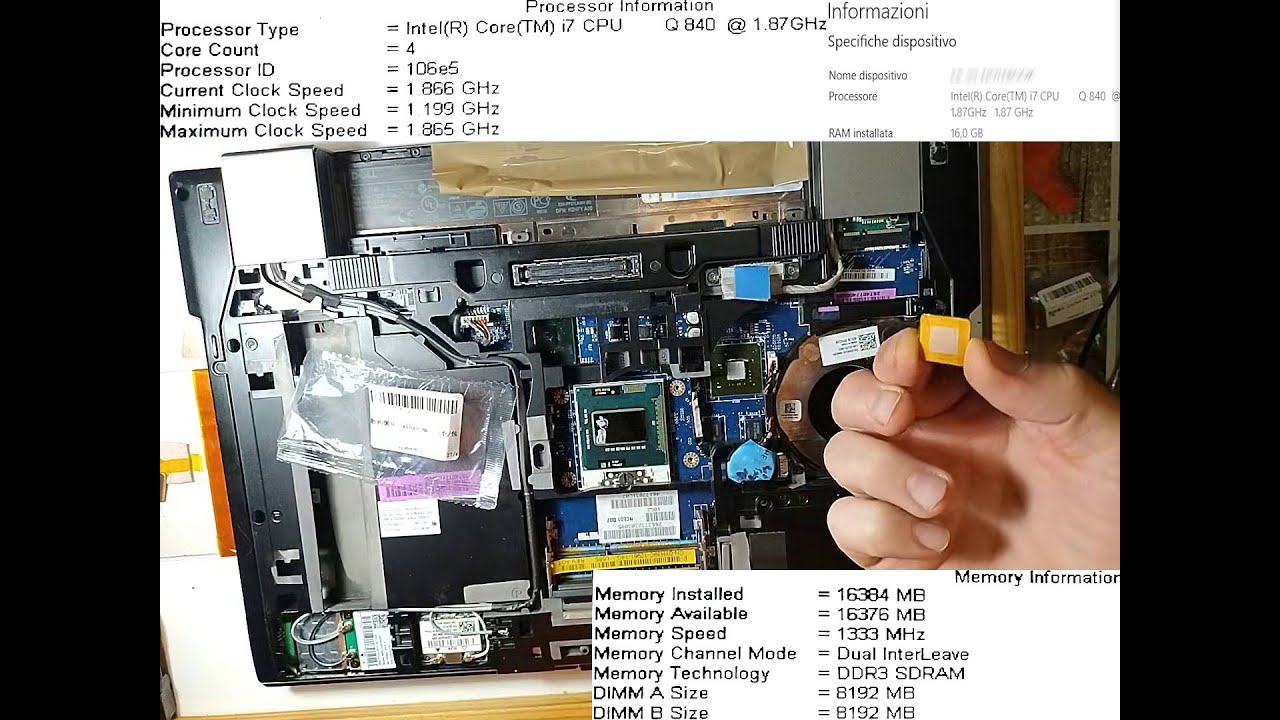
This MOD would be IMPOSSIBLE according to the characteristics of the manufacturer, but instead, here is a NON-COMPATIBLE PROCESSOR and a NON-SUPPORTED AMOUNT and SPEED of RAM! (i7 QUAD CORE, true 1333MHz not 1066 and 16GB not 8GB)
...in addition to allowing a better heat dissipation of the GPU which is known to cook with normal use on this computer!
Demonstrable that if you have good manual skills, you can do it perfectly in ... THE KITCHEN! ❣️😅
...where I still do several upgrades, and also solve known problems such as overheating of the Nvidia GPU with a Copper Pad, I put an i7 quad core, which should not be supported by default, thanks to this, the RAM goes from 8 to 16 GB, and some MODS!
Disassembly and correct assembly;
Updated and explained: WiFi + BT5.3, possible expansion for internal USB key, i7 quad core CPU, Copper pad for Nvidia GPU with polyimide (Kapton) thermal tape around, thermal paste, 16 GB RAM, TEST performance temperatures and controls, SOLUTION TO BE ABLE TO ADJUST THE BRIGHTNESS MANUALLY IN ANY CASE, expansion 2 USB 3.0 ports, DRIVER LIST UPDATED at June 2025..
Rightfully to the MOD.. Rightly so :v ...this video was edited with this newly upgraded computer that you just saw, as an anti-explosion test! XD
EnJoY! ;)
___________
Le mie "KB's" risposte in video alle mie risposte scritte che ho dato nel forum DELL, in un post chiamato "Dell Latitude E6410 16GB RAM on latest BIOS in 2023"
Questo MOD sarebbe IMPOSSIBILE secondo le caratteristiche del produttore, ma invece, ecco mettere un processore NON COMPATIBILE ed una QUANTITÀ DI RAM NON SUPPORTATA! (i7 QUAD CORE, 1333MHz veri e non 1066 e 16GB non 8GB)
..oltre a permettere una migliore dissipazione di calore della GPU che è noto cuocersi con un uso normale in questo computer!
Dimostrabile che se si ha una buona manualità, si può fare alla perfezione in... CUCINA! ❣️😅
...dove comunque ci faccio diversi upgrade, e risolvo anche noti problemi come il surriscaldamento della GPU Nvidia con un Pad termico di rame, metto un i7 quad core, che non dovrebbero essere supportati di norma, grazie a questo, si passa la RAM da 8 a 16 GB, e molti altri MODS!
Smontaggio e montaggio corretto;
Aggiornato e spiegato : WiFi+BT5.3, eventuale espansione per usb key interna, i7 CPU quad core, Pad di rame per GPU Nvidia con nastro termico in poliimmide (Kapton) attorno, pasta termica, 16 GB RAM, TEST prestazioni temperature e controlli, SOLUZIONE PER POTER REGOLARE LA LUMINOSITÀ MANUALMENTE IN OGNI CASO, espansione 2 porte USB 3.0, LISTA DRIVER AGGIORNATI a GIUGNO 2025..
A ragione del MODdone.. Giustamente :v ...questo video, è stato montato con questo computer appena upgradato che avete appena visto, come test anti esplosione! XD
EnJoY! ;)
Повторяем попытку...
Доступные форматы для скачивания:
Скачать видео
-
Информация по загрузке: