Git Finally Makes Sense (The Visualization You Needed
Автор: AI Tools
Загружено: 2025-12-26
Просмотров: 370
Описание:
Stop struggling with Git. Most developers memorize commands like git push and git pull without ever understanding what’s happening under the hood. When a merge conflict or a detached HEAD state happens, they panic.
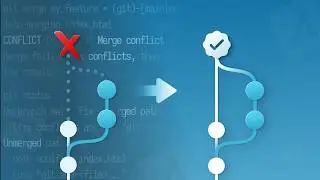
In this video, we go beyond the terminal. We dive into the logic of Git—explaining it as a database of snapshots, not just a list of changes. We’ll visualize the Directed Acyclic Graph (DAG), demystify branches as simple "sticky notes," and show you exactly how reset, revert, and rebase manipulate your project's history.
Whether you are a junior developer or have been coding for years, this deep dive will make Git finally click for you.
🚀 What you will learn:
Why Git is a Database of Snapshots (not deltas).
The truth about Branches and the HEAD pointer.
Understanding the 3 Areas: Working Directory, Staging, and Repository.
How to fix mistakes with Reset, Revert, and Reflog.
Rebase vs. Merge: Which one should you actually use?
⏱️ Timestamps: 0:00 - The Git Frustration 0:20 - Git is a Database (The Commit) 0:30 - Branches are just Sticky Notes 1:00 - The Three Areas of Git 1:20 - Reset vs. Revert (Undo Mistakes) 2:00 - Rebase: The Clean History Trap 2:15 - Don't Panic: Using Git Reflog 2:36 - Conclusion: Think in Graphs
🔔 Subscribe to AI Explained for more deep dives into the technologies that power our world.
#Git #Programming #WebDevelopment #SoftwareEngineering #GitTutorial #Coding #AIExplained #TechDeepDive
Git tutorial,
Understanding Git
, Git internals,
Git for beginners
, Git Pro tips
, Git Rebase vs Merge,
Git Reset vs Revert
, Version Control
, Software Development
, Git Graph
, Git DAG
, AI Explained,
Programming logic
, How Git works.
Повторяем попытку...

Доступные форматы для скачивания:
Скачать видео
-
Информация по загрузке: