REDMI Note 15 5G – Turn On/Off Auto Correction
Автор: TUTORIAL_info
Загружено: 2026-01-22
Просмотров: 23
Описание:
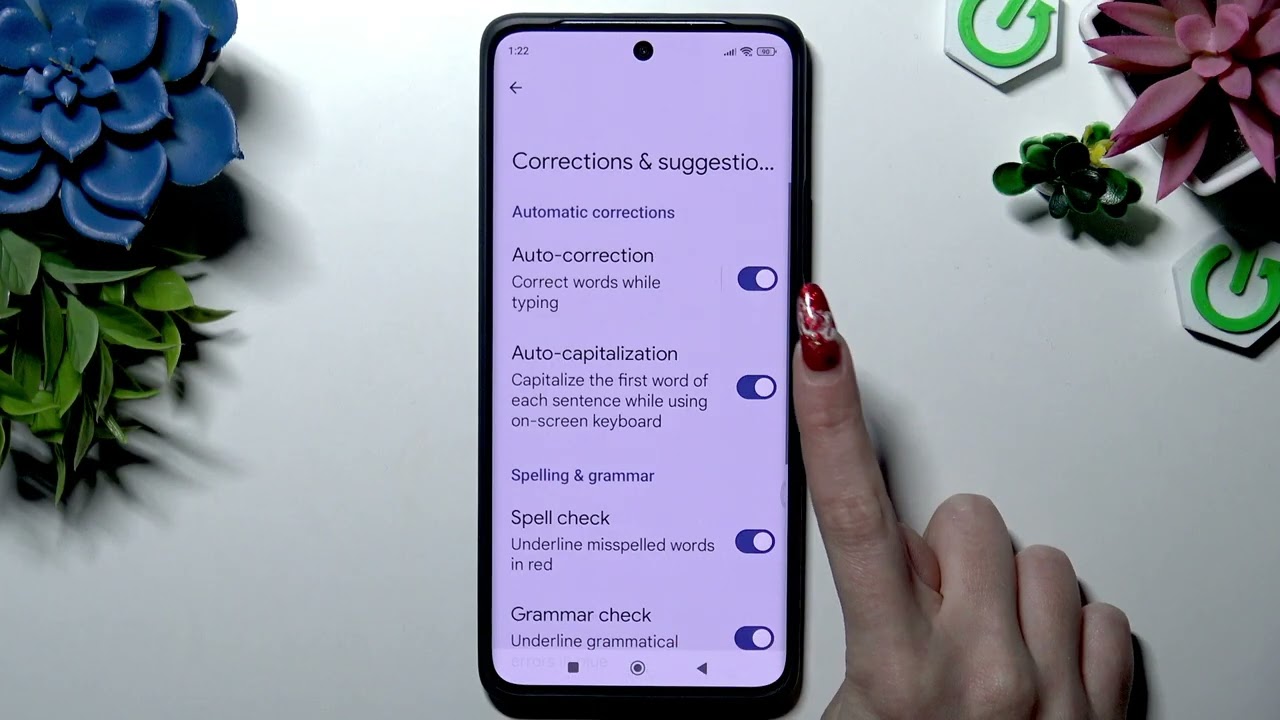
In this short video you will learn how to turn on or turn off Auto Correction (autocorrect) on your REDMI Note 15 5G. I show the exact steps using Gboard: open Settings, go to Additional settings → Languages & input → Manage keyboards, select Gboard, then open Corrections & suggestions and use the Auto correction switch. This quick guide helps you stop unwanted word changes or enable automatic fixes for faster typing on your Redmi Note 15 5G running MIUI.
How to turn off Auto Correction on REDMI Note 15 5G?
How to enable Auto Correction on REDMI Note 15 5G?
Where is the Auto Correction setting on REDMI Note 15 5G?
0:00 Intro
0:08 Open Settings and scroll down
0:18 Additional settings → Languages & input
0:30 Manage keyboards and select Gboard
0:34 Corrections & suggestions → Toggle Auto correction
0:47 Thanks & wrap up
#RedmiNote15 #Autocorrect #AndroidTips #Gboard
Find out more:
https://www.hardreset.info/devices/re...
Follow us on Instagram ► / hardreset.info
Like us on Facebook ► / hardresetinfo
Tweet us on Twitter ► / hardreseti
Support us on TikTok ► / hardreset.info
Use Reset Guides for many popular Apps ► https://www.hardreset.info/apps/apps/
Повторяем попытку...
Доступные форматы для скачивания:
Скачать видео
-
Информация по загрузке:


