Visualizing Data Through Dashboards
Автор: LSNTAP Videos
Загружено: 2014-11-12
Просмотров: 4410
Описание:
Creating and Building a Legal Aid Dashboard
Laura Quinn, Executive Director, Idealware, who will lead the class.
Peter Campbell, CIO, Legal Services Corporation
Kristin Verrill, Attorney, Atlanta Legal Aid Society
A. What is a Dashboard?
B. 7 Steps to Your Own Dashboard
1. Define who and what it's for
2. Understand what your users want
3. Map metrics to your needs
4. Choose your dashboard platform
5. Design charts and displays
6. Implement and roll out
7. Plan to iterate
C. Some Dashboard Case Studies
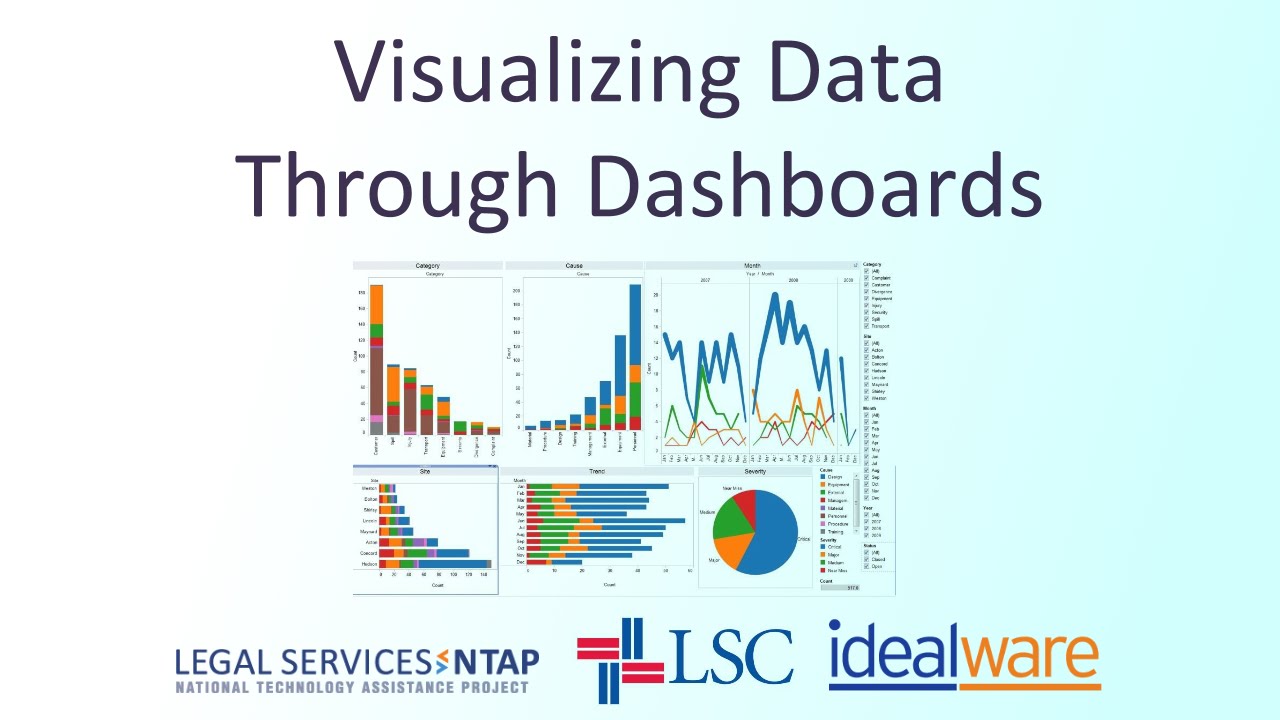
Dashboards consolidate information to help measure monitor, and manage the way you work.
What data does a dashboard track?
It depends on the organization, but it could include:
• Operational data: day-to-day data. for example: the number of open cases assigned to each attorney, average time that a case is open, or time spent per program.
• Program spend and budget
• Program impact: client satisfaction.
• More Specific: ie, calculated metrics like the average time that a case is open or the time spent per program.
STEP 1: Define Who and What you Dashboard is For:
Who will be the highest priority users?
Who are you designing the dashboard for?
Will there be additional types of users?
Is your goal to Centralize key Metrics? Do you want everyone to be able to seethe same set of metrics, to help keep everyone on the same page. Is this for the board, the ED, the public, etc?
○ Or will staff choose their own metrics. Will they be customized to help people with their own jobs, but don't necessarily get everyone on the same page.
○ Is data self-service a goal. Do you want to allow staff to look up data themselves rather than requesting it from a central team.
○ Define what success looks like: resist the urge to make something that's all things to all people.
"The more you know going into it, the more success you will have -Peter Campbell"
STEP2: Understand What Your Users Want From the Dashboard
Find out what they currently do: convene staff members and talk about their current processes for decision making. Pay more attention to gaps and workaround than to what they say they'd use.
Consider the "Magical Dashboard": ask people to draw out the information they'd like to have can be useful.-- often desires are surprisingly simple.
Define what they really need
○ Simple summary of key data
○ Complex indicators
○ Ability to tailor their own need
○ To be able to drill into details
○ To do scenario planning
STEP 3: Map Metrics to Your Needs
Find overlap in what you want to know and what you can collect.
What data will help you make decisions?
Where will the data come from?
○ Do you have the data.
○ How easy will it be to pull it for your dashboard.
○ What kind of transformation will it need.
Don't Underestimate this process: for many orgs, designing the right metrics-those that are both useful and practical-is the hardest part of a dashboard process.
Kristin: Start with information you already have in your Case Management System
STEP 4: Choose Your Dashboard Platform
What Platform will work best?
Your Existing Legal Case Management System: probably has a lot of your data.
An Excel Spreadsheet
A plug-in reporting or dashboard tool.
Such as:
○ Tableau
○ iDashboards
○ GoodData
○ Birst
○ Qlikview
Conceptually similar to an excel spreadsheet.
Or an external reporting tool
○ Crystal Reports
○ Jasper Reports
○ SharePoint
Or A Custom-Built Dashboard: more flexibility, but likely requires more time and effort.
STEP 5: Design Charts and Displays
Match your metrics to visuals-let the data itself take center stage.
Keep your data clean.
Beware the glitzy graphic: how much are you taking up with glitz rather than information
In many instances, display the data in different ways. People like the big picture, and to drill down into specifics.
STEP 6: Implement and Roll Out Your Dashboard
Bring the data together with your visuals and platform to let the magic happen.
Obviously, the effort and process will depend hugely on what you are doing
Roll it out thoughtfully:
Don't forget about training and the process of getting people on board
It doesn't matter how great it is if no one uses it.
STEP 7: Plan to Iterate
Start with baby steps
It's much easier to figure out what's needed by iterating than through a huge design process
Refine Your Data as Well
Your dashboard is only as good as your data-but making it more visible can often inspire improvements in data quality.
Some Dashboard Case Studies:
Atlanta Legal Aid Society
• Awarded a TIG in 2012 to develop and Executive Dashboard in their existing case management system, LegalServer.
• The dynamic reports allow the executive team to both see a high-level overview of programs and services, and drill down to see outcomes for a specific program or individual.
Повторяем попытку...
Доступные форматы для скачивания:
Скачать видео
-
Информация по загрузке: