3D laser engraving with DeskProto - the bottle
Автор: DeskProto
Загружено: 2025-05-14
Просмотров: 606
Описание:
Software for laser engraving typically offers 2D lasering: engraving (or cutting) your image on a flat surface, so at a constant Z-level. The DeskProto CAM software as well offers 2D laser engraving, as shown in the previous DeskProto laser video.
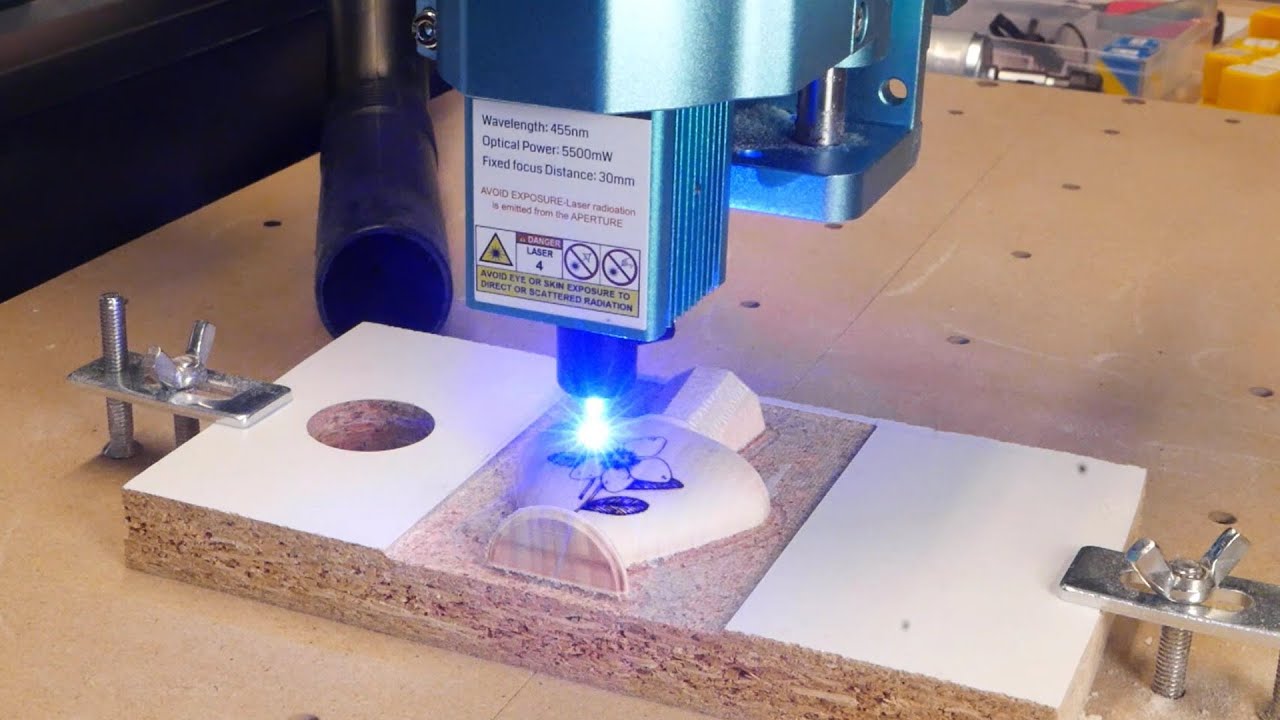
However, DeskProto offers more: 3D laser engraving, where you can project the original 2D image on a 3D freeform surface. First you use DeskProto toolpaths to CNC machine the part (imported as STL file) and then you calculate 3D laser toolpaths, where the laser's focus point follows the height of the part.
This video shows the process in DeskProto, the actual laser engraving (on a SainSmart machine), and the result: a small perfume bottle model with a flower engraved onto its curved side.
TIMESTAMPS
00:00 - Introduction: 2D laser engraving versus 3D laser engraving
00:38 - The 3D geometry (a bottle) and the 2D drawing (a flower) that are used
01:24 - Machining the bottle geometry: roughing
02:01 - Machining the bottle geometry: finishing
02:36 - Start DeskProto (the Expert edition)
02:54 - Load the SVG file, scale and position it
04:32 - Why Pocketing is needed
04:48 - Add a Vector operation
04:58 - Select a laser cutter, select Projection and select all curves for Pocketing
06:07 - Calculate toolpaths, check them, change the Free movement height
07:23 - Save the NC file
07:52 - Prepare the machine for laser engraving
09:13 - Open the NC file, send it to the machine and watch the laser engraving process
10:00 - Evaluate the results.
Повторяем попытку...
Доступные форматы для скачивания:
Скачать видео
-
Информация по загрузке: