A quick tutorial on how to set up Auto Channels on Elektron boxes and play them with 1 keyboard!
Автор: DeeCee
Загружено: 2024-10-27
Просмотров: 2152
Описание:
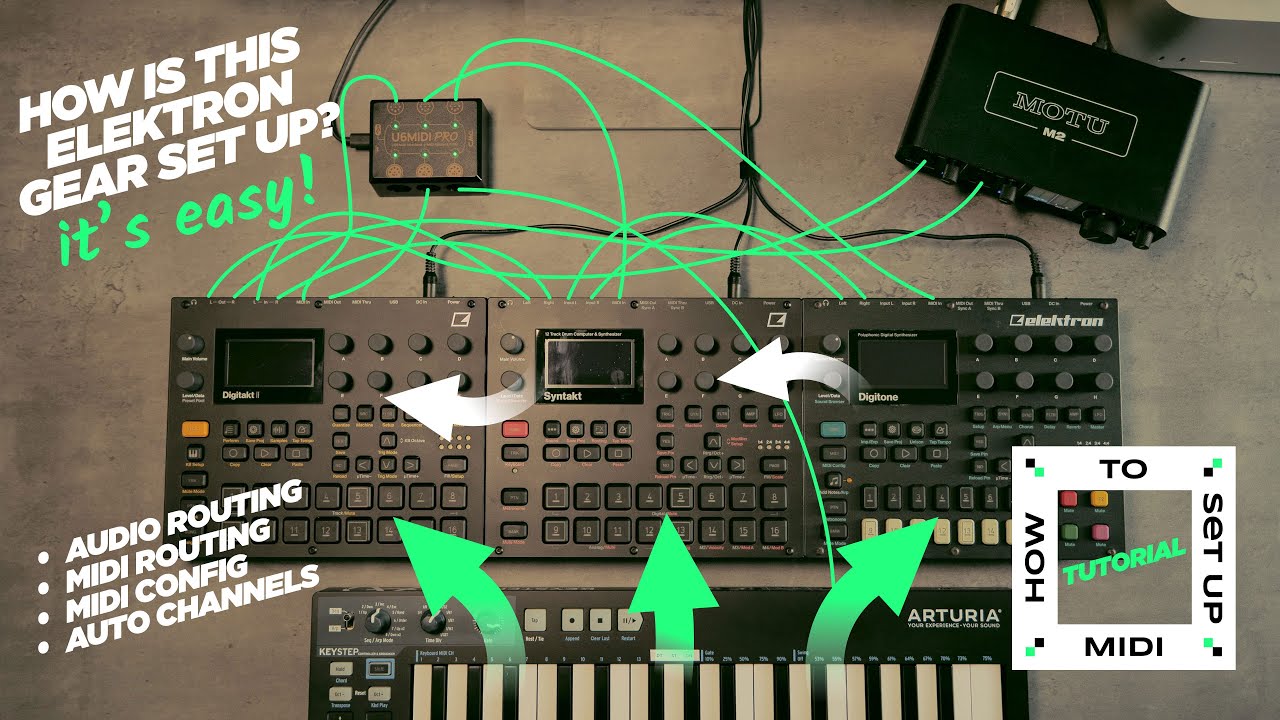
By popular demand. I've often been asked how my gear is set up and it usually takes a bit of time to explain in comments (and then it's not even that clear) so I decided to create this tutorial so I can share this with anyone else that ask in the future. It also means I don't have to keep answering the same question I over over :-) I'll be honest this has taken a lot longer than I was hoping I probably could've done something a bit more lo-fi but I can't bring myself to not try and make it a polished experience. Anyway, if you're here for a jam then you're in the wrong place this is just a tutorial, but subscribe and keep a track of what I'm up to because I'll be doing some new track soon.
If you're here and this is helped please do like and subscribe and let me know how you got on following this tutorial. Hopefully you got your boxes set up I'm working as you see in the video. I hope you did because it's a whole lot of fun once it's working.
00:00 MIDI Routing
01:45 Audio Routing
03:02 MIDI Router configuration
04:22 Digitakt 2 MIDI Settings
05:03 Syntakt MIDI Settings
05:37 Digitone MIDI Settings
06:16 It works!
#tutorial #elektron #MIDI #Keystep
Gear used:
Elektron Digitakt 2
Elektron Syntakt
Elektron Digitone
Motu M2 Audio interface
Panasonic Lumix S5
Mac Studio
Logic Pro X
Повторяем попытку...
Доступные форматы для скачивания:
Скачать видео
-
Информация по загрузке: