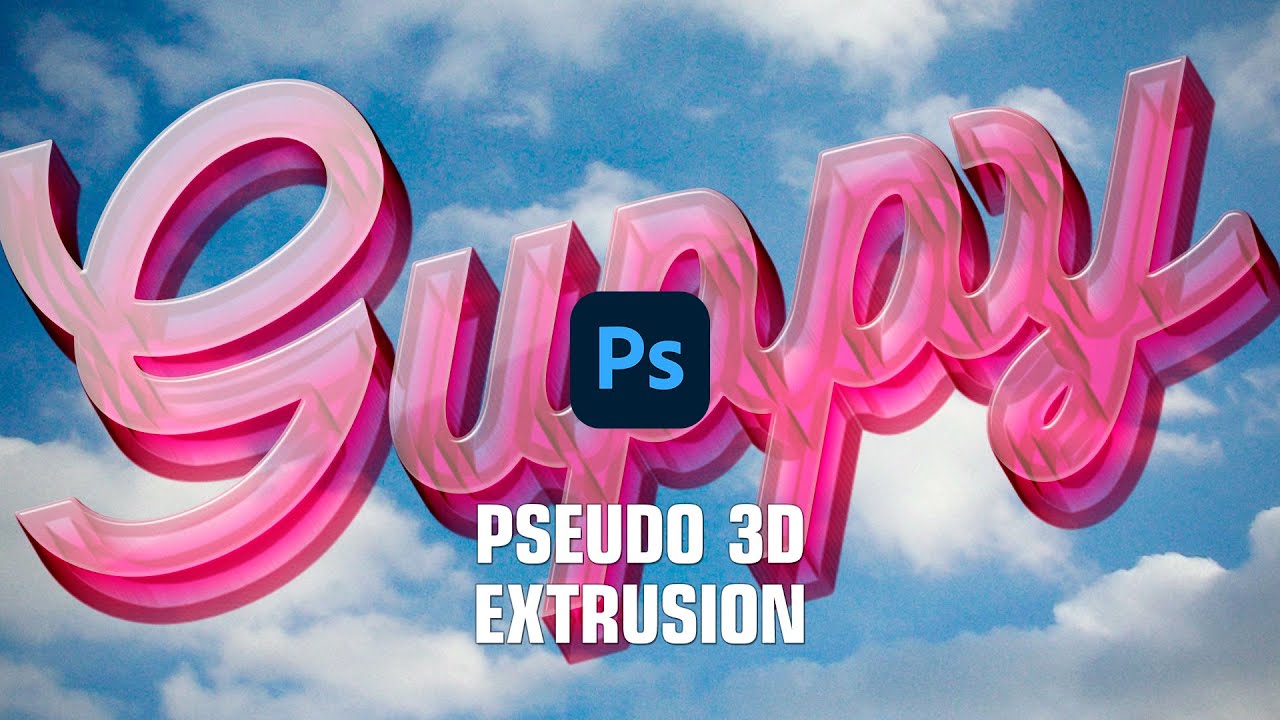
Text Effects of Pseudo 3D Extrusion in Photoshop 2023
Автор: psgips
Загружено: 2022-11-24
Просмотров: 3547
Описание:
This lesson is about how to create a three-dimensional effect without using difficult 3D features. Create text effects of transparent resin with pseudo-3D extrusion from your favorite fonts and shapes. Let's finish it with a pop and cute logotype.
Contents:
00:00 Introduction
--
[STEP-01] Rasterize text or shape
00:38 Create a new group
01:44 Create Solid Color
--
[STEP-02] Pseudo 3D Extrusion
02:40 Set Motion Blur
03:35 Create a mask for Stroke
04:14 Set Stroke
05:02 Create a transparent resin texture
--
[STEP-03] Add reflected light to the front
06:25 Duplicate object layer
07:27 Set Bevel & Emboss
08:41 Set Inner Shadow
09:45 Set Gradient Overlay
Gips strategy: Use the blurry trajectory!
Applying Motion Blur to an object's silhouette leaves a blurry trajectory at the motioned distance. Applying to find edges to this sharpens the blurry trajectory, creating a 3D extrusion-like effect. However, this alone is not enough. Let's add opaque parts and how the surface is reflective.
Web site address:
https://psgips.net/
Please see the link below for further details:
https://psgips.net/photoshop-tutorial...
Download material image (133 KB):
https://psgips.net/wp-content/uploads...
#photoshop #psgips #tutorials
Повторяем попытку...
Доступные форматы для скачивания:
Скачать видео
-
Информация по загрузке: