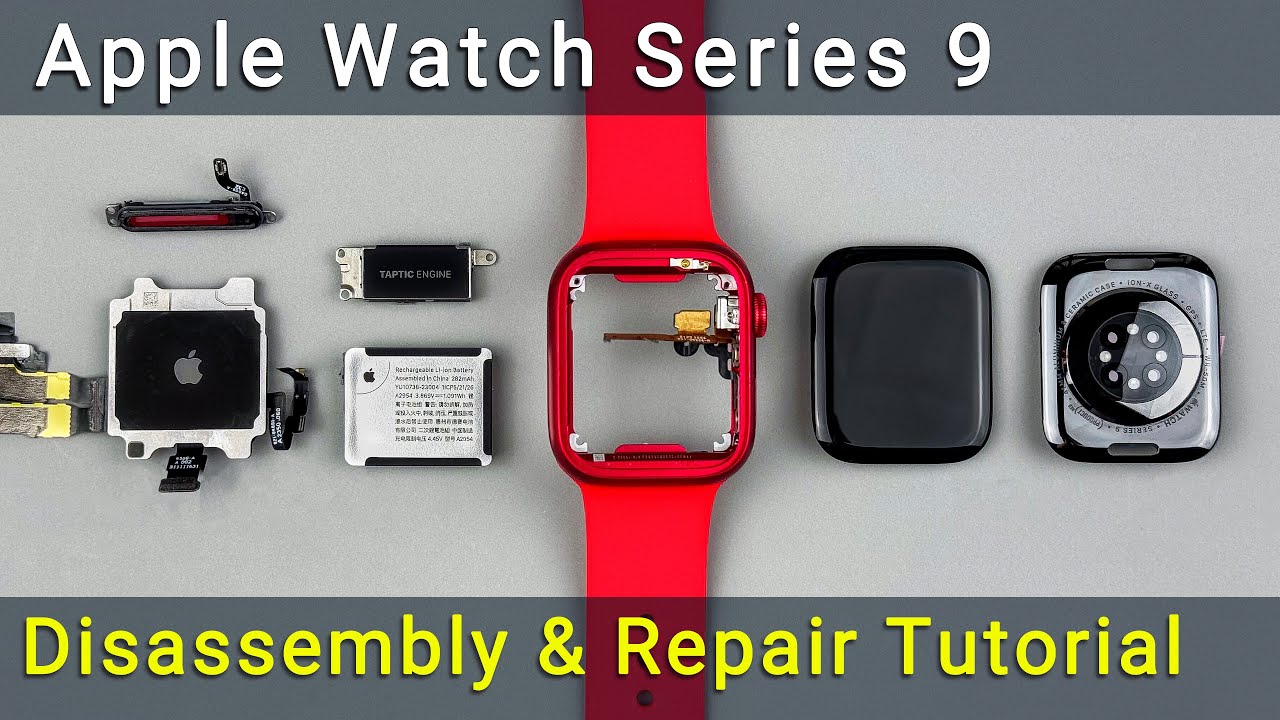
Complete Apple Watch Series 9 Teardown and Repair Tutorial
Автор: How-FixIT
Загружено: 2025-04-25
Просмотров: 10179
Описание:
Learn how to disassemble and reassemble your Apple Watch Series 9 step-by-step and replace components like the housing, digital crown, side button, microphone, speaker, and more in this repair guide.
Buy tools and parts on AMAZON:
Screwdriver Set: https://hfixt.com/spro
Opening Tool Set: https://hfixt.com/tool
Tweezers: https://hfixt.com/tzrs
Glue B7000: https://hfixt.com/b700
Battery: https://amzn.to/3GcCgq7
Global AliExpress:
Screwdriver Set: https://hfixt.com/alis
Opening Tools: https://hfixt.com/alit
Tweezers set: https://hfixt.com/altz
Glue B7000: https://hfixt.com/alb7
Battery: https://s.click.aliexpress.com/e/_ooM...
Screen: https://s.click.aliexpress.com/e/_oBU...
Housing: https://s.click.aliexpress.com/e/_oFm...
Motherboard: https://s.click.aliexpress.com/e/_oBi...
📌*Useful links*
Best Screwdriver Set: • How to Choose the Best Screwdriver Set for...
Repair Tools & Safety Tips: • Electronics Repair for Beginners: How to S...
More DIY repair guides: https://how-fixit.com
📱Follow us for more tech tips and guides!
TikTok: / howfixit
Instagram: / howfixit
Facebook: / howfixit
X: https://x.com/HowFixit
Description
In this repair guide, you will learn how to disassemble and reassemble your Apple Watch Series 9 step-by-step and replace components like the housing, digital crown, side button, microphone, speaker, and more.
Whether your watch screen is cracked, the battery life has deteriorated, or the speaker isn’t sounding right, this tutorial will help you resolve these issues efficiently. You'll learn expert tips on safely removing adhesives, managing tiny screws and springs, and maintaining the water resistance of your device. Detailed instructions include recommended tools, such as the Tri-Wing screwdriver, plastic pry tools, screen clamps, and essential adhesives like B7000 glue.
To make this DIY repair easier, using a magnetic mat is strongly recommended to organize screws during disassembly. We provide links to all necessary replacement parts and tools in the description below, making your repair straightforward and cost-effective.
By the end of this video, you'll have gained valuable skills, saved money, and extended the life of your Apple Watch Series 9. Don’t forget to subscribe to HowFixit for more tech repair tips and DIY guides!
Key Takeaways
✅ Detailed disassembly and reassembly of Apple Watch Series 9
✅ Recommended repair tools and adhesives
✅ Tips on maintaining water resistance post-repair
✅ Links provided for replacement parts
✅ DIY cost-saving techniques
🎬Time Code:
00:00 Introduction to Disassembly and Repair Tutorial
00:24 Tools Required
00:53 Preparing for repairs
01:16 Removing Apple Watch Screen
03:35 Battery Replacement
04:45 Removing Vibration Motor
05:50 Speaker Replacement
06:54 Removing the Back Cover
09:38 Watch Frame Assembly
10:10 Motherboard Removal
10:35 Back Cover and Sensors
11:13 Reassembly Preparation
13:37 Reassembling Components
19:17 Testing
20:09 Restoring Water Resistance
22:05 Final Assembly
22:28 Conclusion
🌟FAQ
❓Q: Can I replace the Apple Watch battery myself?
✔️A: Yes, with the proper tools and instructions, it's a straightforward repair.
❓Q: Is the watch still water-resistant after repair?
✔️A: Water resistance can be restored, but full waterproofing cannot be guaranteed.
❓Q: What glue is best for reassembly?
✔️A: B7000 glue provides excellent elasticity and water resistance, making it ideal.
❓Q: Where can I buy replacement parts?
✔️A: Links to all replacement parts are provided in the video description.
❓Q: Is this repair suitable for beginners?
✔️A: While challenging, the guide is detailed enough for beginners who follow carefully.
AFFILIATE PROGRAM
We are a participant in the Amazon Services LLC Associates Program, an affiliate advertising program designed to provide a means for us to earn fees by linking to Amazon.com and affiliated sites.
#applewatch #howfixit #applewatchrepair #diy #diyrepair #teardown
Повторяем попытку...
Доступные форматы для скачивания:
Скачать видео
-
Информация по загрузке:





![[ASMR] Can iPhone 17 Pro Max be successfully upgraded from 256GB to 2TB?](https://image.4k-video.ru/id-video/7M60g09HB1M)


